New post
Avatar
0

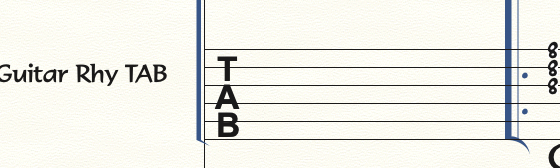
My customer wants TAB staves to use "TAB" clef symbol from Broadway Copyist - second example. All files I have for him work just fine.

He made a scratch file with some suggestions. When I added TAB staff, Finale uses Maestro font - but only for this one clef. Everything else is Broadway copyist. To me it seems as if TAB clef somehow overrides default clef font, which is Broadway. Font preferences is set correctly. What am I missing?
3 comments

Date Votes
Avatar
0

… All files I have for him, work just fine …


If I understand you correctly, in the files you have for him, the TAB clef is in Broadway Copyist Text 10 - right?

But in the “scratch file” the TAB clef is in Arial 9 Bold - right?


Two ideas:


1) Clef Tool.

Double-click the TAB staff. The dialog box Clef Selection appears.

If the Broadway Copyist TAB clef is available in the Clef Selection, select it.


2) If the Clef Selection does not have the Broadway Copyist TAB clef, then load it from a library.

Open one of the Finale documents that has the Broadway Copyist TAB clef, and save a library with the document’s clefs:

File menu > Save Library…

Then, load that clef library into the “scratch file”:

File menu > Load Library…

Comment actions Permalink
Avatar
0

Hi Peter,

Thanks, Second option did it. How I got it right in the original file, I don't know.

Peter


Comment actions Permalink
Avatar
0

… How I got it right in the original file, I don't know …


Perhaps you created the document via the Setup Wizard?

Comment actions Permalink

Please sign in to leave a comment.