Hello,
I downloaded Finale v27. I opened one of my previous scores and I don't get any JABB3 sounds. Is there a step or instructions on how to install JABB3 in v27?
Thank you
Pedro


J Adrian,
Thank you for the response. I only have JABB. I tried creating a new score and when I select Aria Player there is nothing. The following screens show what happened with an old score, in which I used JABB before
Screen 1. Notice there is nothing on Sounds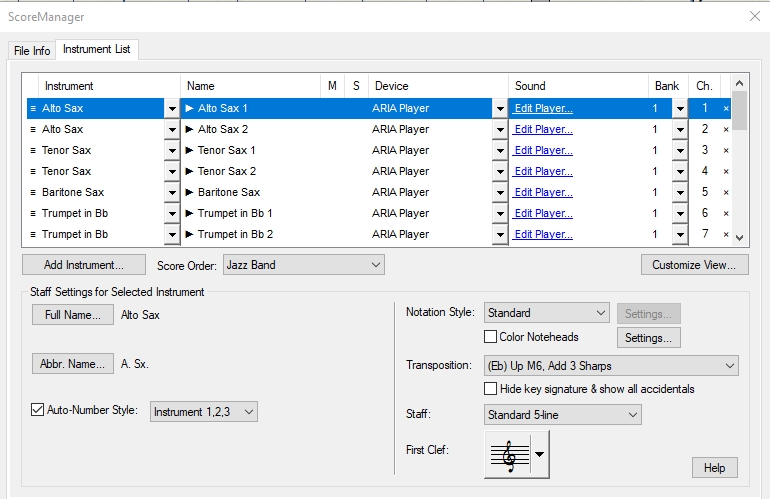
Screen 2. When I click on "Edit Player" I get the following.

The directory/folder exist actually.
Screen 3: I click the "X" and I get the next screen
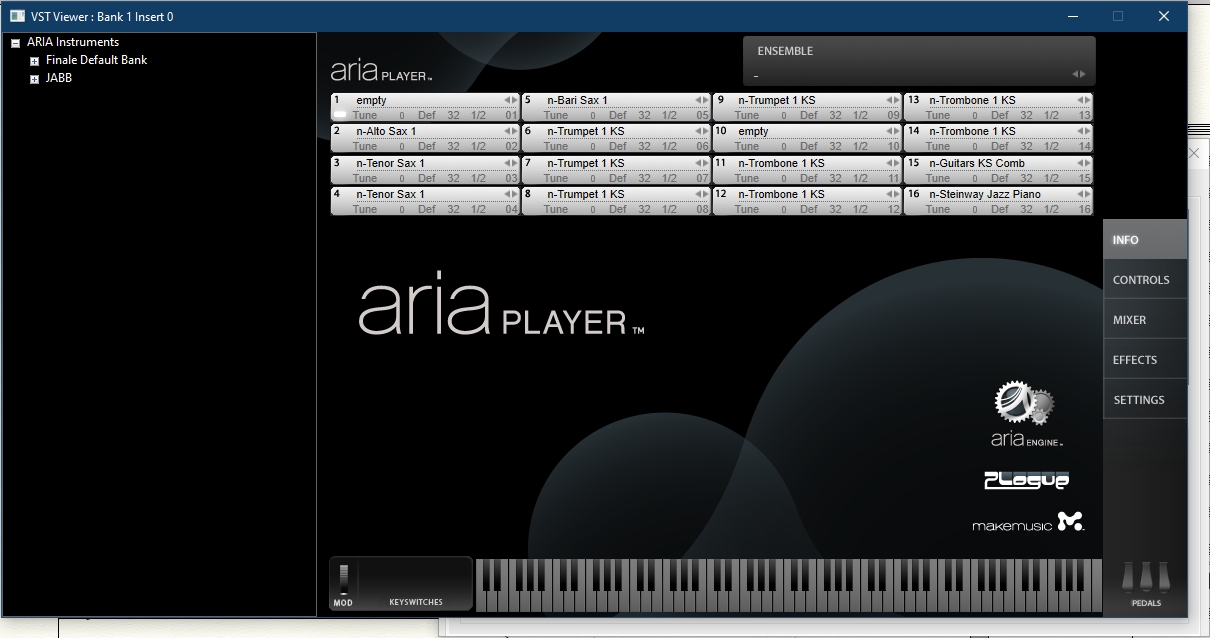
No luck assigning instruments here either.
When you reassigned, was MIDI/Audio set to Play Through VST (or whatever the Mac equivalent would be) rather than Play Through MIDI?
Also, when you installed Finale 27, did you go through the complete (three-stage) routine to (re)install the Aria Player and Garritan Sounds? Not only are there some new sounds added to the Garritan Instruments for Finale collection, but reinstalling the Aria player will make sure Finale 27 knows where to look for it.
Then I'm stumped. Sorry.
The file paths in your error printout mirror the paths holding my samples. I take it you have opened the pathway to verify the samples are there.
You haven't done anything that would require you to reapply the JABB "key card" graphic again, have you? I would think that would give a different message. Can you actually produce sounds choosing an instrument in the Aria player and using the Aria's graphic keyboard?

Hmmmm... Path problems in (anything) after a subsequent install of (anything else) — in Windows?
I'm shocked!
I worked a desk supporting a set of Win apps and developer tools for a decade a lifetime ago. This was easily 80% of my support calls. Our software "broke" after something else was installed whether a Win update or another app. Resetting the path was always the solution. Sometimes, the customer would reinstall our app or tools and the installer would fix the path.
Anyway, MM Support is going to know the complete path. Use the Submit a request link at the top of these pages. Before you do that, you may wish to reinstall those Garritan libraries—hopefully, it won't break your paths to anything else.
Then there was the time that XP broke the Logitech Web Cam and a request for our serial # showed up… same issue but, because of license agreements, I had to send those people to Logitech for a solution I could have given over the phone. Ah… phone support—those were the days…
No to the key card question. Also, no sounds in the stand alone player or from the keyboard.
I will give that a try.
Thank you both.
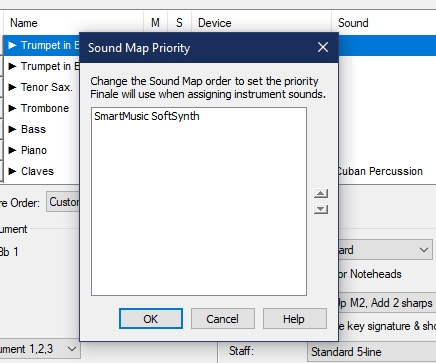
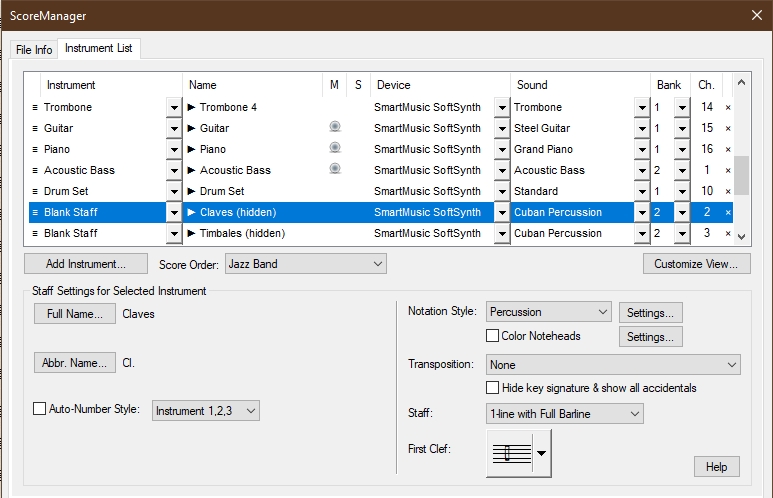
I reinstalled Finale and JABB3. I get sounds from the Aria Player. However, take a look at the attached images. FYI, I attempted https://makemusic.zendesk.com/hc/en-us/articles/217663758-Setting-up-Garritan-libraries-with-Finale-and-PrintMusic and it did not work for me.
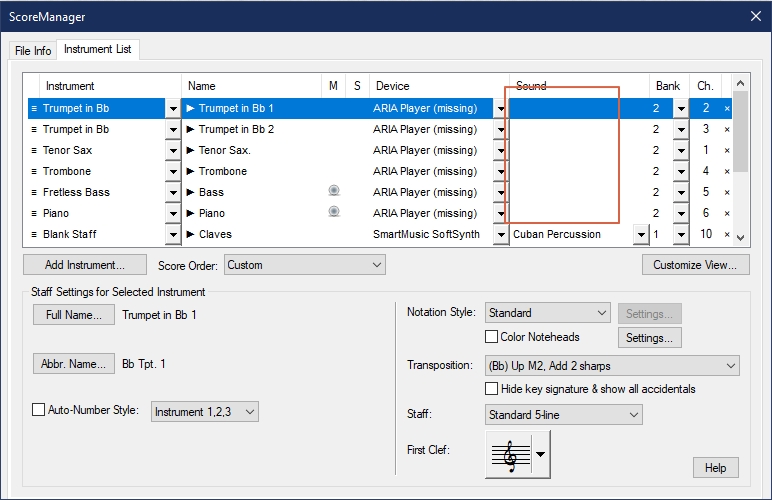
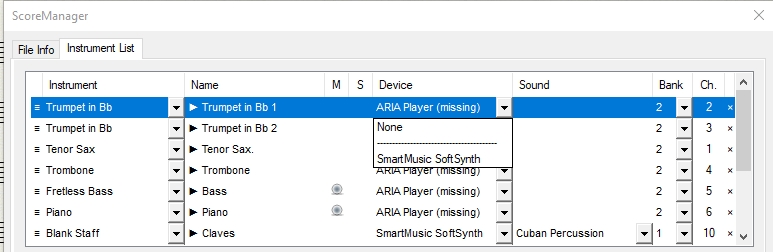
///Solved///
I submitted a request and these are the instructions I received.
JABB Drum Sets and Percussion.xml
GarritanJazz3.soundmap
Finale (Version 27) does not require the file GarritanJazzinstrument3.txt.
They are very similar to ones located here https://makemusic.zendesk.com/hc/en-us/articles/217663758-Setting-up-Garritan-libraries-with-Finale-and-PrintMusic. However, remember to change all indications to the C drive with the drive where you installed Finale. In my case F.
>In my caseIn my case F..…<
Glad you got it solved. Thanks for posting the solution; this will help others.
To anyone finding this in a Google search, that is a classic path issue in Windows. It’s ok not to install in the default location but the user sometimes has to tell Windows where everything is and exactly how to find it.
Please sign in to leave a comment.

13 comments
Date Votes