New post
Avatar
0

Win 10.  Finale v. 27.3.0.137

I inserted a pickup measure using exactly the procedure described in:
"Help" > "To create a pickup measure within a piece".
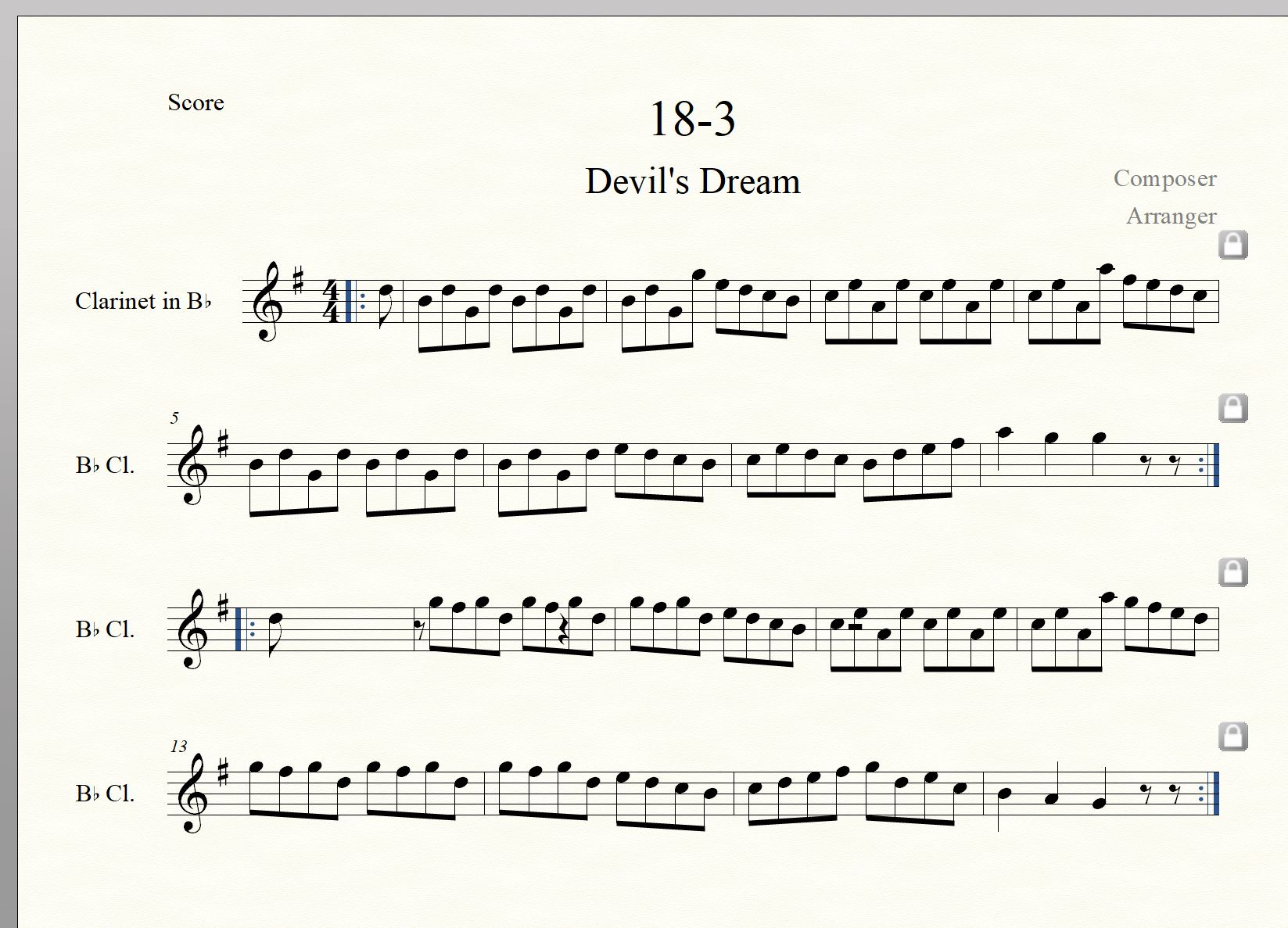
After this, there are pause symbols which I cannot remove. They have no influence on playback, but are disturbing.
Saving, restarting Finale, and reloading the file did not help.

May be it is due to the Title :-)

I am attaching the screen dump. (I cannot see how to attach the music file.).
Another thing in the same piece:
Before the two repeat signs, Finale keeps increasing the pause to two 1/8-pauses. I only want one 1/8-pause as the next measure to be played is a pickup measure. How to chance that?

Best regards,
Mathias

4 comments

Date Votes
Avatar
0

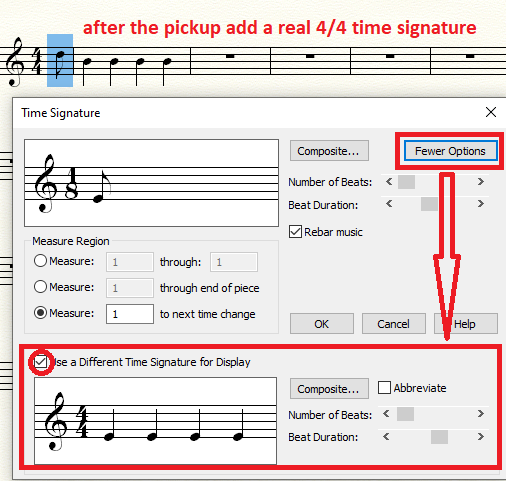
The most reliable way to create a pickup measure (using your file as an example) would be to make the first measure 1/8 but call it 4/4 to fit with what comes after. The traditional Finale pickup routine does add hidden rests before the pickup note which can wreak havoc when starting a repeat that includes the pickup.


Comment actions Permalink
Avatar
0

Thanks for your reply. I think I did something like that.

Is there a way I can upload the music file itself? Also so one can study what is going on with the pause symbols.

Comment actions Permalink
Avatar
0

… Before the two repeat signs, Finale keeps increasing the pause to two 1/8-pauses …


1) You mean e. g. measure 8 - right?


To get only one 1/8 rest, change that measure’s Time Signature to a composite time signature of


3

over

4


plus


1

over

8


Make the time signature display as 4/4 (= Use a Different Time Signature for Display).


2) To remove the extra rests in the pickup measure, use the Simple Entry Tool.

Highlight the pickup note, then use the RightArrow key to navigate to the right.

When a rest is highlighted, you can delete it.

Comment actions Permalink
Avatar
0

OK. Thank you very much.

Best regards,
Mathias

Comment actions Permalink

Please sign in to leave a comment.