New post
Avatar
0

I am running Finale 2014.5 on a Mac with os x 10.11.6.


Somehow the size of one system is much larger than other systems.  Here is a screen shot that shows the problem:
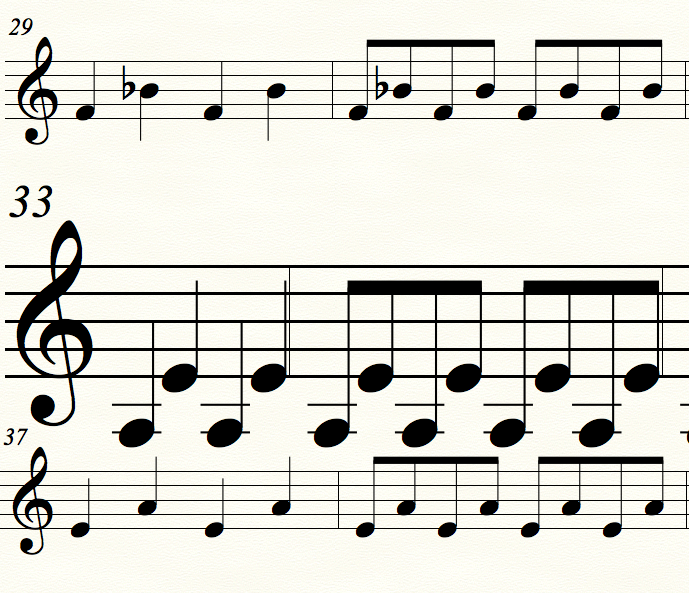
Measures 33-36 are much too large.  I tried the page layout tool and the note size tool, but could not find a way to correct it.  I also tried deleting and moving measures, and found that the size is associated with the system, so as measures move into this particular system the size increases.

3 comments

Date Votes
Avatar
0

Go to the Page Layout Tool and choose "Redefine Pages - Current Page". Does that work?

Comment actions Permalink
Avatar
1

Choose the %-tool and right-click (or the Mac equivalent) on a measure of the offending staff. It should give you the option to change the size of the staff. 

(You can do the same for a correct staff to discover the % reduction you need for the errant staff.)

Comment actions Permalink
Avatar
0

Adrian, thank you, your suggestion worked great.  Bruce, I had already tried redefining the page, it did not affect the size of the staff.

Comment actions Permalink

Please sign in to leave a comment.