New post
Avatar
0

Apologies in advance, as I am not sure the proper terminology to search for help for my problem.  I tried "Staff/ Staff Optimization/ etc" and couldnt find a solution.

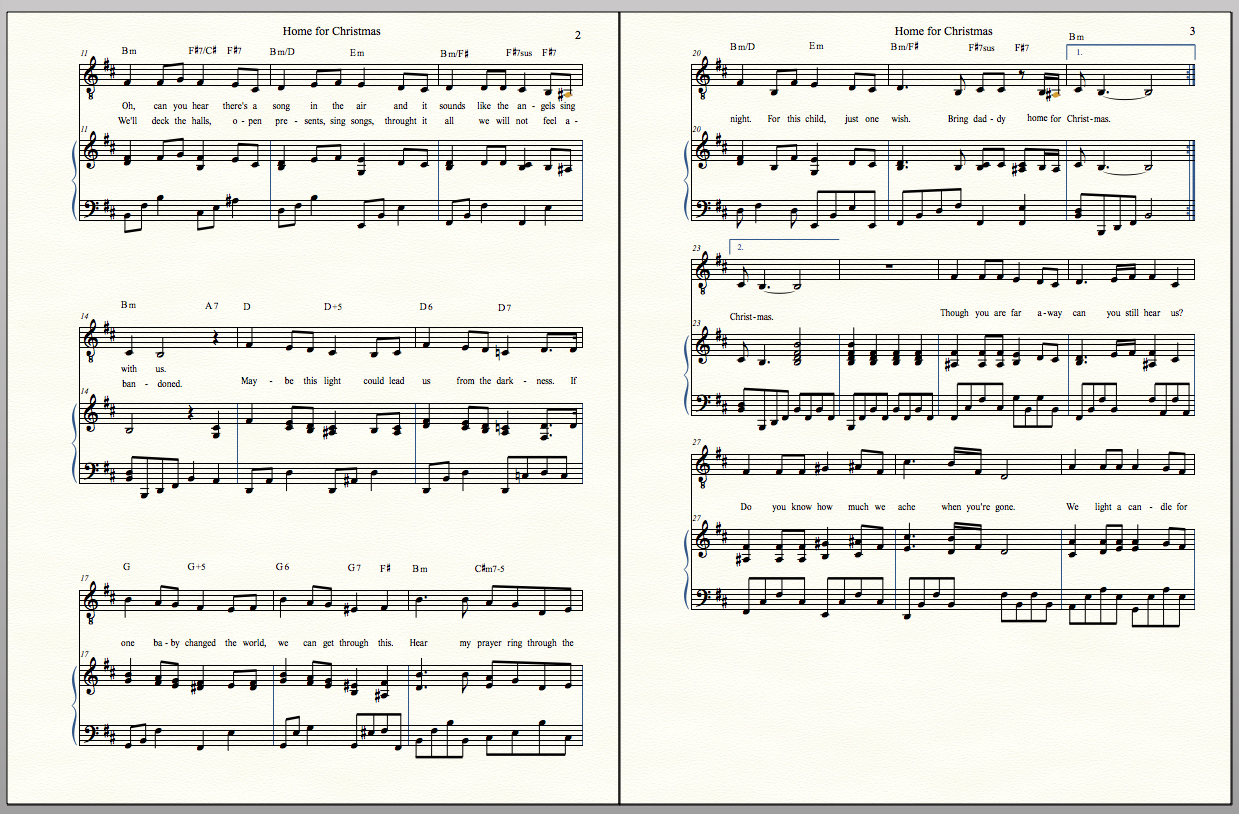
The page on the left is spaced nicely (3 balanced staffs of 3 lines vocal/ Piano T/B) and I want the page on the right to space the same way, but its clumping together with wasted space on the bottom.

Can someone please direct me as to where / how I can get the right page to align format like the left.

Thank you
 

2 comments

Date Votes
Avatar
0

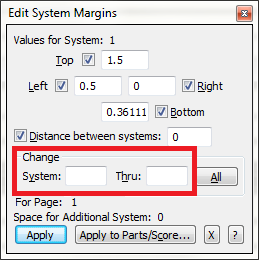
  1. Go Edit System Margins in the Page Layout Tool.
  2. Click the middle system of the left-hand page.
  3. In the "Change System _____ through _____" section enter the system numbers for the middle and bottom systems on the right hand page.
  4. Click "Apply."

In my own pages, I usually use the same "Distance between systems" setting for all systems on the page (including the top), which makes applying these spacing parameters easier.


Comment actions Permalink
Avatar
0

Thank you, J Adrian Verkoueren.  That fixed it.

Comment actions Permalink

Please sign in to leave a comment.