When I try to Edit Parts from my score, the part name is always Conductor, from the score and the title of the song is off the page. Where is the setting to adjust this?
Thank you


The text field that says "Conductor" needs to be handled differently on the Score page to show correctly in the parts. You need to erase the word conductor from that field and replace it with an insert from the text menu called "Part/Score Name."

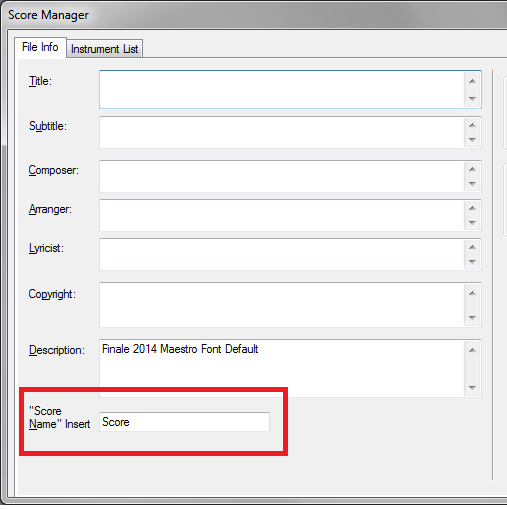
The insert will populate the field on the Score with whatever you type into the File Info Tab's "Score" slot of the Score Manager. (You can type "Conductor" into the text slot there if you wish.)
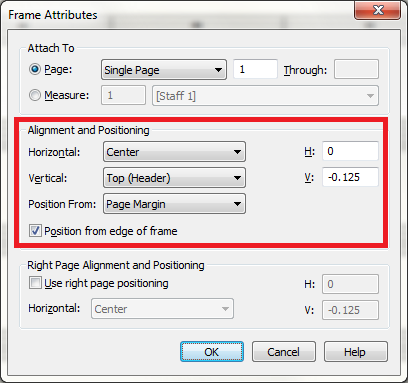
Perhaps someone moved the Title text field (which is another Insert, as you probably noticed) on the Score page, which would likely move it on the Part master page as well. The default position of the Title Field (File Attributes) is
Please sign in to leave a comment.
2 comments
Date Votes