New post
Avatar
0

Mac Finale 2014


When placing rolled chord symbols, both up and down, the manual states: "Double-click the  symbol (#103). If you have trouble finding it, scroll to slot 103 and click the symbol. Click OK"


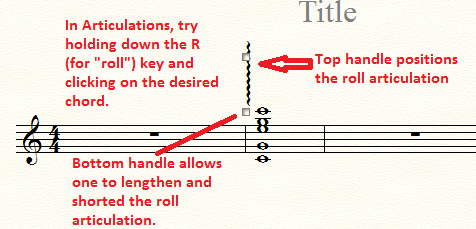
FIRST, there is no "103." Only goes to 71.  But the issue is how to adjust the scope of the rolled chord.  The manual states to simply drag the handles (per most adjustments).  But there are NO handles; only one in the middle that will allow dragging into position or deleting.  But there are no adjustment handles. Am I missing something simple here?  Longtime user.  Can't figure it out.

10 comments

Date Votes
Avatar
0

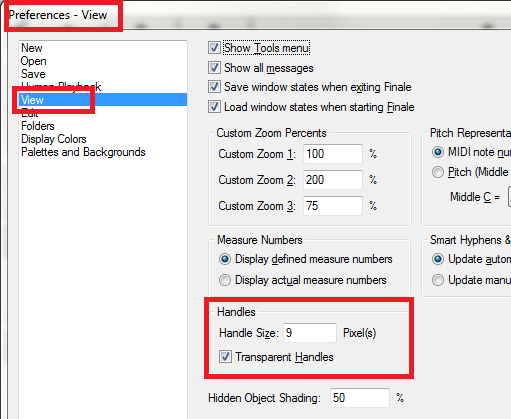
Unless someone has turned off the handles, you should see two of them when you apply the articulation.


Comment actions Permalink
Avatar
0

I don't get those options either. Frustrating, because the rolled chord instructions don't behave like it states.

Comment actions Permalink
Avatar
0

Just for the heck of it, check these settings in Preferences.


Comment actions Permalink
Avatar
0

Yes, those settings are current.

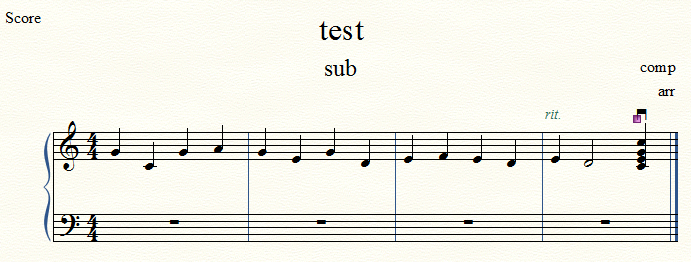
I just tried it in a brand new file to make sure it wasn't a corrupt file. I click "shift-R" and the rolling chord is highlighted in a popup menu. I press "select", and click on the bottom note of the chord. For some reason it won't let me pick the lowest, so I picked the second lowest. Then when I let go of the note, another symbol appears (square bracket pointing down, not familiar with that symbol.

Comment actions Permalink
Avatar
0

Hi Stephen,

That isn't right. Shift-R is to ASSIGN the shortcut key. You pressed sh-R, then selected the Roll and hit Okay (it was probably already assigned to R). The next step is to hold down the R while you click your chord. Then next time you want to enter a roll in this document, just hold down the R while you click the chord.


Alternatively, if you don't know the shortcut (called "metatools" in Finale-speak) you click the chord and manually select the roll articulation from the window. I think that's what you were trying to do, but got it confused with the metatool.

Comment actions Permalink
Avatar
0
Comment actions Permalink
Avatar
0

How old is "the older file"? That could make a difference.

Comment actions Permalink
Avatar
0

The "older file" is actually only a couple weeks old, created with version 25.1 on Windows 10.

Comment actions Permalink
Avatar
0

Very puzzling!

Comment actions Permalink
Avatar
0

I've had other troubles too. Maybe I should uninstall the software and start over from scratch. Yesterday I finished up another file, and printed to PDF file using the Microsoft Print to PDF printer. Measures moved from one system to another. But printing the same file 2 minutes earlier using CutePDF Writer didn't. There have also been a bunch of other buggy features.


To be honest, I'm seriously considering jumping ship to Dorico, even though it sounds like their software doesn't yet support some basic features. At least they seem interested in supporting and fixing their product. 

Comment actions Permalink

Please sign in to leave a comment.