How can I place rhythmic notation above a melody line? Above it, that is. I've been fiddling around for some time now, but to no avail.
I work with version 25.5.0.259 on Mac.


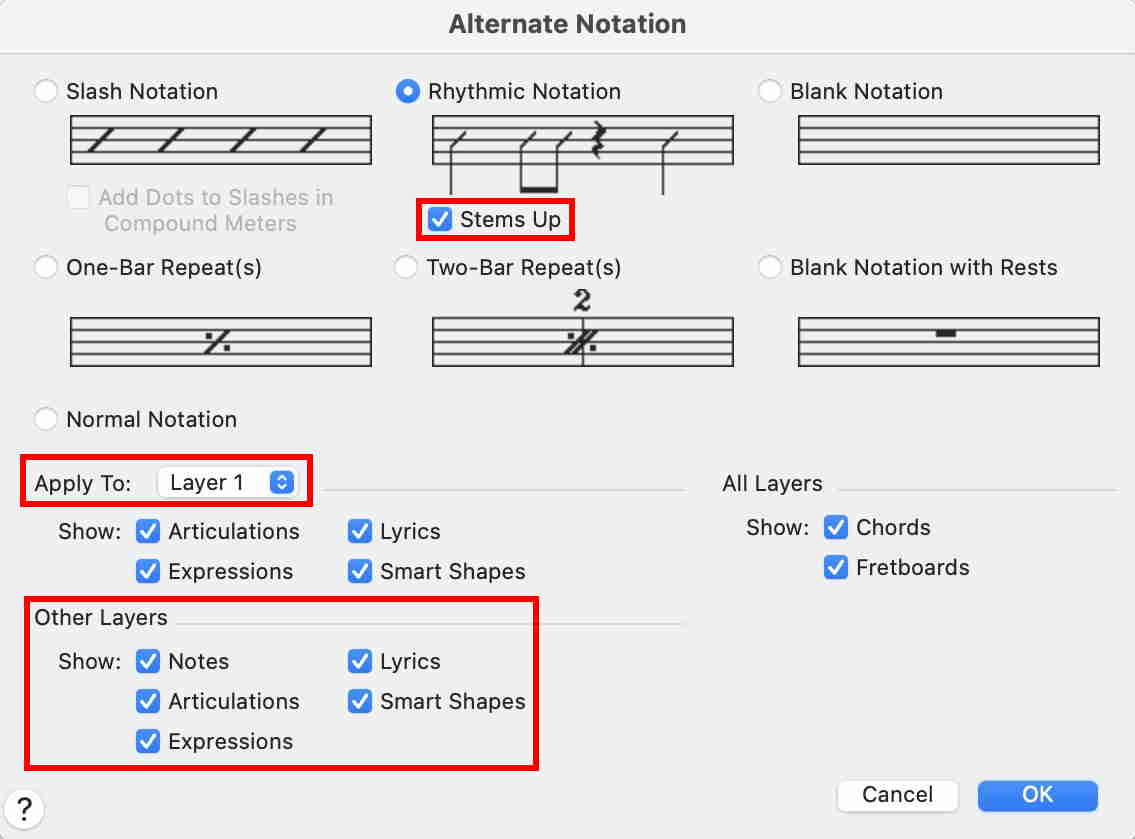
… This is great. The problem that now arises is that I have the melody line in layer 1. If I apply the rhythmic notation as you described that is the only thing I now see: melody is gone and only rhythmic notation above the staff …
Do not put the Melody Line and the Rhythmic Notation in the same Layer.
You can move the Melody Line to Layer 2 via
Edit menu > Move/Copy Layers…
Then, enter the Rhythmic Notation in Layer 1.
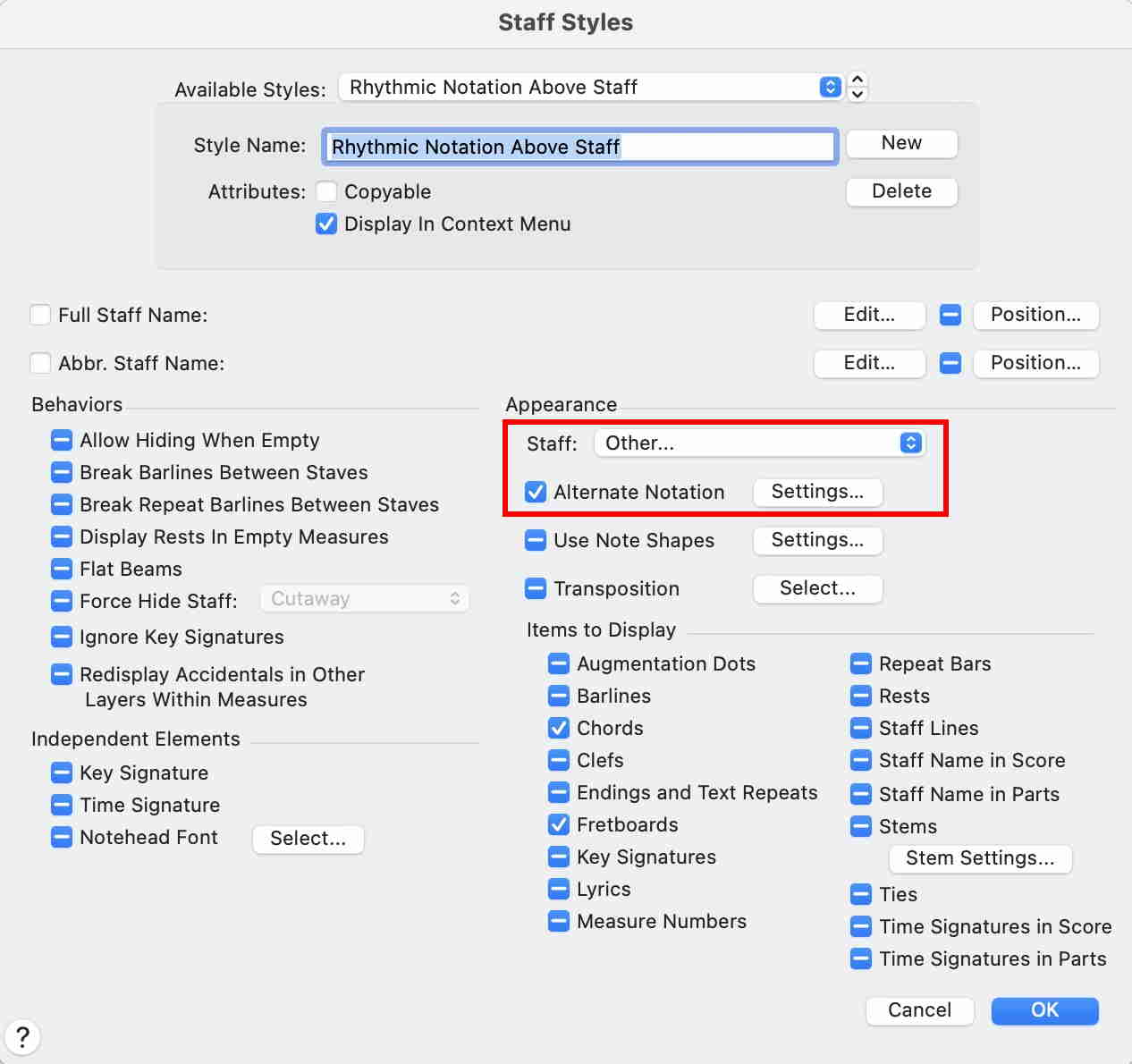
… I just discovered that I don't have the option 'rhythmic notation above staff'. It's not in the menu …
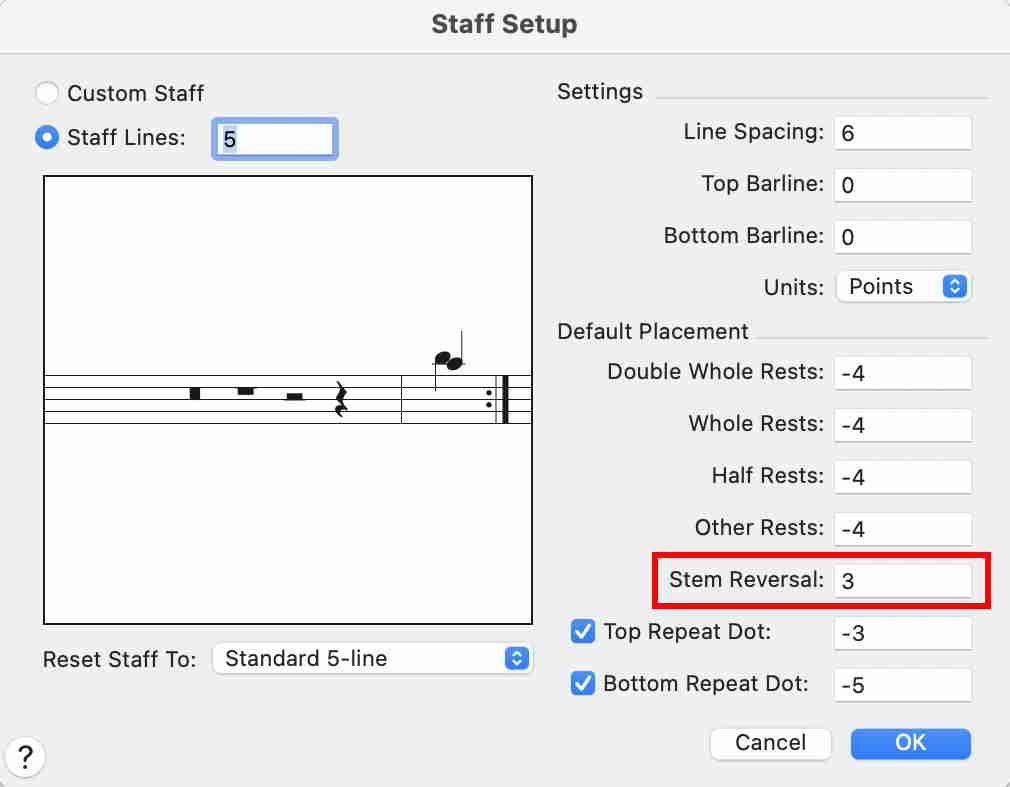
You will have to create the custom staff style yourself.
Please sign in to leave a comment.
4 comments
Date Votes