In Finale 25, can't change patches initiated through an Expression mark. Any suggestions?


Running El Capitan. Wanted to change from an instrument patch to a vocal one using MIDI/Softsynyh. Did try using channel switch in Aria player, but I'm working with large scores and am already up to 4 banks. Although it works well, I'm overwhelmed keeping the channels and patches straight. BTW, is there a way to assign bank changes as well as channel changes?
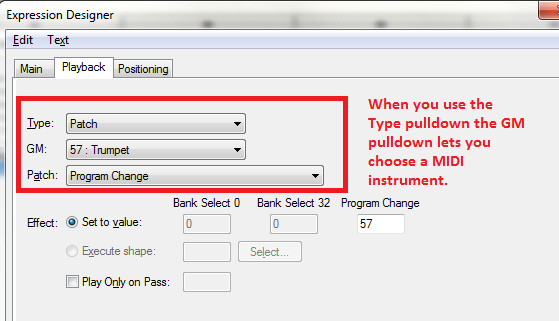
In the Program tab of the Expression-definition/Edit panel, the process for changing a MIDI patch seems pretty straightforward.
The way to differentiate VST Banks is to add 16 to the channel number each time you move to the next bank. So Bank 2, MIDI channel 1 is channel 17 (16 + 1). The first channel of Bank 3 would be 33 (16 + 16 + 1).
Thanks, Adrian, but this patch change procedure is the one that isn't working--during playback, the patch change doesn't occur. I'm even working on a file that did switch patches when played in 2014.5. BTW, thanks for the reminder about changing banks arithmetically--I forgot that's how they worked..
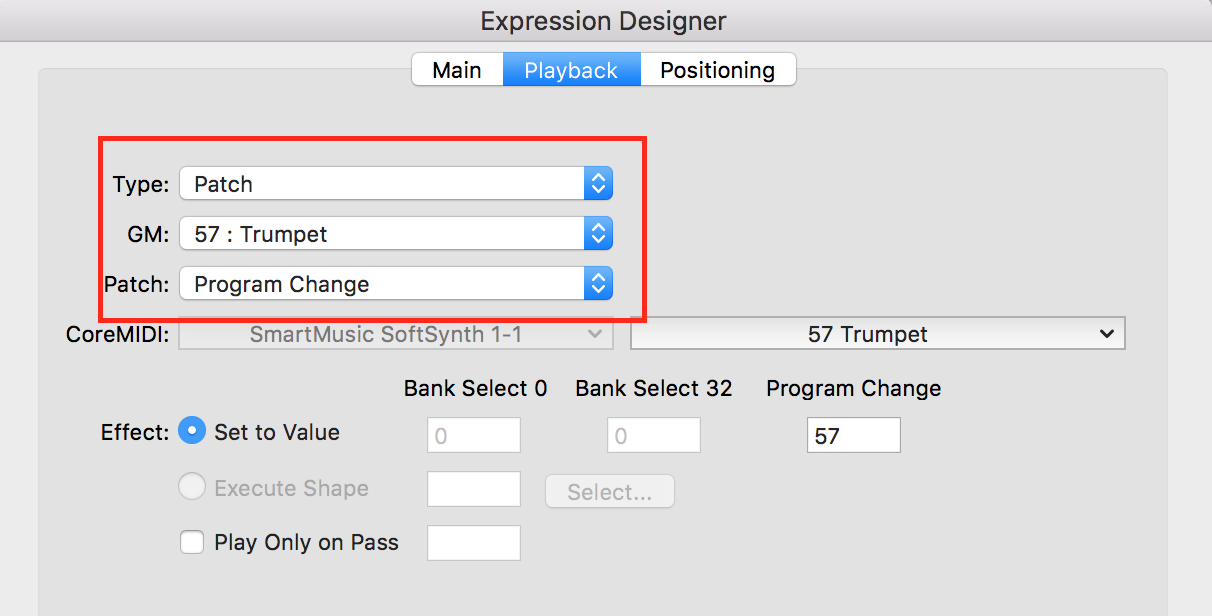
Can you give more detail what patch you are changing from and what you are trying to change to, perhaps even giving a screen shot of the Expression Designer > Playback panel for us to look at?
Please sign in to leave a comment.


9 comments
Date Votes