

I am running Finale 2102c on a Windows 7 machine.
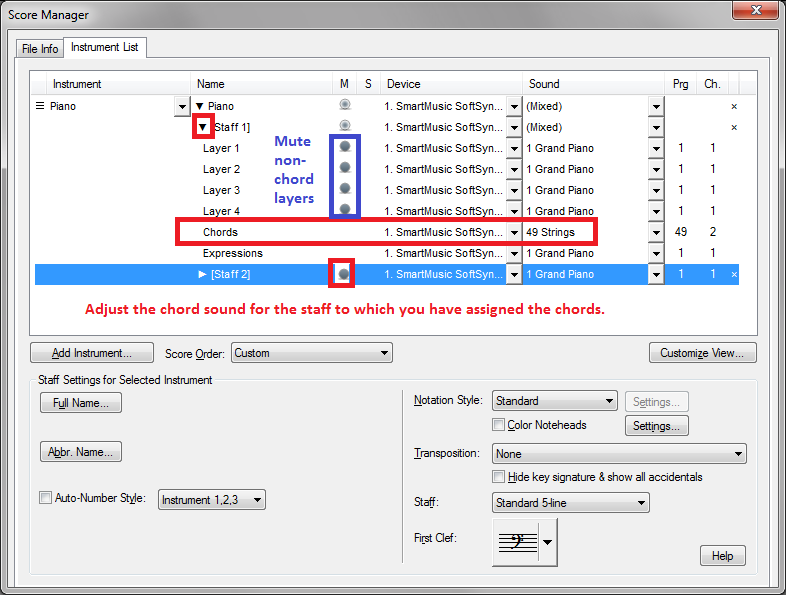
I am in the process of adding chord symbols to an existing piano vocal score. I have enabled playback of chords, but would like to mute the piano playback so that I can listen to ONLY the chords and the vocal line on playback. If I go into the mixer it lists only the voice instrument and the L and R hand piano channels. I can mute the piano, but then I get no Chord sounds at all.
Is there a way to assign an instrument to the chord symbols so that this can then be controlled separately in the mixer?
Or is there another way I can play back just the chords and vocal line?
I am trying to create a score which can be read as either a piano/vocal OR a guitar/vocal (without TAB) and I want to listen to the chord only version to make sure it sounds good.


2 comments
Date Votes