There is a mixer window and a mixer within the Aria player. Which one takes precedence on playback?


The Finale Mixer sets the general (and relative) levels of the instruments.It (in addition to dynamics and Human Playback settings) override any settings you set in the Aria Mixer.
If you play a file in which dynamics change and leave the Aria Mixer visible, you can see the Aria levels change in response to dynamic settings in your Finale file. The Finale Mixer will not change (unless you manually drag the sliders during performance).
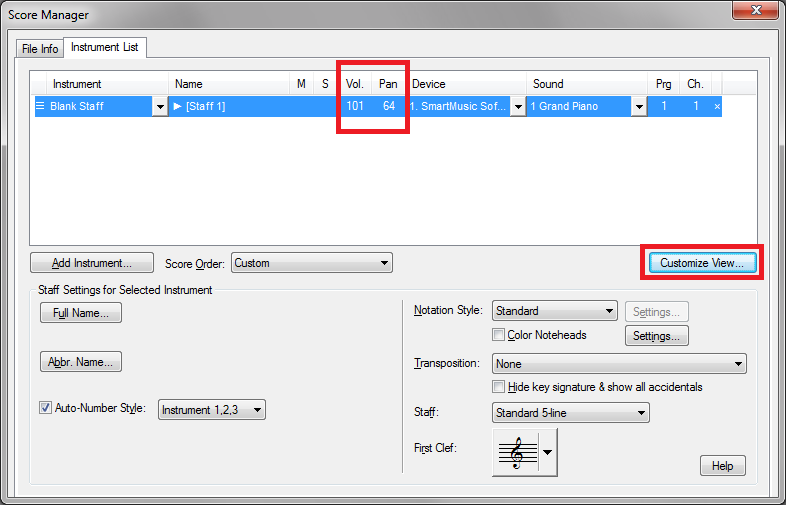
The two mixers provide different functions. The Aria Mixer changes to reflect dynamics in the sound output. The FInale Mixer sets a baseline balance for the various instruments in your ensemble. (You may have noticed that some instruments--clarinet, say--are much louder comparatively to others--like percussion. You can set the same baseline balance in the score manager if you add the "Mix" Column which lets you set Volume and Pan by number rather than slider.

Here is the situation, as far as I can tell:
In the following order, mixers 1 and 2 are linked. 1 is from the Score Manager, and 2 is from the main screen Window dropdown. A change on one is duplicated on the other. Mixer 2 is what will be on the left side of the window in Studio View.
Mixer 1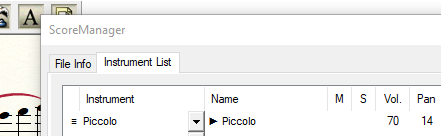
Mixer 2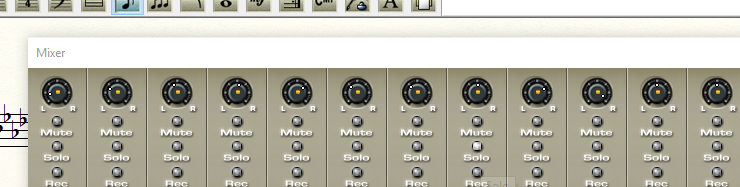
There are other mixers, also, like the following:
Mixer 3
It's from the MIDI/Audio dropdown.
If we're just talking about banks, I'd call this the Banks Mixer (the sliders on the right side). Even though I've changed levels on mixers 1/2, this one doesn't show it, because mixers 1/2 show individual instruments, and this one shows entire banks ("groups," or "sections" of instruments). I have my woodwinds on the first bank, so their individual levels are shown and adjusted on the first two mixers, and this one shows the entire section's level in relation to the other sections.
The last mixer that I know of is this one:
Mixer 4
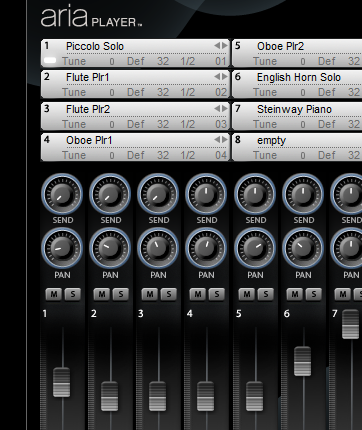
It's pretty, and easy to read, but, mixer-wise, I think it's for display purposes only, because you can load instruments here but adjustments to their levels here won't be saved. Changes made on the first two mixers override anything on this one. (I haven't looked into panning, though.)
Is this along the right lines, Adrian? Thanks for your comment which got me looking into this more deeply.
If you watch the Aria mixer while you play back a file with dynamic changes in it, you will see the Aria volume sliders change to reflect dynamics in the score.
The other settings are used to set baselines (as you have surmised) for the VST player either for the VST player as a whole (in the Banks & Effects screen) or for individual instruments in the Score Manager or Finale Mixer (which affect the same data in the same way).


Windows 10, Finale 26.x--current
So, I learned something today by reading this--using "Custom View" to show VOL and PAN. VERY Useful.
I, too, have been frustrated when adjusting the sliders in ARIA player, only to see them change when I playback.
Now I understand the distinction 'twixt the Finale Mixer and the ARIA mixer, and can now control the Baselines. :-)
However, as per J. Adrian's comment, "If you watch the Aria mixer while you play back a file with dynamic changes in it, you will see the Aria volume sliders change to reflect dynamics in the score."
This does not happen for me. The change only happens when I playback, and the ARIA mixer does not change with dynamics during playback, as showed in the following two images:
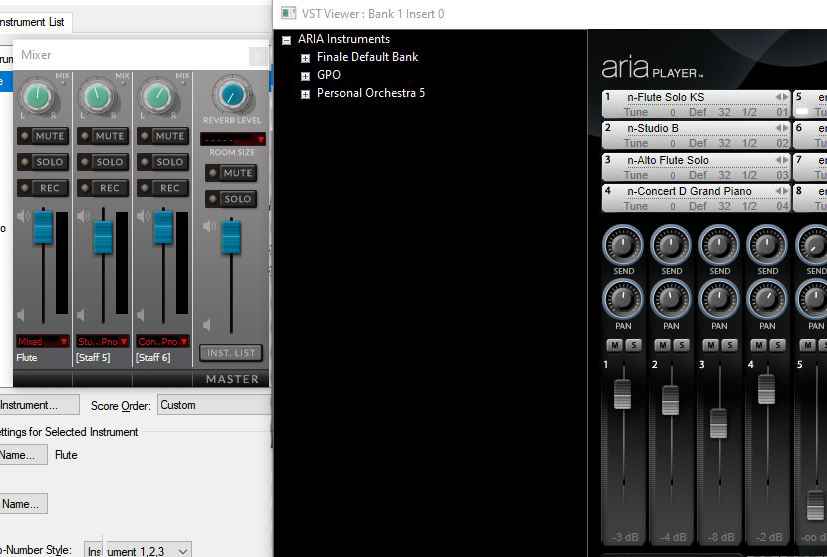
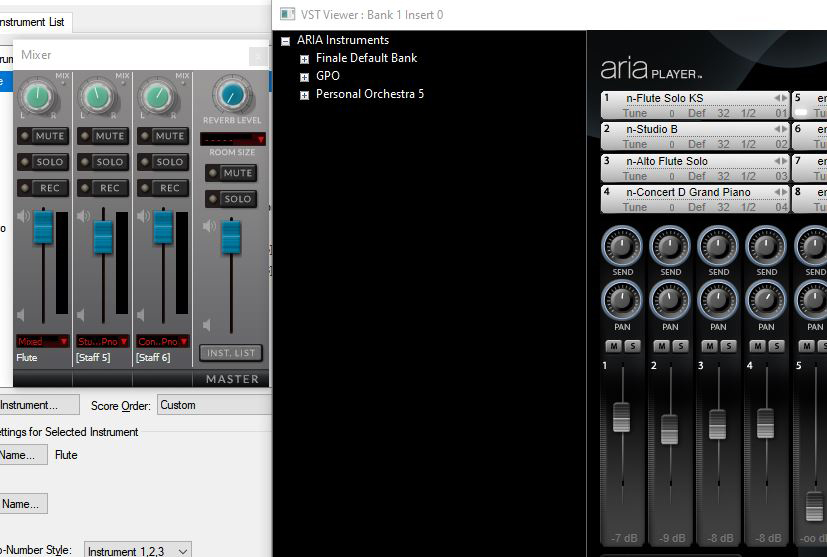
Is there something I am missing?
Thank you,
:-)
Vanessa
My recollection is that the Aria Mixer used to vary more than it does now. But I think you will see that when you start playback (the first time for a file) it resets the mixer levels from where they were when you opened the file. At least that's what happened when I just tried it.
Please sign in to leave a comment.
10 comments
Date Votes