New post
Avatar
0

I've been tasked with recopying some authentic German music, and the players strongly prefer the "Serpent" segno symbol to the traditional Segno above the staff. I've found the symbol buried in the symbol options, but can't appear to use it in the Repeat creation section. Is there a character that corresponds to it the way that "%" represents a segno and the "Þ" represents the coda? I've seen some tips on "using the Serpent character from the Maestro font" in this previous forum post here, but I must not be as versed in that concept because I'm having trouble following how to utilize that.


Windows 11, Finale 27.4.1.110

5 comments

Date Votes
Avatar
0

You mean this Serpent Symbol:

- right?


You can find the Serpent character in the Maestro font (non-SMuFL font) as well as in the Finale Maestro font (SMuFL font).

I just tried it, and it works for me in Finale v27, both with the Maestro font, and with the Finale Maestro font.


I can not explain why you are having trouble.

If we knew your steps, we might be able to tell what you are doing wrong.


“… using the Serpent character from the Maestro font …”

Is it important that the font is the Maestro font? You can not use the Finale Maestro font instead?

Comment actions Permalink
Avatar
0

Yup, that's the character I mean! I'm not at all committed to "Maestro" vs "Finale Maestro" exactly, it's just where I found it. 

My steps:
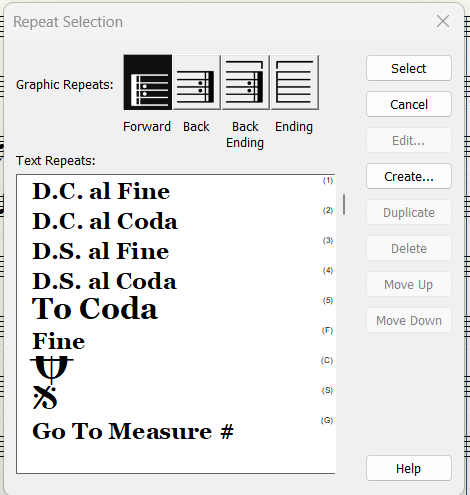
In this window, where repeats are created:


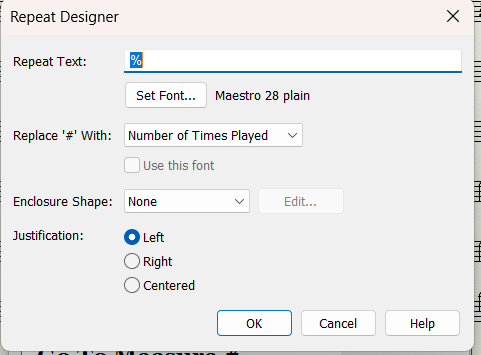
When I edit the standard Segno symbol, the following appears:

where the % represents the Segno symbol in this font set. There's no option to directly insert a symbol here as there is with a Text Expression.


I will admit that I've almost never used characters in this way in Finale, so I'm sure this is a really rudimentary question, but when you say "you can find the Serpent character in the Maestro font", my gap is that I don't know how to get that symbol/character into this repeat editing box. 

It seems like it can be inserted into a text box, but I would strongly prefer to be able to create it as a Repeat symbol so that the formatting can be easily standardized.


Hopefully this makes more sense, thanks for your help!

Comment actions Permalink
Avatar
0

Andrew Kerber,


1) The keystrokes to the Serpent character are not the same in (older) non-SMuFL fonts and in (newer) SMuFL fonts.

Maestro has the Serpent character in character slot #159 (= ü in text fonts).

Finale Maestro has the Serpent character in character slot #E04A.

Finale Maestro also has a {Serpent with double barline} in character slot #E04B.


2) Your screen shot of the Repeat Selection shows a vertical scroll bar.

Perhaps you will find a ready made Serpent repeat, if you scroll down.


3) “… There's no option to directly insert a symbol here as there is with a Text Expression …”

In the Text menu is the menu item {nsert Symbol…} which leads to the Symbol Selection.

However, when you are in the Repeat Designer, the Text menu is not available.

What you CAN do in the Repeat Designer:

a) type the character directly (if you know the keystroke),

or

b) paste text from the Clipboard.

Comment actions Permalink
Avatar
0

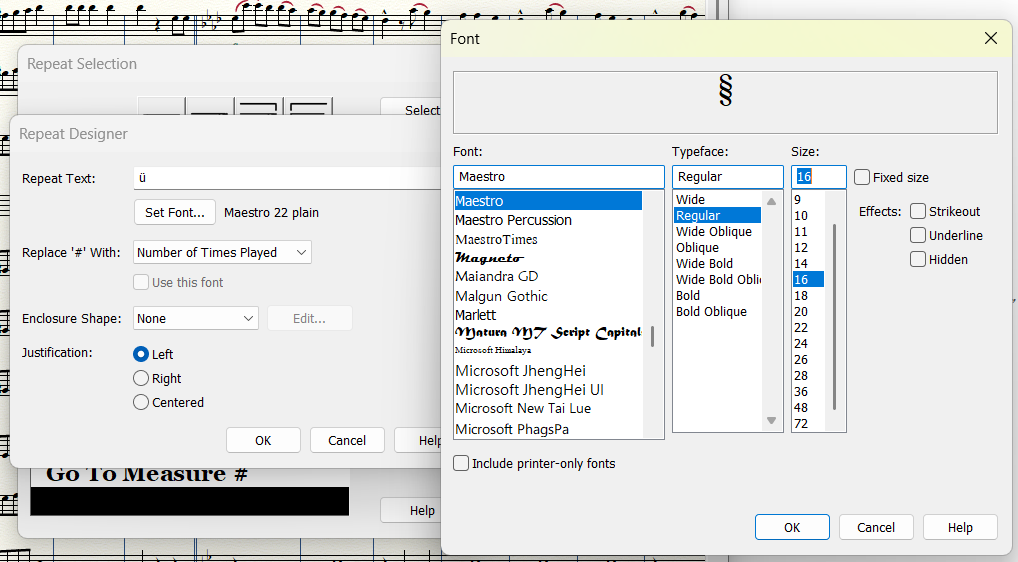
Alright I think I'm most of the way there, but have run into a different issue. I was able to use the ü to add the serpent symbol to the repeat, and it appears to register correctly:


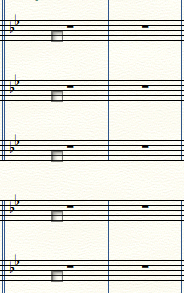
When I assign it to a measure, all I get are these handles, with no visible symbol attached to them:

I tried adding a circle as an enclosure shape around it just to see if it'll register, and the circle shows up, so the symbol is definitely there Finale recognizes it. I use other text fonts elsewhere in this document, but I tried changing the text repeat Font settings (through Document Options) to Maestro, and that did not change the result, so I think I'm having a separate display issue. Any thoughts on what other settings I should check?


2. I made this template from scratch, so unfortunately there was no included Serpent repeat symbol in that menu. I'll probably make a better template for future projects in this genre using Finale Maestro, but translating my existing work to that Font threw off a ton of my other symbology and formatting.

Comment actions Permalink
Avatar
0

… When I assign it to a measure, all I get are these handles, with no visible symbol attached to them …


The reason could be the fact that Finale v27 supports Unicode.

What were your steps when you entered the Serpent symbol from the Maestro font?

You did not try the Finale Maestro font?


By The Way:

Your screen shot shows that you set the font size to 16 Points.

But the default {staff size} is 24 Points.

Why did you not set the font size to 24 Points?

To me, the Serpent symbol at 24 Points looks correctly sized to the staff.


… I made this template from scratch, so unfortunately there was no included Serpent repeat symbol in that menu …


I am not sure what “from scratch” means in this context.

You did not load a Finale Library with the default Text Repeats for the Finale Maestro font? (File menu > Load Library…)

Comment actions Permalink

Please sign in to leave a comment.