New post
Avatar
0

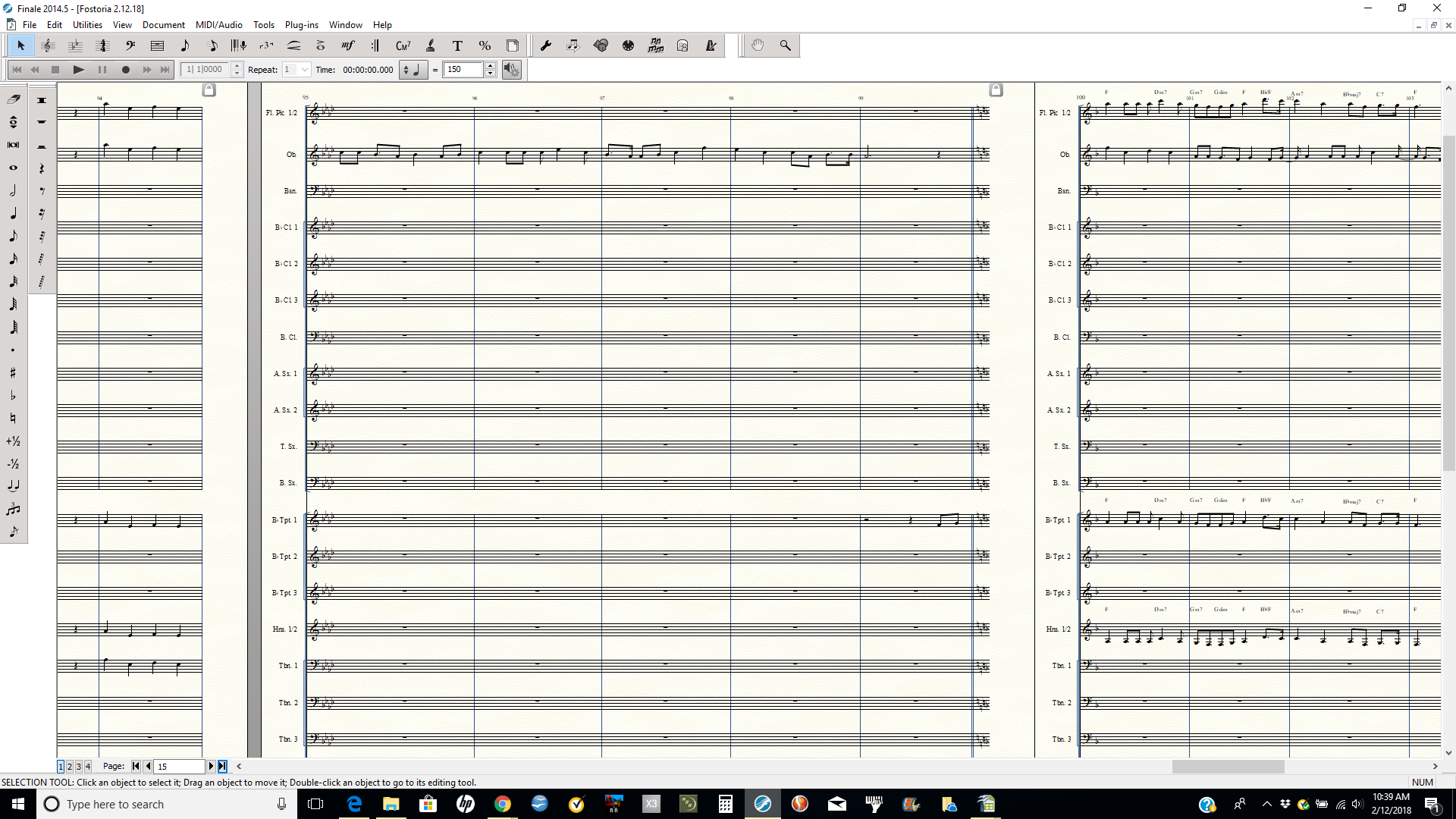
Incorrect rhythms appear after I attempt to copy music into a new measure. Doesn't matter if I use Ctrl-C  Ctrl -V or click and drag.
This was not an issue one day ago. What happened? 


Finale 2014.5

Windows 10


5 comments

Date Votes
Avatar
0

Need more information, perhaps a picture of what is going wrong.

(You don't have any filters set in the Edit menu that might affect what is copied, do you?)

Comment actions Permalink
Avatar
0


I copied the oboe ms. 94-97  into ms. 100.  The rhythms don't match. I have the filter settings on ALL. 

Comment actions Permalink
Avatar
0

Sorry. The screenshot is too small to read.


But if something worked yesterday, and now it doesn't, I would try restarting the computer.

Comment actions Permalink
Avatar
0

The rhythms do match. there is an extra quarter-beat (sixteenth) in your second measure which Finale re-transcribes correctly according to the time signature when you copy it. Same kind of "typo" in your fourth measure.


Did you mean to have a dotted-eighth followed by an eighth rather than sixteenth (3rd & 4th notes) in your second measure and a similar situation at the start of the fourth measure of your example?

Comment actions Permalink
Avatar
0

You are correct about the "typo."  Operator error on my part and I never noticed it. Thanks for responding everyone.

Comment actions Permalink

Please sign in to leave a comment.