New post
Avatar
0

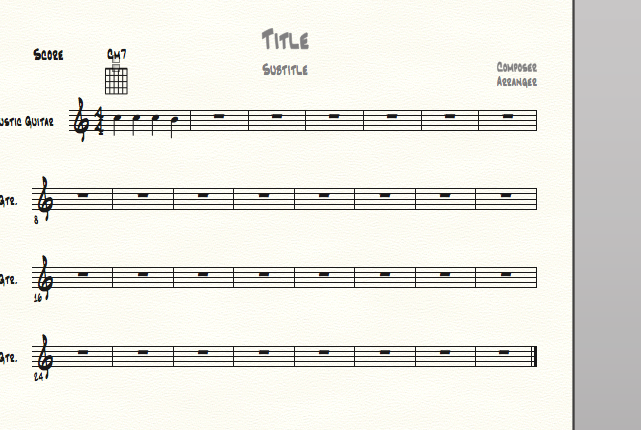
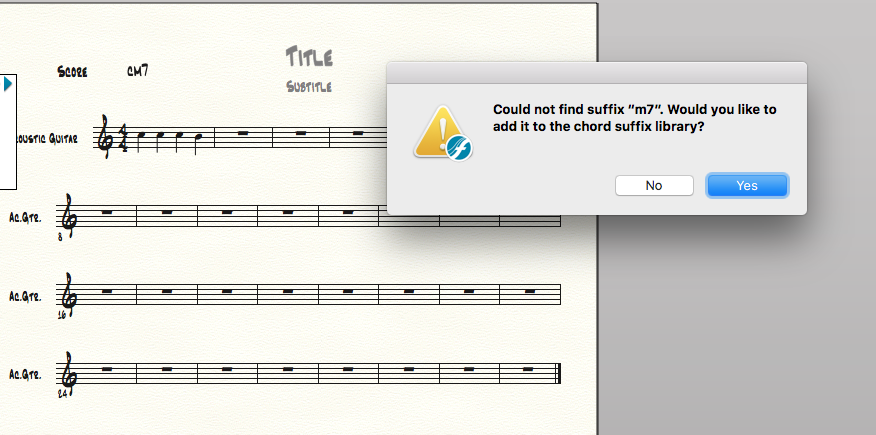
I typed in "C m 7" and was asked to add this to the chord symbols and got an empty fretboard...Are these rather basic jazz symbols (Cm7, Cmaj7) not belonging to the default standard lib? For example "F" was regognized by the program


Thx


Finale 2017 trial

6 comments

Date Votes
Avatar
0

I wouldn't put spaces between the elements. I had no problem getting the chord symbol to stick and (when I checked Chords > Show Fretboards) no problem having it generate a fretboard.

Comment actions Permalink
Avatar
0


THX J Adrian, I entered without spaces
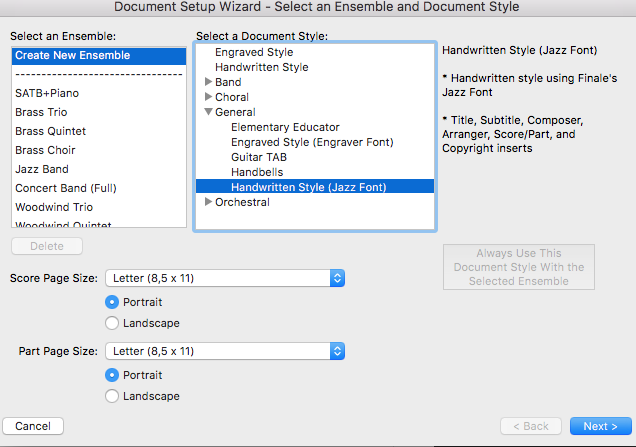
I used the wizard to create this project, somehow not recognizing chords, but new to Finale I have to admit...

Heres the file:

https://we.tl/XSudobaMNr


THX


Comment actions Permalink
Avatar
0

Tim,


I just used the wizard to create a jazz piano part and all of the chord suffix's were loaded into the file. But, what Finale understands is not necessarily what you understand about chords.


When you type in "Cm7" Finale doesn't know what chord that is and suggests that you add it to the library. If you say Yes, it will get added then every subsequent time you type in "Cm7 or Em7,..." it'll display correctly. What Finale understands by default is "Cmi7 or Cmin7" If you type the chord suffix in like that, Finale will place it into the score without problem.


Same thing with major 7 chords. If you type in "CM7" it won't be able to find that suffix. But if you type in "Cma7 or Cmaj7" then it'll work.


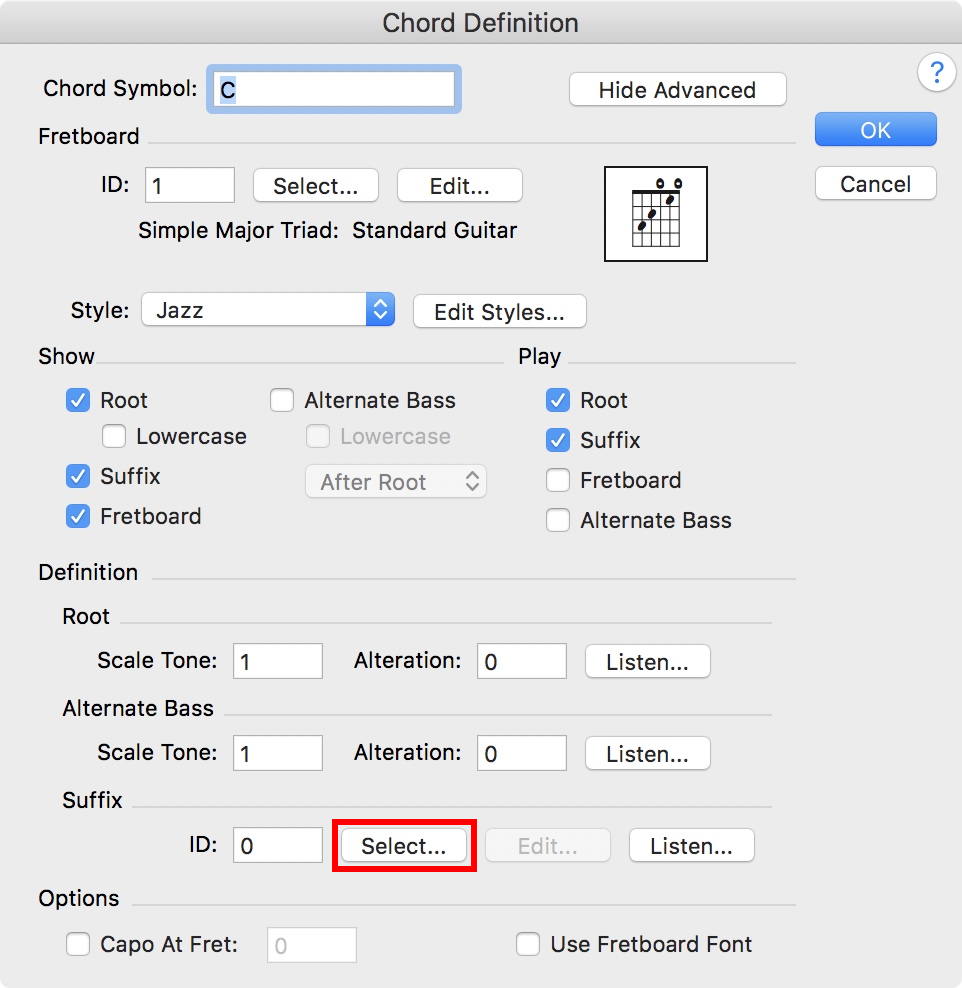
I hope this makes some sense to you. You can also select the chord tool, double click on a note, the chord definition box appears. Type in the chord name in the top box. (i.e.  C, F, Bb,...) then near the bottom you'll see the word "suffix". click SELECT and all of the included chord suffixes appear. If you double click on a suffix it'll get added to the chord name at the top of the chord definition box.


Good luck.

Comment actions Permalink
Avatar
0

Tim Büchsenschütz,


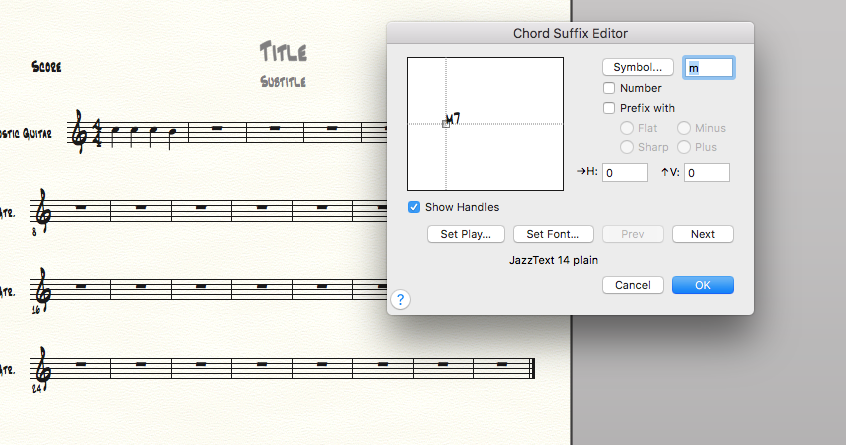
1) From your screen shots it looks like you are using chord suffixes with the font JazzCord.

Unlike the Jazz font, the JazzCord font is very special since each of its font characters is a complete suffix.

An example:

In the JazzCord font mi7 is a single character, not 3 characters.

These “suffix characters” are designed to be space efficient.

Hence you can not use “Type Into Score” in the usual manner.

Typing the 3 characters ‘m’ ‘i’ ‘7’ will not get you the suffix mi7, not with the JazzCord font.

(As you know, typing the 3 individual characters will work with other fonts, e. g. with the Jazz font)

Instead, use the colon method:

To enter Cmi7, type C:44 where ‘44’ is the number in the window Chord Suffix Selection.

If you type the number zero (like C:0), Finale will instead open the Chord Suffix Selection window.


2) In the Chord Suffix Editor you can customize the already existing chord suffixes.

You can also create your own, custom suffixes.

Comment actions Permalink
Avatar
0

Oh Yeah! Will try. Oh: Will DO!

Would you send me a template if possible, please?. Anything I try leads to not recognized Chords here, I am doing something wrong.

I tried General in the Wizard where Jazz Font is indicated...


Comment actions Permalink
Avatar
0

… I tried General in the Wizard where Jazz Font is indicated …


Just as I thought.

You are using a template with chord suffixes in the JazzCord font.

To enter the chord suffix mi7 you can not use “Type Into Score” in the usual manner.

Typing the 3 characters ‘m’ ‘i’ ‘7’ will not get you the suffix mi7, not with the JazzCord font.

But the colon method works.

Typing C:44 gives the chord symbol Cmi7.


However, you probably would rather enter chord suffixes by typing their individual components, right?

So that typing the 3 characters ‘m’ ‘i’ ‘7’ will get you the suffix mi7, right?

Fix:

Open your Jazz Font document.

Go to the Chord Suffix Selection.


In the window Chord Suffix Selection, use the button “Delete” to delete all the suffixes.

Then return to the score (= click “Cancel”).


File menu > Load Library…

Do not load the library “Chord Suffix (JazzCord).lib” - any other library will do.

Try e. g. the library “Chord Suffix Expanded (Jazz Text).lib”.


NB: In the library “Chord Suffix Expanded (Jazz Text).lib” the chord suffixes use “min” rather than “mi”.

Example: “min7” rather than “mi7”

In the Chord Suffix Editor you can edit the suffix “min7”, and change it to “mi7”.

To do so, delete the ‘7’, and change the ‘n’ to ‘7’.

Comment actions Permalink

Please sign in to leave a comment.