*macOS High Sierra 10.13.4
*Finale Version 25.5.0.259
I am trying to change the font of the word "Congas" to be the same font as the other instruments, and I want the notehead font to be the same (Maestro)
I attached a screenshot below.
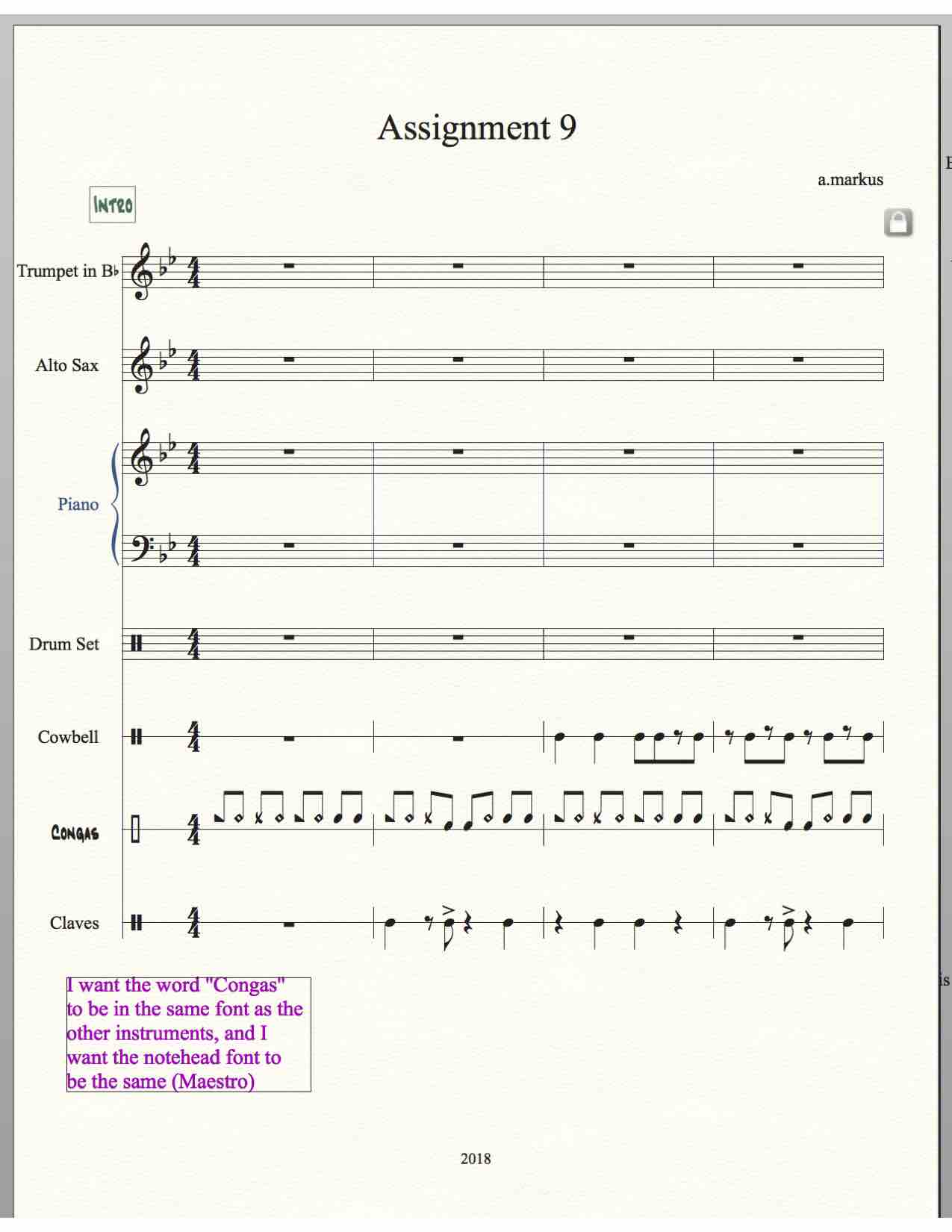


To edit the Staff Name, go to
ScoreManager > Instrument List
Highlight the Congas staff, and click the button “Full Name…” to edit the full Staff Name (= the Staff Name in the first system).
Click the button “Abbr. Name…” to edit the abbreviated Staff Name (= the Staff Name in all the other systems).
To set the music font in a staff:
Staff Tool.
Double-click the staff.
In the Staff Attributes, in the pane Independent Elements, go to Notehead Font, and click the button “Select…”.
Please sign in to leave a comment.
1 comment
Date Votes