When I add a Swing Drum Groove to my arrangement it plays a piano note along with the drum rhythm throughout the play back. How can I get the drum part without the piano? Mac OSX


Hello J Adrian,
1. MIDI 2. default, Instrument: Blank Staff, 1,SmartMusic Smart Synth1 1 Standard 3. StraightSwing
I went from: Plug-ins > Scoring and Arranging > Drum Groove > No region selected apply to whole doc.? New Staff at bottom of page? > YES .
I have done this on other scores and it worked fine. I don' know why this one is different.
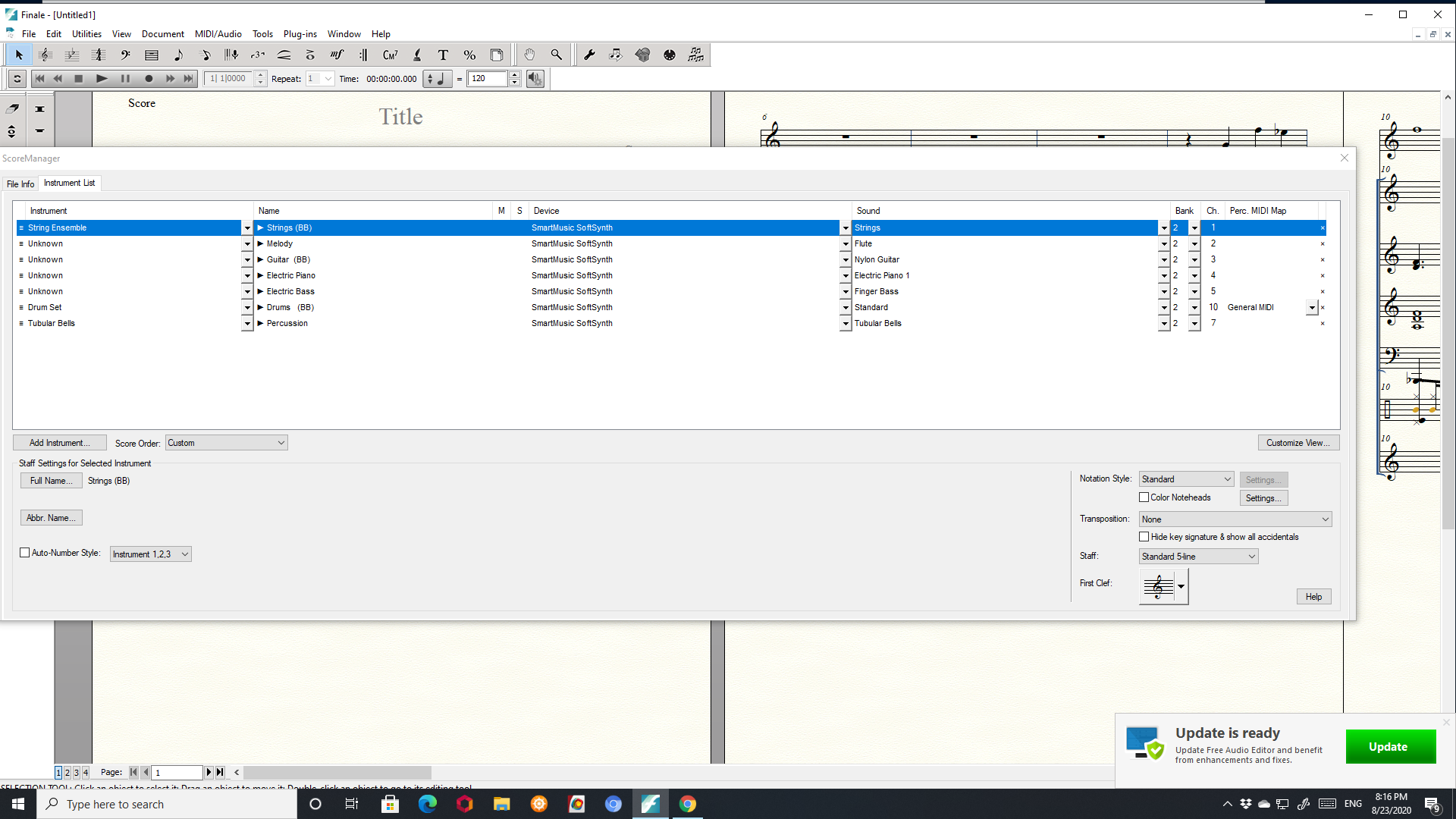
Okay, I just tested this, applying a Straight Swing groove to a Default file, and it seemed to work as expected (no piano note), but earlier, when I tried to add the staff to an existing file in MIDI, I noticed that the blank staff at the bottom was assigned a piano sound rather than percussion (perhaps because MIDI 10, the expected percussion channel, had already been assigned).
Hope that gives you something to check. Start by applying the groove to a default file and see if that works. You could then try merging with (a copy of) your original file or assigning parts to the default to match your original file and then copying and pasting the original into the new file (which I would save under a different name than the poriginal, just to keep that file available on a back burner).
I just set up a new file in 4/4 and added the StraightSwing Drum Groove from Scoring and Arranging and got the same result: piano tone in the Drum Groove.
I got it to work again once in the old file but as soon as I changed from Through Audio to 'Through MIDI' in MIDI/Audio, it changed to piano tone and did not change back when I went back to 'Through Audio'.
I also get "Finale quit unexpectedly" from time to time.
Is there a Finale update fix that I missed? I am at: Finale 25.5.0.259 Is this the latest update?

John,
You said you were using MIDI, but then you said you switched to Audio (Units). When you switched to Audio Units, did you open the Score Manager to make sure the staff you added was playing a Drum Set and not a Piano? That's what I found when I looked at the Score Manager after switching from MIDI to Audio Units on my Mac (VST on Windows).
When I set the groove staff to play through a Drum Set, the part sounded as expected.
(Actually, when set as a piano it soudned as expected too--for a Piano.)

Please sign in to leave a comment.
11 comments
Date Votes