New post
Avatar
0

Hi everyone,

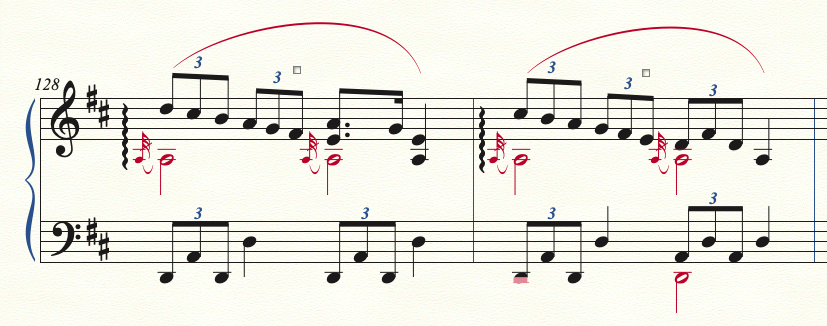
I spend a mega amount of time adjusting out-of-control slurs. Is there any way to get slur consistency? I've experimented with the Smart Slur settings, but at times it causes certain slurs to mushroom even higher. Thanks for your help,

(Using v26 on Mac)

5 comments

Date Votes
Avatar
0

Slur settings are definitely a matter of taste.


I do not think that you can find a solution where no slurs need adjustment.

But you may be able to find a solution where only few slurs need adjustment.


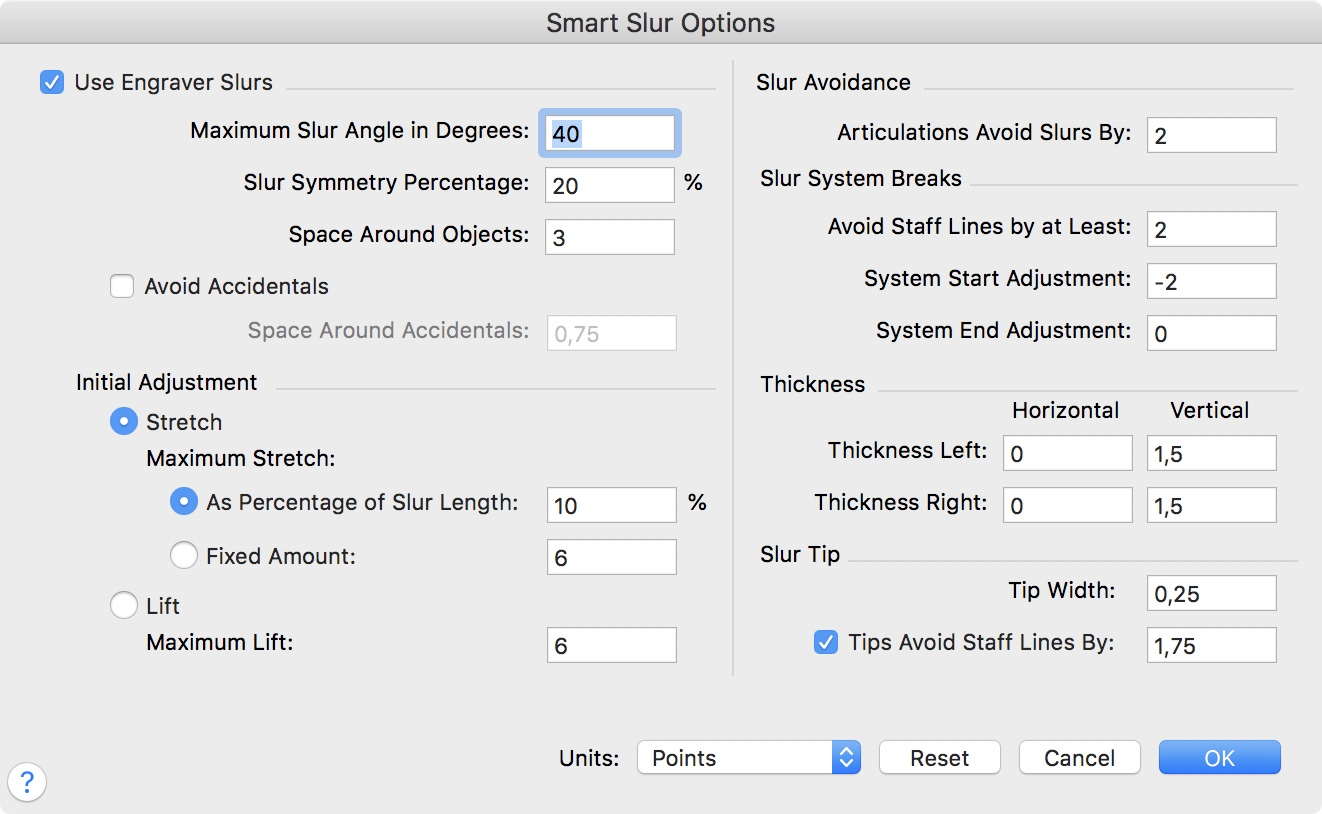
For some time I have been experimenting with the attached settings:


Comment actions Permalink
Avatar
0

Thanks for your tip. I plugged in your numbers and still get many instances like these. Is there a way to set a universal minimum curve height?

Comment actions Permalink
Avatar
1

Try selecting Lift instead of Stretch. This generally works best for me. BTW, I'd also change your tie settings to place the tie ends closer to the noteheads and the stems. This helps prevent those nasty nubs in layer 2.

Comment actions Permalink
Avatar
0

Thanks, Vaughan. Would you mind screenshotting your tie settings? (In EVPUs if possible.)

Comment actions Permalink
Avatar
0

That'd be six screen shots! Try experimenting with horizontal values of 0 and see if that appeals to you.

Comment actions Permalink

Please sign in to leave a comment.