New post
Avatar
0

There's a repeat in a score I'm working on and I changed Repeat Style in 'Wings'. There is an 'extra' wing now beneath the 2nd Violin staff wich I don't seem to get rid of:
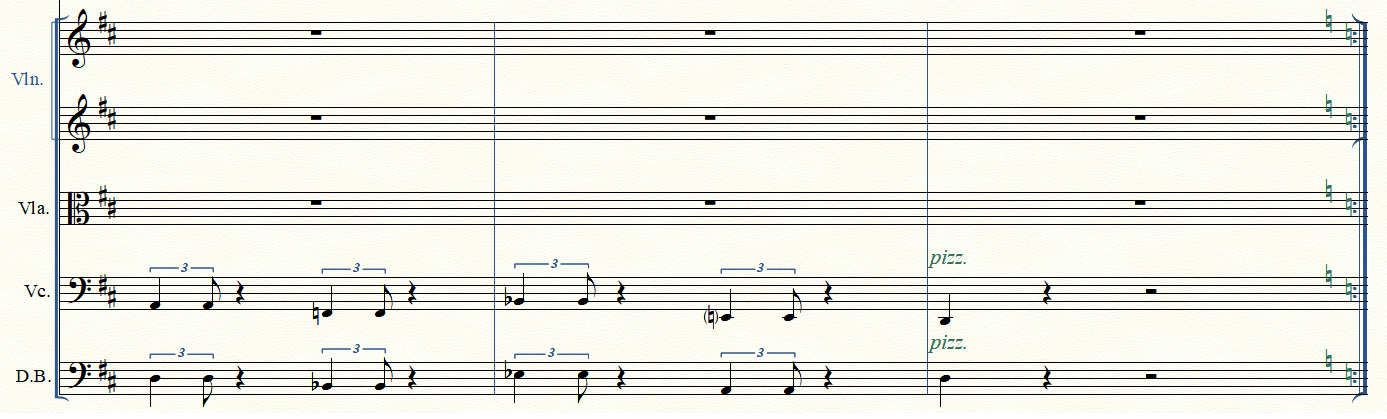
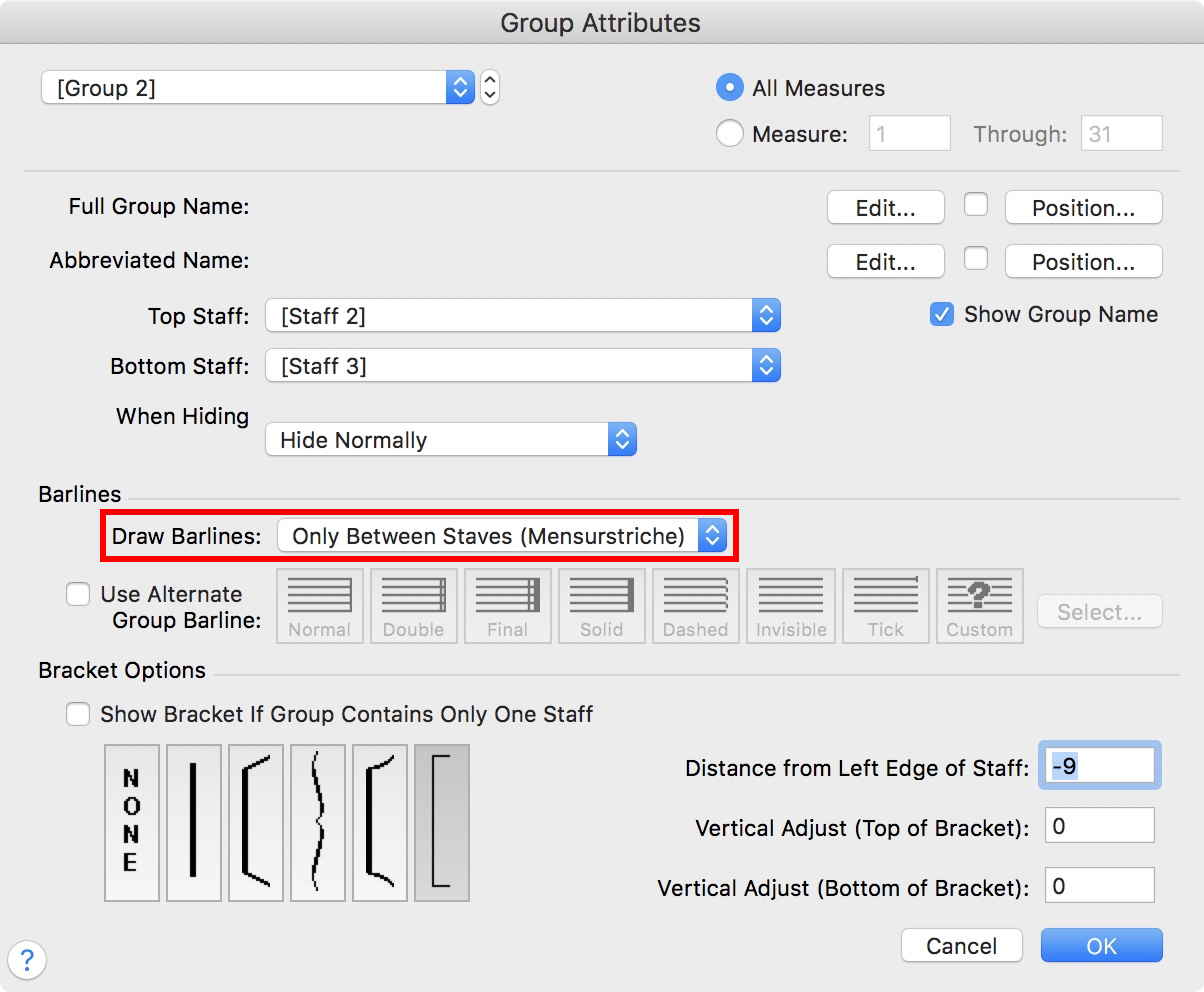
I guess it is related to the Violin 1-2 group I made. Group Attribute to that group looks like this:
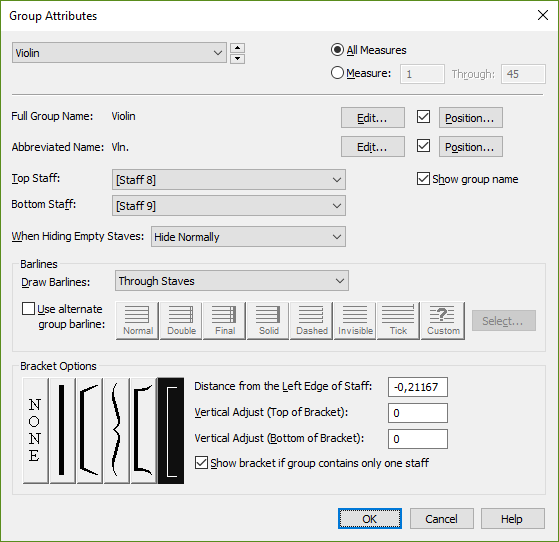
It doesn't seem possible to change the 'extra repeat wing' in Violin 2 from here.

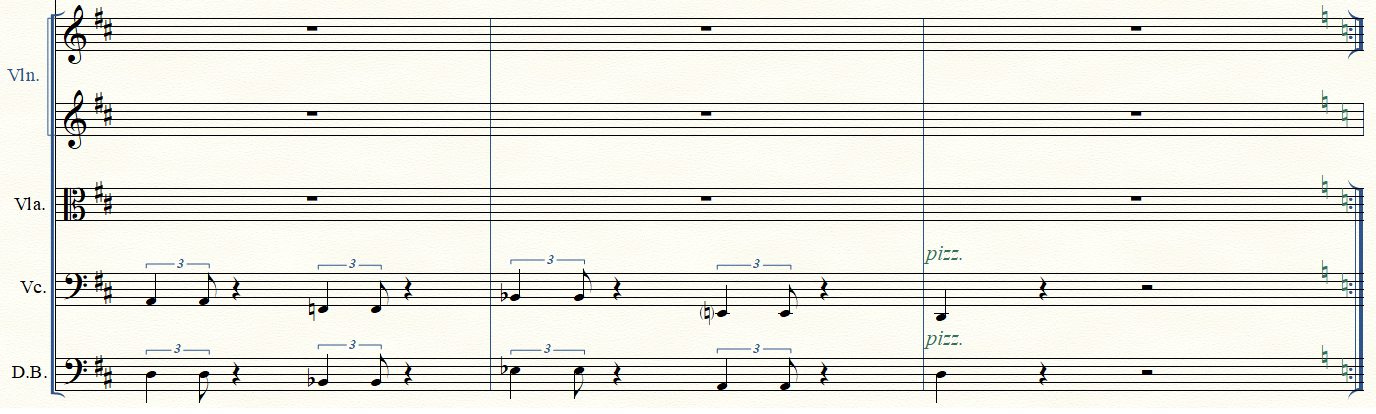
If I edit Staff Attributes in Violin 2 to non show repeat bars I get this result:
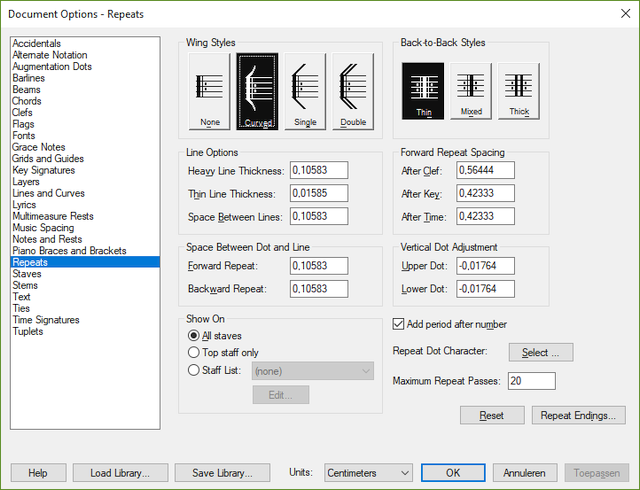
BTW: Document Options - Repeats shows repeats on 'All Staves' which is obvious. However, the core doesn't change when changing setting to 'Top Staff only', nothing when making changes to the Staff List. ??
Any advice appreciated!

 

4 comments

Date Votes
Avatar
0

Without examining your actual Finale document it can be difficult to suggest a solution that will work in the actual document.


However, here is a “shot in the dark”:


In the Group Attributes for the Violin Group, choose to draw the barlines “Only Between Staves (Mensurstriche)”:


This step seems to solve the problem.

However, this solution may cause other problems elsewhere in the document.

Comment actions Permalink
Avatar
0

Hi Peter,

Thanks for your 'Shot in the dark', it does resolve the problem I had! I'm obviously lucky that it doesn't seem to cause any problems elsewhere in the score. 

Comment actions Permalink
Avatar
0

… I'm obviously lucky that it doesn't seem to cause any problems elsewhere in the score …


Actually my words were

“However, this solution may cause other problems elsewhere in the document

I was thinking of the linked parts, rather than the score.


You may have to create a separate Violin part layout.

Not a problem, really, since the part layout is independent from the score layout.

Comment actions Permalink
Avatar
0

You're correct.... Didn't see any abnormalities yet but I'll bear in mind to create a separate Violin part if neccessary.

Thanks!

Comment actions Permalink

Please sign in to leave a comment.