New post
Avatar
0

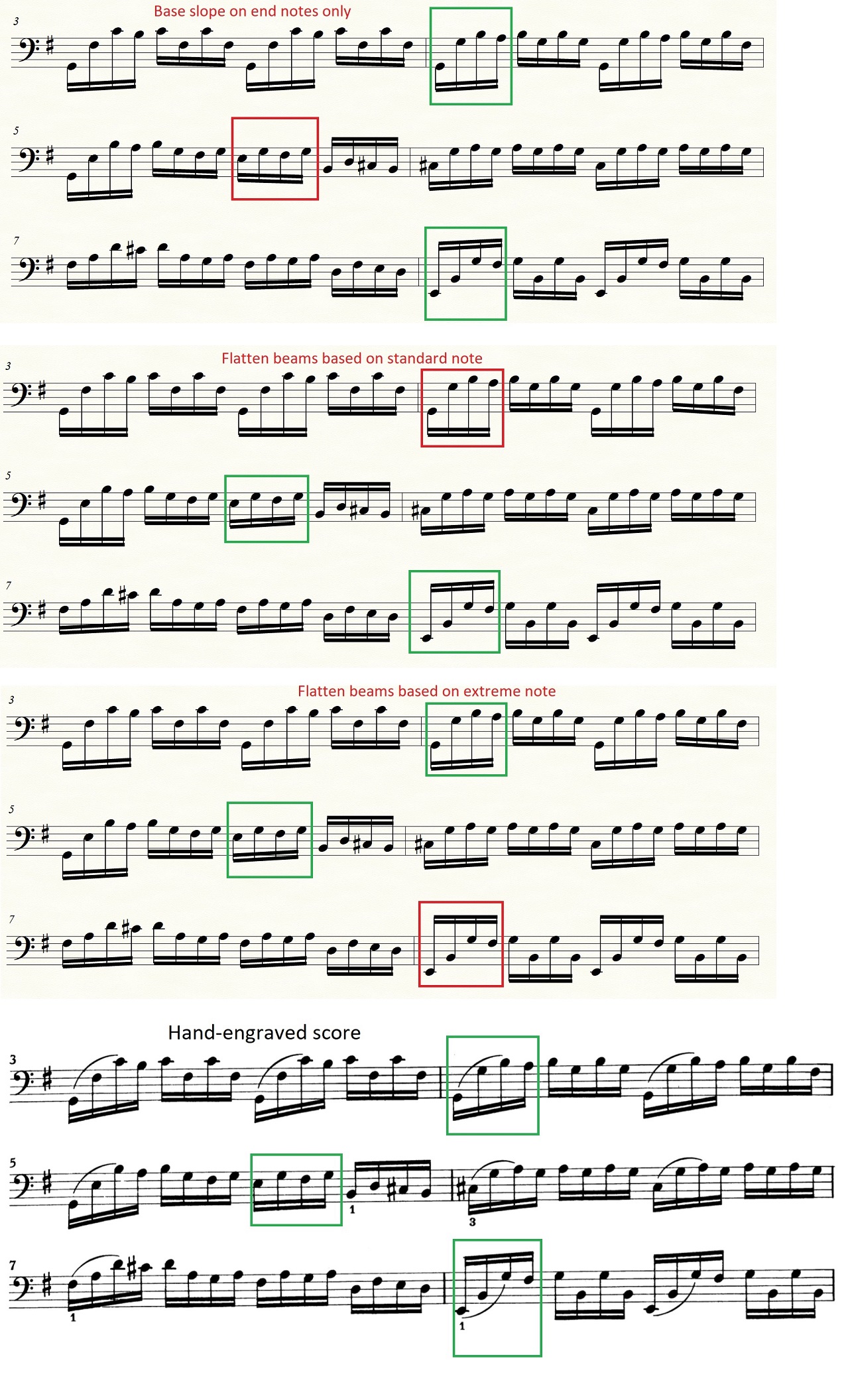
I have some difficulties with the beam angles. I think it can be understood most easily if you open the attached picture (Bach's cello suite). I have 3x4 1/16 notes, that means 3 beams, 1 beam/4 notes. In the hand-engraved version all the beams slant upward. In Finale 26 I tried 3 of 4 beaming style ("Flatten all beams" is not ok for me) but none of these produced me an output similar to the hand-engraved score.
Is there any option to make all the beams slant upward? Manually I can fix it, but it would be nice if I had a more simple solution.
7 comments

Date Votes
Avatar
0

Krisztian Ruzsa,


1) When I look at your attached graphic, I do not understand this:

… I have 3x4 1/16 notes, that means 3 beams, 1 beam/4 notes …

How do you get the number ‘3’ ?

I can not figure out how you are counting.

Please explain.


2) For what it is worth, I am unable to reproduce your problem.

I did not enter the entire example, but I entered the notes from the three red boxes, and for me the the beams slanted upward, in all three examples.


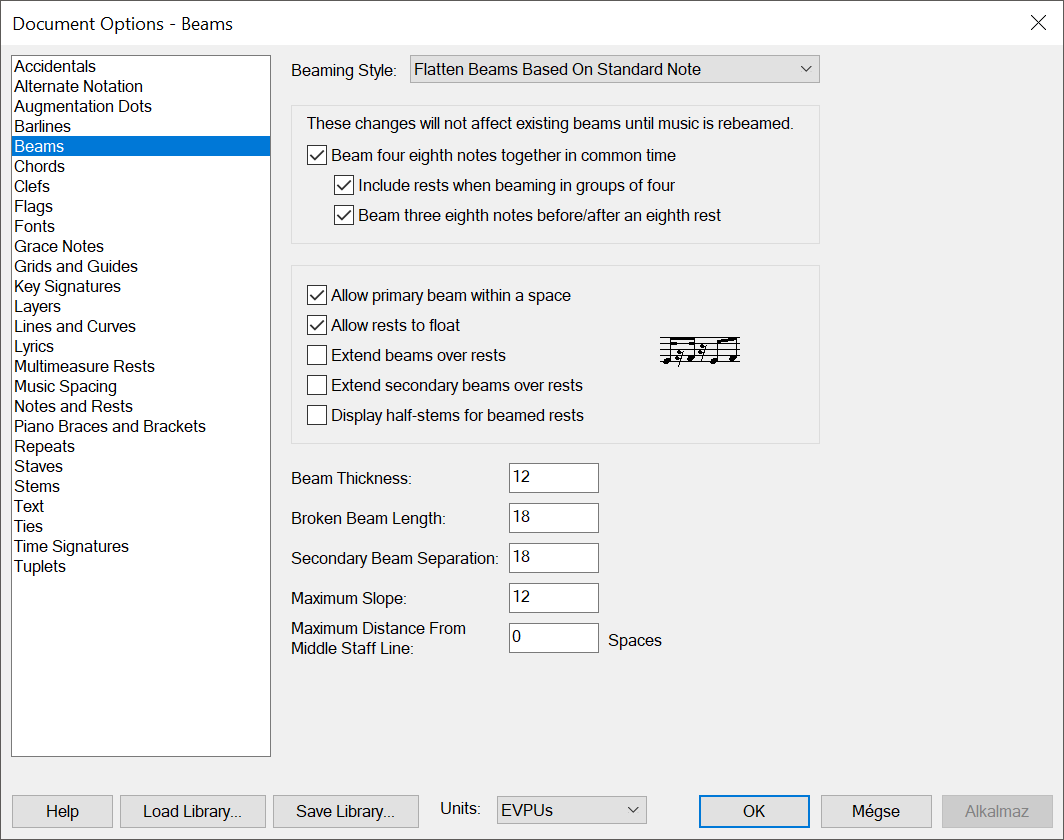
3) Could you perhaps attach a screen shot of your document settings in

Document Options - Beams

?

I suspect that there is "something else going on” besides your choice in the pop up menu Beaming Style.

Comment actions Permalink
Avatar
0

1) "3x4 1/16 notes" - I referred to the 3 groups of notes that I marked (green and red).

2) I tried again (file - new - document with setup wizard - create new ensemble (engraved style) - add cello…), but I get the same result:


3) These are my beaming settings:


Comment actions Permalink
Avatar
0

Update:

I started a new document and it's working in "Base Slope on End Notes Only" style.

Now my last problem is that when I enter G-F-G-F or A-F-A-F or F-A-F-A, I don't have flat beams. In the first post there are some cases in the hand-engraved version when there are flat beams (according to some engraving rules). In the "Base Slope on End Notes Only" style I get flat beams only when the first and last note is the same.

I would need something in between, something that is closer to a hand-engraved score. Not so many flat beams that "...Based on Standard Note" or "...Extreme Note" give me, but a bit more than the "...End Notes Only" style can do. 

Comment actions Permalink
Avatar
0

Krisztian Ruzsa,


1) You have Maximum Slope set to 12 EVPUs.

I suggest that you try a bigger value, e. g. 36 EVPUs.


2) If you combine 1) with the Beaming Style “Base Slope on End Notes Only”, you can get quite close to the hand-engraved score.

Comment actions Permalink
Avatar
0


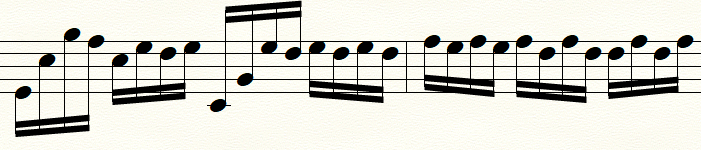
I set Maximum slope to 36 EVPUs and the Beaming Style to "Base Slope on End Notes Only", this is what I get:
Measure nr 2 is the problem. Every beam should be flat according to the "rule", but e.g. in case of f-a,-f-a, (last four 16th notes) I get a beam slanting significantly downwards.

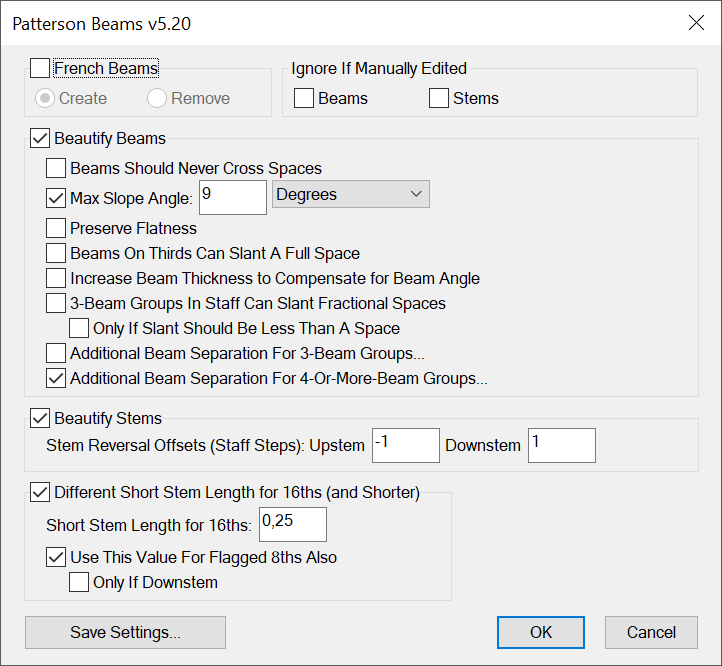
But I found something interesting. I set the Beaming Style to "Flatten Beams Based on Standard Note", enter the notes, then I use the Patterson Beams plug-in with the settings below, and the result is perfect: the first three beams are upward, all the other beams are flat.


Comment actions Permalink
Avatar
0

Actually, according to the rule (End Notes Only), the beams slope based on the first and last beamed notes. So, it does what it is supposed to.

Comment actions Permalink
Avatar
0
Comment actions Permalink

Please sign in to leave a comment.