

Finale 26, Windows 10
Last year I purchased a new laptop, a Dell XPS 13 (Windows 10), for travel and installed Finale 26. I didn't pay much attention to Finale until last month when I was on the road and needed to edit music. The playback icons on the ribbon are smaller than the other icons. And, in fact, they won't start or stop playback. The other icons do work. To get playback I have to use MIDI/Audio/Start Playback and Stop Playback. But using them is a hassle on a small screen. I uninstalled and reinstalled Finale today. The icons are still very small and do not work. Any suggestions?
Thanks, Kathy
(I see there is no place to upload a screen shot of the icons.)

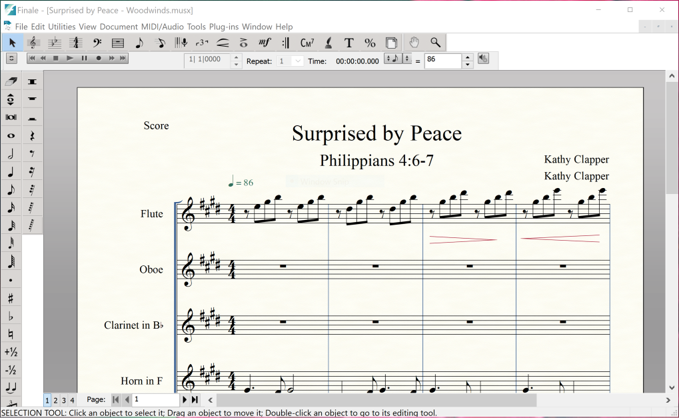
5 comments
Date Votes