New post
Avatar
0

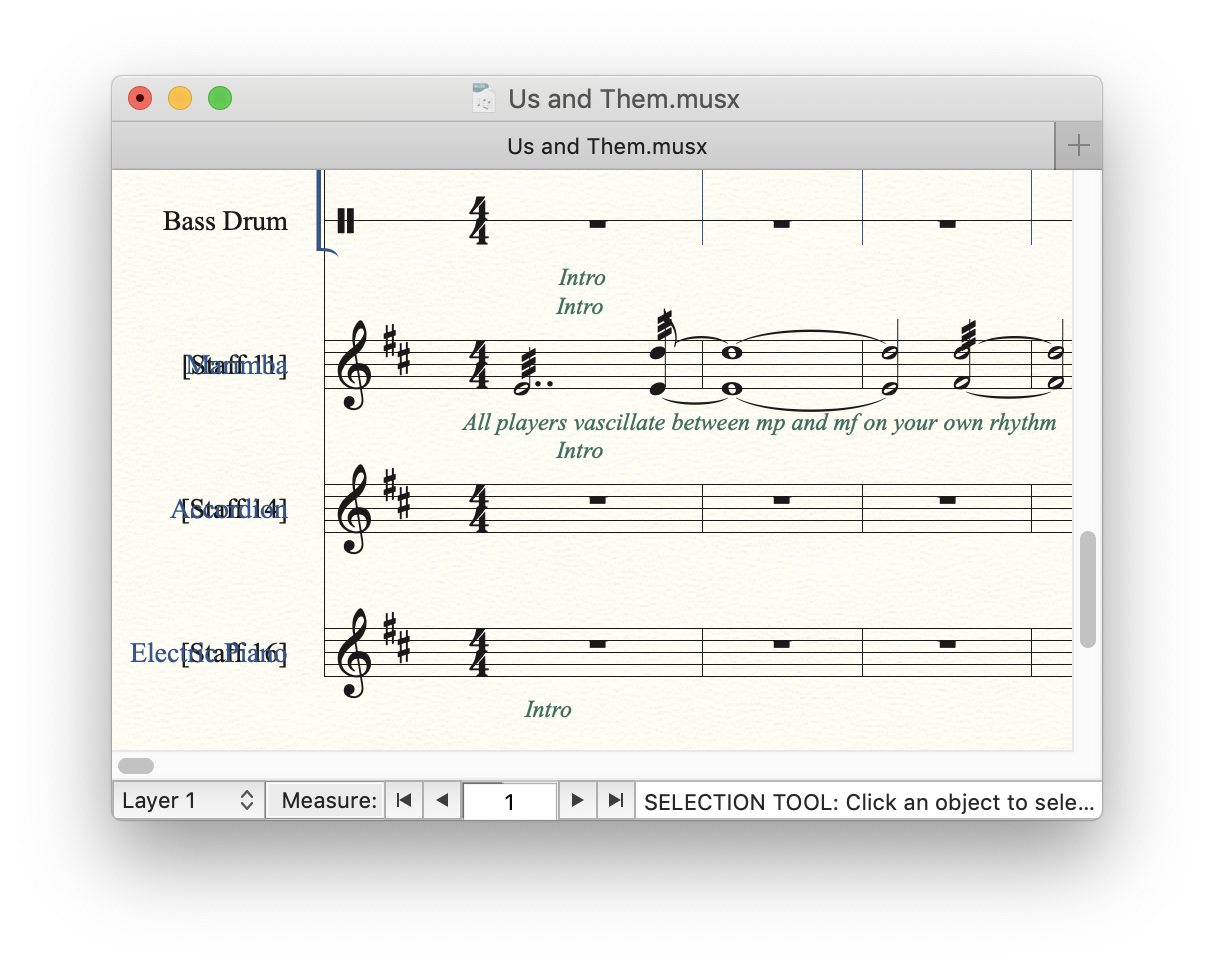
I couldn't find this referenced here, though it's a tricky thing to verbalize. When I create a new staff, I go in and change the name to, say, "trumpet," and then it shows up as the staff name in the score, but superimposed on the original staff name, like [Staff 12]. How do I get the original name to go away?


OS 10.14, v25.

8 comments

Date Votes
Avatar
0

Where are you seeing this?
An image/screen-shot would help.

Comment actions Permalink
Avatar
0

I'm realizing the reason both names are there is that I made each single stave a group, and named that, hoping it would replace the staff name. But the upshot is, I can't figure out how to change the name of the staff itself.

Comment actions Permalink
Avatar
1

No need to make a group for each staff. Get rid of the groups and assign instrument names (full and abbreviated) in the score manager for the selected staff.

If you don't want to see any names at all, then go to Staff > Edit Staff Attributes and de-select Staff name (in score and/or parts)

You can also right-click on the staff name in the score and de-select Show. It will still be there greyed-out, but won't print.

Comment actions Permalink
Avatar
0

Yes, I've done that already. The names are all entered properly in the score manager, and everything looks entirely normal. Yet this is what I have. (I have gotten rid of the groups, so now they are just named, [Staff11] and so on.) It's not the kind of thing that keeps me from getting the work done, but it annoying over time.

Comment actions Permalink
Avatar
0

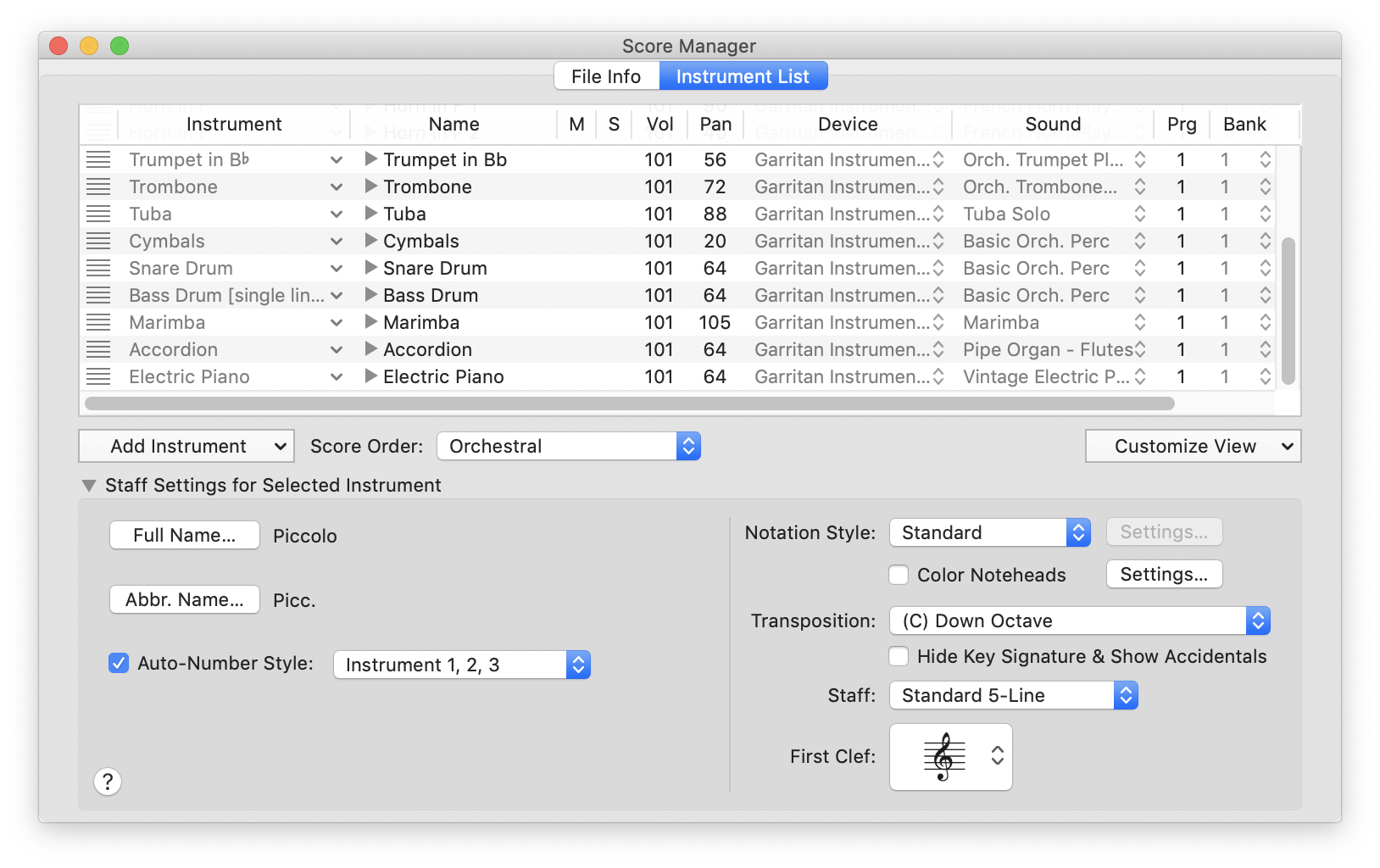
What does your score manager look like (image)?

Comment actions Permalink
Avatar
0

Comment actions Permalink
Avatar
0

Given the appearance of your Score manager, I do not understand how you would be getting the "Staff #" labels on your staves. Beats me.

Comment actions Permalink
Avatar
0

....An image/screen-shot would help....

... and a Finale file would help a lot more, but on this (poorly organized) forum you can't attach anything ...

If you really want to resolve this, go to the other, a lot more useful, Finale Forum, attach a short file exhibiting this problem, and somebody will most likely figure it out for you   https://www.finaleforum.com/viewforum.php?f=5


Comment actions Permalink

Please sign in to leave a comment.