New post
Avatar
0

I transcribe ethnic modal music where non-traditional key signatures are common. After a struggle, I learned how to generate a key signature (non-standard/non-linar) with F#, Bb & Eb; however, when I enter notes or play them back, they all play back as natural. I appreciate any advice on this!

14 comments

Date Votes
Avatar
0

In other words, you are transcribing music into G minor and don't want to write the F# when it appears. How many independent staves are in your arrangement?

Also, what OS (version) and version of Finale are you using?

Comment actions Permalink
Avatar
0

The music is in the klezmer modal key of D Freygish, with a step-and-a-half between the second and the third (together with a flatted sixth). The notes of the scale are D, Eb, F#, G, A, Bb, C. I *could* write the music with two flats, and add accidentals to all the F's, but a key signature with two flats and one sharp to represent this mode is acceptable and expected in this genre. The music is a lead sheet consisting of a single staff.

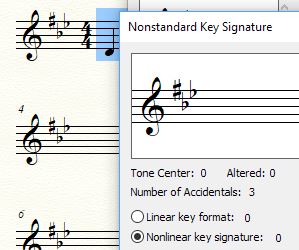
I am using Finale 25.5.0.290 on Windows 10. As indicated, I have figured out what appears to be the proper way to generate the desired key signature (using key signature tool / non-standard / non-linear - see image below), but as I'm entering the notes, they so not sound with the proper accidentals, nor do they play back with the proper accidentals (in other words, entering or playing back a B yields B natural rather than Bb; entering or playing back an F yields F natural rather than F#).

Comment actions Permalink
Avatar
0

If you are only using one staff (a lead sheet) you could create a separate staff with the F's sharped manually (for playback), mute the display staff, and then use Manage Parts to create a layout that shows only the display staff.


Run playback from your full score and print from your lead-sheet part.

Comment actions Permalink
Avatar
0

Wow, crazy workaround, but sounds like it will work. In truth, playback is not a major issue (really just need the score), but I wish it worked the way you'd expect it to work. Thanks so much for taking the time to consider my issue! If anyone has any other ideas, I'm open to suggestions.

Comment actions Permalink
Avatar
0

Allen Lutins,


Your screen shot shows that you have created the key signature (of F# - Bb - Eb) as a Nonlinear Key Signature.

Instead, create the {F# - Bb - Eb} key signature as a Linear Key Signature.

In that way the key signature will play back correctly.

All key signatures created as a linear key signature always play back correctly.


You probably never ever will need to create a Nonlinear Key Signature, but with a Nonlinear Key Signature you can get full independence between layout and playback.

Comment actions Permalink
Avatar
0

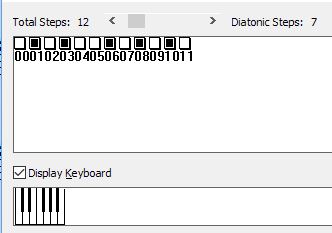
I'm struggling unsuccessfully to reproduce my results using a linear key signature. I assume I should be using the standard Key Step Map, thus:

But changing the values in the Accidental Order and Amount dialog box doesn't seem to have any affect, unlike when I used a nonlinear key signature. I'm struggling to understand the use of the Tone Center button, and I don't think I should need the Clef Order button (since I have a single clef). Pray tell what am I missing? I've posted my file to www.lutins.org/temp/example.musx if you have the time to peruse it - thanks again!

Comment actions Permalink
Avatar
0

… I'm struggling unsuccessfully to reproduce my results using a linear key signature …


Allen Lutins,


Perhaps you posted the wrong Finale document ?

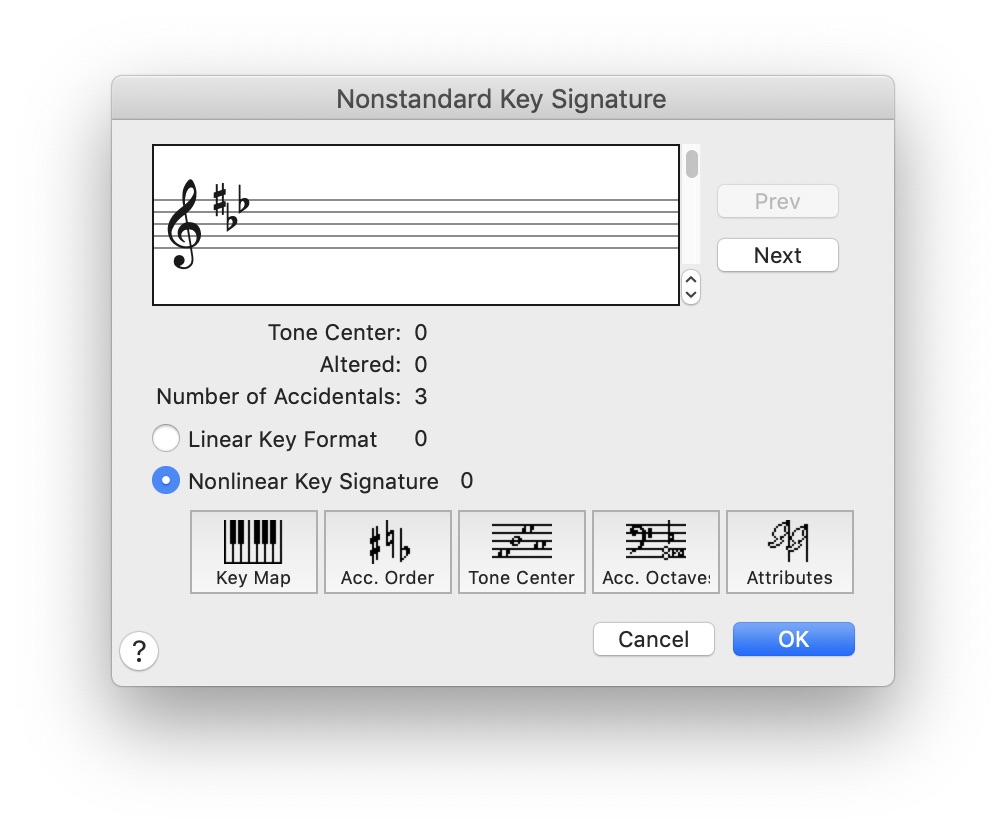
In the Finale document you posted, you have selected Nonlinear Key Signature:


Comment actions Permalink
Avatar
0

No mistake - this is the desired key signature. I posted it this way so that someone could advise me on how to reproduce this using linear instead.

Comment actions Permalink
Avatar
0

… I'm struggling unsuccessfully to reproduce my results using a linear key signature …

… Pray tell what am I missing? …


What you are missing, is that you have selected Nonlinear Key Signature.

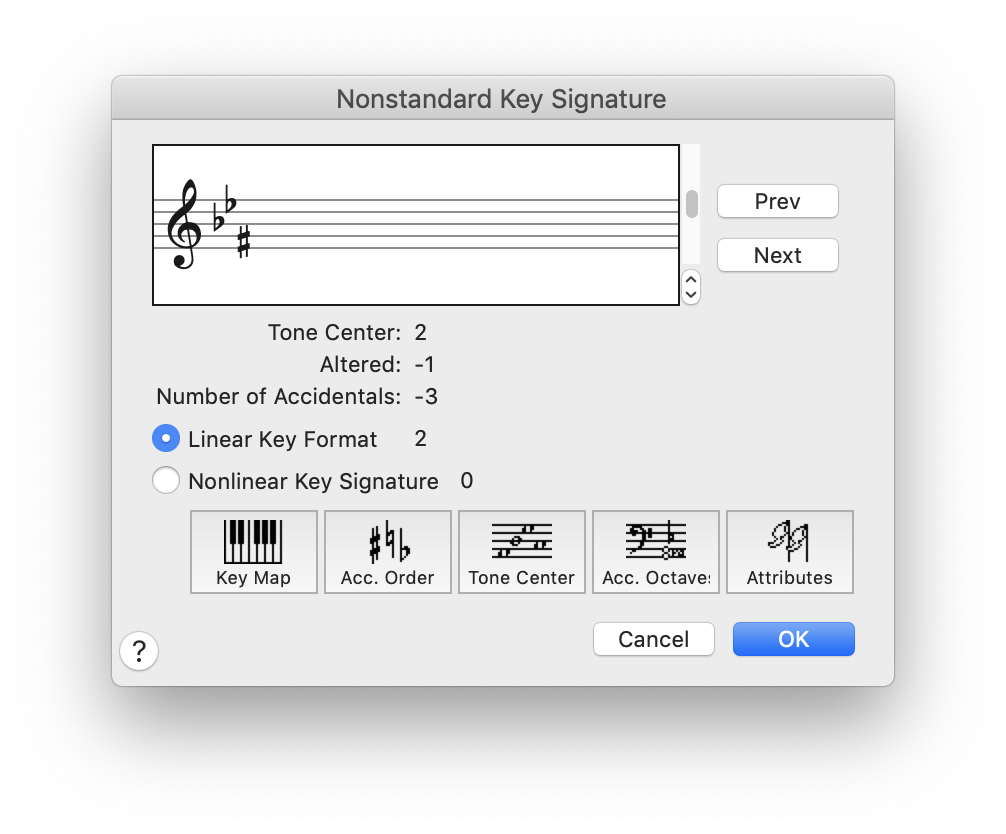
Instead, select Linear:

NB:

Go past Linear Key Format 0 and Linear Key Format 1, since they are “hardwired”.

Comment actions Permalink
Avatar
0

Yup - tried using Linear Format 2, but as I mentioned previously, "changing the values in the Accidental Order and Amount dialog box doesn't seem to have any affect, unlike when I used a nonlinear key signature. I'm struggling to understand the use of the Tone Center button, and I don't think I should need the Clef Order button (since I have a single clef). Pray tell what am I missing?"

Comment actions Permalink
Avatar
0

… changing the values in the Accidental Order and Amount dialog box doesn't seem to have any affect, unlike when I used a nonlinear key signature …


Let me get this straight:

When you choose Linear, changing the values in the Accidental Order and Amount dialog box doesn't seem to have any affect. Right?

When you choose Nonlinear, changing the values in the Accidental Order and Amount dialog box does have an affect. Right?


Unfortunately I am unable to duplicate your result.

For me it is “the other way around”.

When I choose Nonlinear, changing the values in the Accidental Order and Amount dialog box doesn't seem to have any affect (and this is also the case when I examine the document you posted).

When I choose Linear, changing the values in the Accidental Order and Amount dialog box does have an affect.


In the screen shot I posted, I selected Linear Key Format 2, with 3 flats.

Then, I changed the third flat (on A) to a sharp (on F).

Comment actions Permalink
Avatar
0

You've got it right. I've posted a short video to www.lutins.org/temp/video.avi that shows me stepping through the Accidental Order and Amount dialog box options in nonlinear mode with the desired key signature, then switching to linear (which removes all my accidentals) and stepping through those options again - they appear to be the same settings, but don't have any effect in linear mode.

By the way, I *really* appreciate the attention you've given my conundrum. I realize that software that's expected to do complex things can't have simple mechanisms, but sheesh, this is a tough one for me!

Comment actions Permalink
Avatar
0

Allen Lutins,


Because you first tried Nonlinear, you customized Linear with the same steps as Nonlinear.

1) In Linear you do not need to customise all the seven accidentals, just the three you need.

2) When you have customised the accidentals, and return to the dialog box Nonstandard Key Signature, you must use the vertical scroll bar on the “staff picture” at the upper half of the dialog box.

Since you customised the first three “sharps” (= Unit 1; Unit 2; Unit 3), you should scroll the bar 3 steps up, to go to the key of 3 “sharps”.

On the Mac I can position the cursor inside the dialog box, and scroll (= no need to drag the scroll bar).


A side note:

You have displayed the sharp first, and then the two flats.

Perhaps it is just me, but I feel that the two flats should display first, and then the sharp.

I consider the two flats to be the (original) diatonic key signature, and the sharp to be a “modification” of the diatonic key signature.

Hence I used the “negative” units (= Unit -1; Unit -2; Unit -3), and customised Unit -3.

After returning to the Nonstandard Key Signature dialog I scrolled the bar 3 steps down, to go to the key of 3 “flats”.

Comment actions Permalink
Avatar
0

...and, success! That was not at all straightforward, and I applaud your efforts to assist the Finale community. At first my Bb was an octave too high, but it was trivial figuring out how to use the ClefOrd feature to adjust that. I've verified that the notes now play back properly.

In response to your side note - since this piece is in an ethnic mode with D at its center, a key signature of 2 flats would be unrelated, so placement of the F# is somewhat inconsequential. I've chosen to place it before the sharps for visual purposes - if placed directly after the Eb, it is not as easy to see which clefs the sharp and flat are on (yes, traditionally a second flat would be expected to be E, and an initial sharp would be expected to be F, but in ethnic modes the accidentals don't always follow so neatly).

I will copy your comments and archive them so that I can reference them again if needed.

Comment actions Permalink

Please sign in to leave a comment.