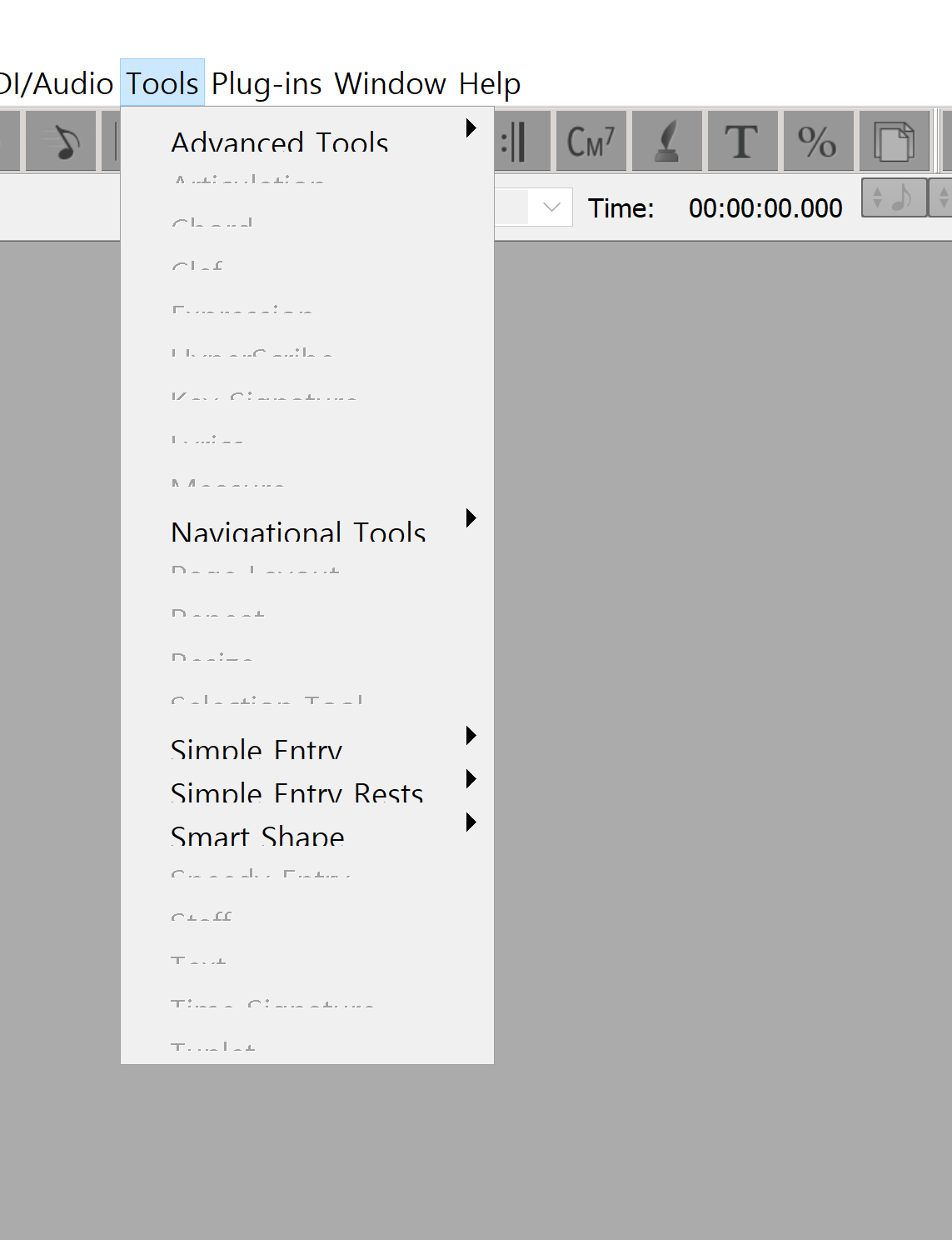

I uploaded a ticket already, but I'm posing it up here too. Anyone can guess the reason why? This is stressing me out.


Thanks guys.
It was finale 25, Windows 10, and I figured out what the problem is & solved it. I'll share.
The problem is that my screen had resolution of 5k, and I was on 250% dpi, and finale starting from 25 only supports up to 200% dpi - I was told this by makemusic customer service agent when I submitted my ticket about this issue.
While the agent simply recommended me that I change my dpi setting to 200%, this would make all other application so small that I can't even see or read them.
The alternate solution I found instead, was this: right click finale, properties, compatibility, high DPI setting, check "override high DPI scaling behavior", select "system" from the options (default was "application").
Now my screen is 250% dpi by default but when I open up finale it seems to think the screen is 200% dpi, making the fonts not crash.
Please sign in to leave a comment.
3 comments
Date Votes