OS: Windows 10 64bit
Finale ver: 25.5.0.290
Hi, I have struggle with this two staff, it changes from 3 staff to 2 staff, but the next line, the bracket disappeared.
Also if I move bar 26 down, the bottom staff disappear as well.
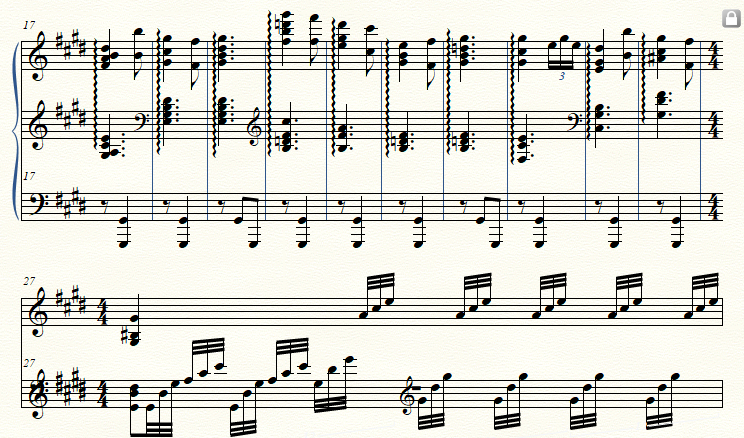
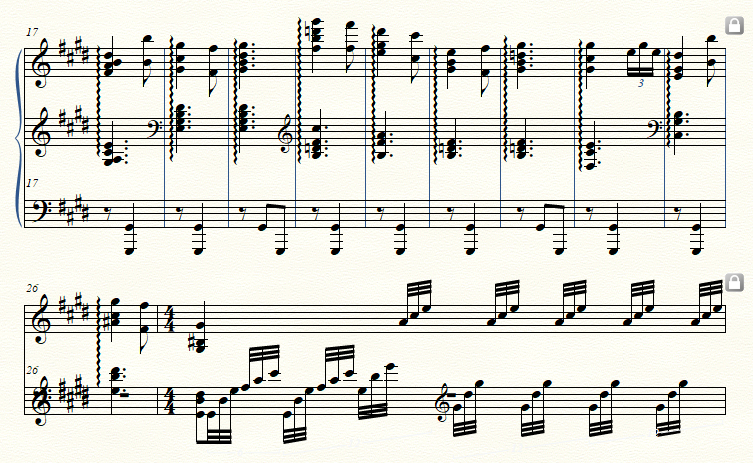


If I understand you correctly, you need 3 staves in all systems, right? (so that neither staff nor bracket disappears)
… it changes from 3 staff to 2 staff …
That is not what I see in the attached graphic.
I see 3 staves in all systems, but in System 2 and System 4 I see overlapping staves.
Things to try:
(Staff Tool)
1) Switch to Scroll View.
Are the staves in Scroll View spaced as needed?
If not, respace them.
You can use
Staff menu > Respace Staves…
or space the staves individually, e. g. via
Staff menu > Staff Usage…
2) Switch to Page View.
Staff menu > Respace Staves…
Choose the option {Set to Scroll View Spacing}.
Please sign in to leave a comment.
2 comments
Date Votes