New post
Avatar
0

Finale v26, Windows 10 Pro

Hi everyone,

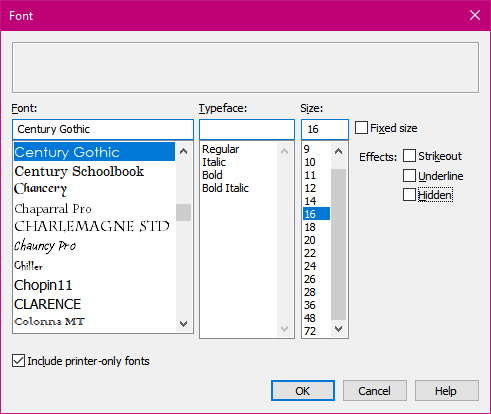
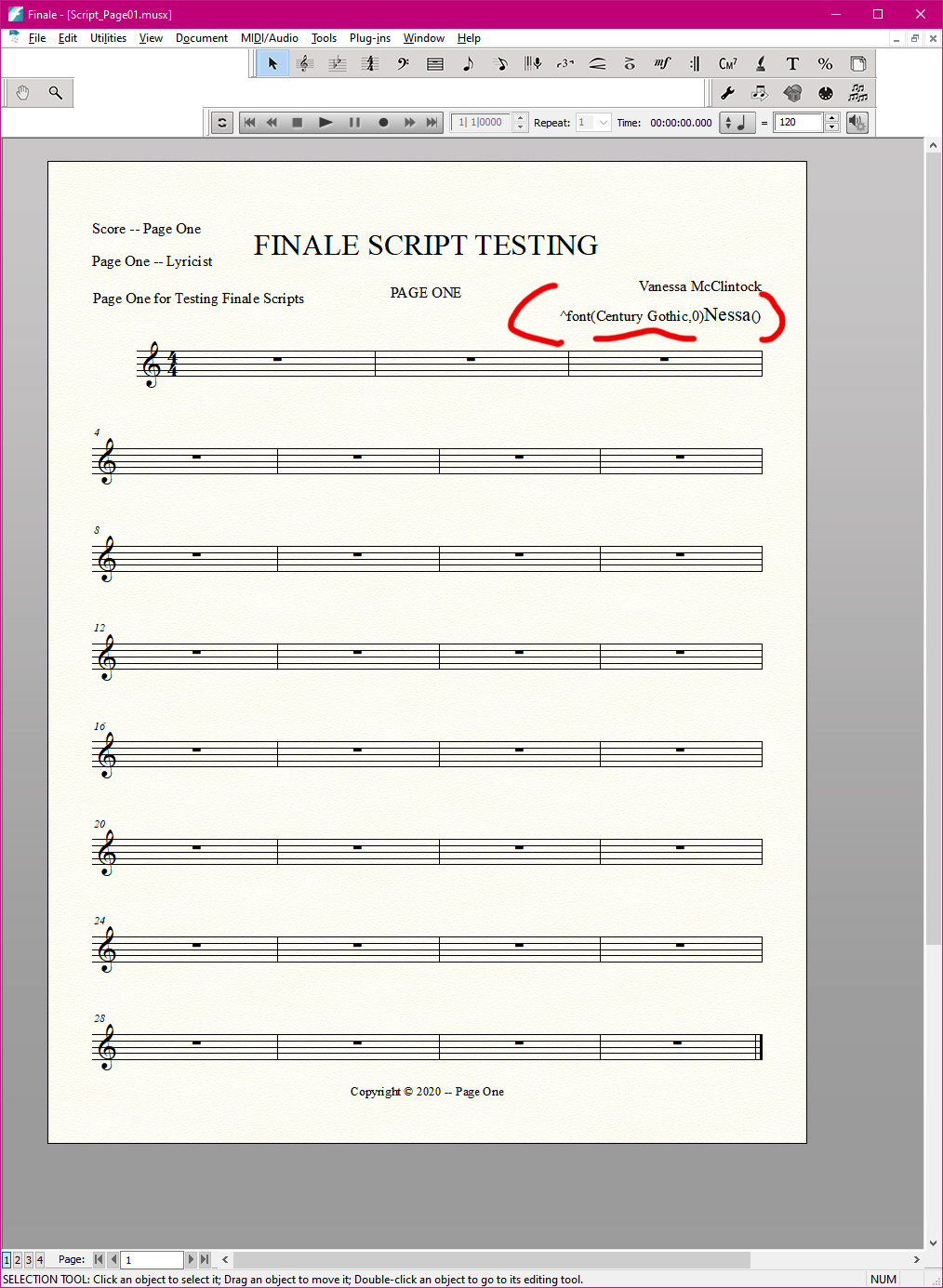
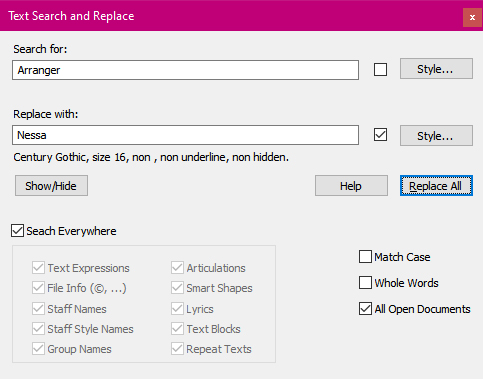
I have tried Text Find and Replace, and it works quite well--Except--when I try to change font and or style using the "Style..." sub-dialog box.

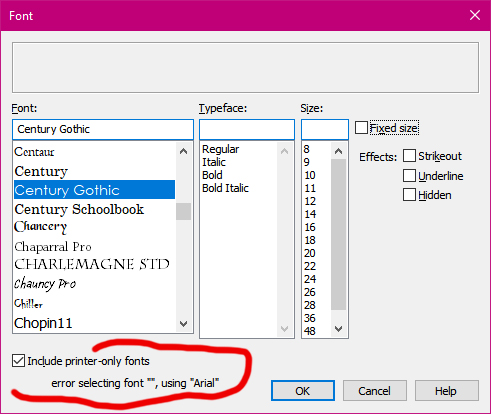
I have attached four (4) screenshots.
You will notice that part of the font and style code appears where the replacement of text occurs.

Also, the last screenshot displays an error message about Arial font. When I select another font and OK, that box closes. When I reopen it, the error message is gone.

Thank you!
:-)


3 comments

Date Votes
Avatar
0

I am having the same issue with a text font.  A client wants me to use Veritas Roman for lyrics.  The font show up in the listing but when I select it, I get Arial instead. Changing the fonts through Document> Data Check> Font Untilities explains: "error selcting font "Veritas AE", using "Arial"  Thanks, Finale!  How do I get it to work?

Somebody please help!  There are two posts in the community already asking this question, and neither have any replies!  How can I get Finale to use a text font I have installed?

Comment actions Permalink
Avatar
0

First off, of course, you have to have the appropriate Veritas fonts on your machine.


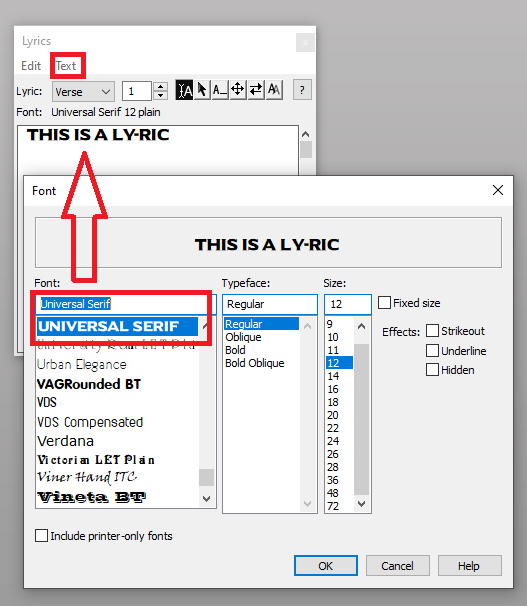
Lyric fonts would not be changed by Text Search and Replace. Instead highlight the text you want to change in the Lyrics Edit panel and apply the new text there. Realize that lyrics may exist in multiple verse and chorus sub-panels, so you may have to highlight and change text in several sub-panels.


(This of course is not the same as Text Search and Replace, which makes changes only in Text Boxes (not in File Info fields) and certainly does not recognize the tokens used to transfer File Info fields into the document pages.

Comment actions Permalink
Avatar
0

Thanks, Adrian.

• Veritas AE is installed in my Windows > Fonts folder, and the font shows up fine in Word and all my other software.  

• In the Lyrics Edit dialog box, I Select All and Edit Font, as I have done a thousand times before with other fonts.  The font Veritas AE shows up in the listing but when I select it, I get Arial instead. No explanation. 

• The explanation came when I changed fonts through Document> Data Check> Font Utilities. Under "Search for this font" I select the previous font, Palatino, and under "Replace with this Font", I select Veritas AE. I am told: "error selecting font "Veritas AE", using "Arial" instead.

I did not use Text Search and Replace. 

Comment actions Permalink

Please sign in to leave a comment.