New post
Avatar
0

I am running Finale 25.5 on Windows 10. I am trying to merge three files into one using the Score Merger tool. I have done this in the past with no issues, but now for some reason wherever there is a key change in the original files, Finale retains the key signature but transposes all of the notes to C major. For example, the first file starts in C major and has a few changes, but all of that music stays the same. The second file to be merged starts in F major. Finale keeps the key signature of F major but transposes the actual notes down a 4th to C major until halfway through the file it randomly goes back to the correct state. The same issue happens with the third file, but more often. I have been trying many different solutions within the past hour and a half and have had no luck with fixing this issue. 


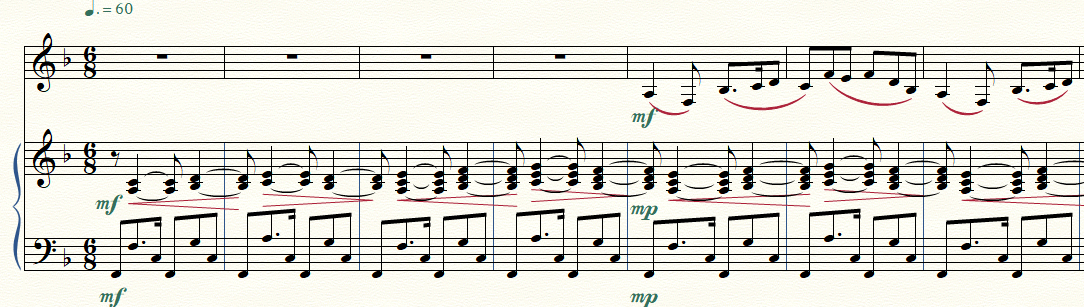
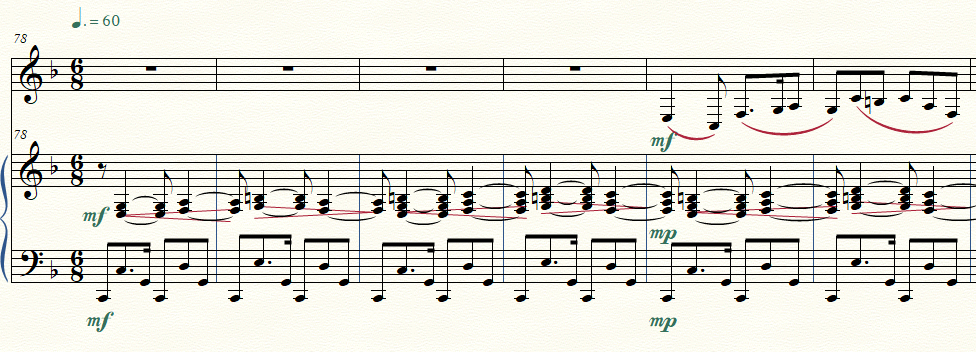
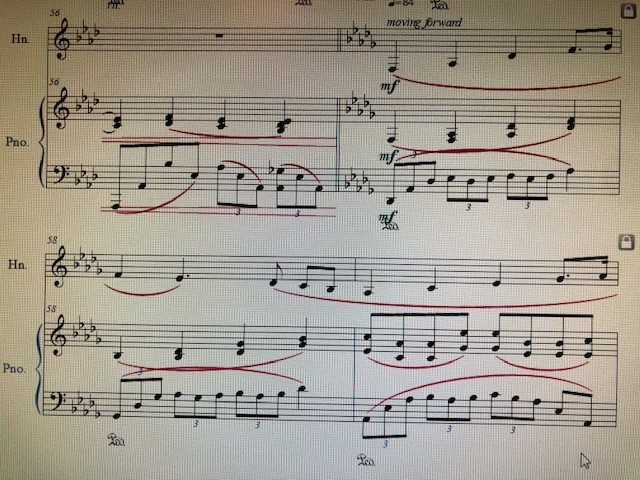
Edit: I've attached some images to demonstrate the issue. The first image is from the original file where everything is just the way it should be. The second image is the same measures but after the file has been merged in Score Merger. You can see the notes have been oddly transposed but the key signature still remains.
3 comments

Date Votes
Avatar
0

My first guess for the culprit would be that some of the key signatures are Major keys and minor keys with the same number of accidentals.


To avoid this issue, use only Major keys.

Finale will not mind.


Example:

Instead of F minor (= 4 flats), use Ab Major (= 4 flats).

Comment actions Permalink
Avatar
0

Thank you for your feedback! I did what you recommended and unfortunately nothing changed. Both are displaying in concert pitch as well, so there's no issue with that (plus piano obviously isn't a transposing instrument.) I've attached two more images. The first image is from another original file, right at the beginning. The material is in F major and so is the key. Once it merges (in the second image) it is all transposed down to C. It stays like that until about 50 or so measures in, when it suddenly reverts back to the key of F. (The key signature has been F major this whole time.)

Original file, before the merge:


Merged File:


Would it be of any help to upload the Finale files?

Comment actions Permalink
Avatar
0

1. For the long term, I would send the files to MM at the "Submit a request" link at the top of the page; but you may wait a long time to see a solution.


2. But personally, I would just grab the wrong notes and use the Transposition tool in the Utilities Menu and manually transpose them while I wait for MM Support to come on board.


Sure, the program should work as you describe, but there is a quick work-around that will solve the problem much sooner and save you a world of grief waiting for the merge function to work as you expect. I wouldn't waste my time fighting the program if I valued my time at all. Reporting it to MM is the right thing to do; now it's up to them.

Comment actions Permalink

Please sign in to leave a comment.