New post
Avatar
0

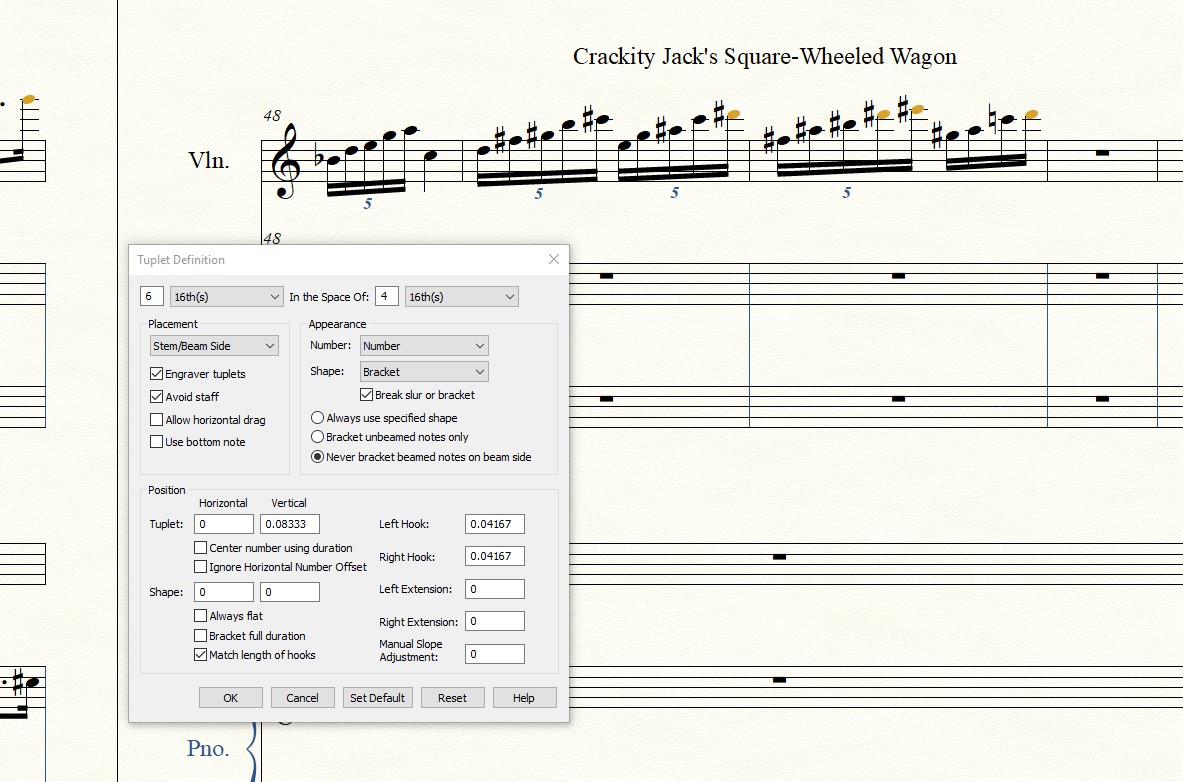
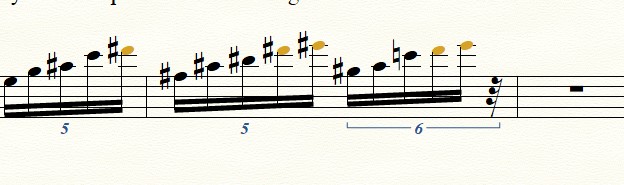
Hey all, I've been having this issue lately and I don't know why, and I feel like I wasn't experiencing it before. I'm usually a SpeedyEntry guy but this pandemic has me stranded without MIDI Keyboard so I've been using Simple, which is fine, but there's a weird problem inserting Tuplets I'm having. I've tried seemingly innumerable ways to work around this(changing the parameters for the Tuplet [ie. substituting divisions for their equal subdivisions]), no avail. I always end up with not enough metrical time for the duration of the Tuplet, and I don't know where/how the rhythm is getting thrown off at all. Here's two screen shots of the example - (I got the quintuplet to work on beat 1, and then mass moved it to beat two, otherwise I was having the same issue with quints and sextuples
 

3 comments

Date Votes
Avatar
0

Daniel Monte,


There are several ways to enter tuplets.

If I Recall Correctly, there is only one tuplet entry method that gives the problem, you mention (= unable to end a measure with a tuplet).

You have selected the Simple Entry option {Check for Extra Notes} - right?


Go to Mike Rosen’s web site, and take a look at the tutorial Tuplets with Simple Entry.

You can find it here:

http://www.specialmillwork.com/finaletips.htm 

Comment actions Permalink
Avatar
0

Peter Thomsen,

Yeah, I can enter a sextuple fine with the sixteenth selected and the triplet modifier selected, but not sure why I'm having the problem here. To clarify, I could enter a quintuple fine on beat one, and it would take exactly what I specify (5 sixteenths for two eighths or 1q or 4 1/16ths, etc.). But when I tried to enter the same quintuple on beat 2, (or more generally the final beat of the measure) I get shortchanged some small, unrelated subdivision amount.

Check for extra notes is selected.

Is there a way for me to attach the .musx here so you can poke around, maybe my preferences are messed up or something?

Dan

Comment actions Permalink
Avatar
0

It is always the final beat of a measure that catches problems with tuplets if a problem occurs. Presumably it has to do with some obscure base-2 rounding error combined with the way in which one chooses to enter the tuplets in question. No question it's a bummer.


I'm not saying it should not work regardless, but that seems to be the way things are so far. In my own case, I usually work in Speedy Entry and use CTRL-key combinations for simple tuplets. In Simple Entry I usually have Check for Extra Notes disabled. But that's just something that works with my workflow.

Comment actions Permalink

Please sign in to leave a comment.