New post
Avatar
0

I just purchased a new MacBook Pro, with MAC OS Catalina 10.15.6. I previously had a 2011 MacBook Pro running MAC OS High Sierra. After migrating all of my data to the new computer, Finale does not play using audio units. I can open the Aria player separately, or use it with Digital Performer, but Finale only plays using MIDI, which does not sound nearly as good as the Garriton Instruments on Finale. What's wrong? Finale version 26.3.1.643

9 comments

Date Votes
Avatar
0

If you can open the Aria Player, either through Finale or independently, check the Settings Tab to be sure you have the latest Player and Engine.


Also make sure your Finale installation knows where to look for the Garritan sounds (which it should already know).

You did run all three parts of the installer for F26, right: the Finale install, the Aria Player install, and the Sound Files install. Right?


(Just throwing stuff against the wall here, since I have been blessed never to have had these problems.)

Comment actions Permalink
Avatar
0

Thanks for your response. Yes, I have the latest version of Aria player, and I ran the complete install when I got the latest version 26. Still looking for the answer.

Comment actions Permalink
Avatar
0
Comment actions Permalink
Avatar
0

I ran all the installers on my initial installation. Is there a way to run the installation again?

Comment actions Permalink
Avatar
0

Do you have Garritan selected in the sound map priority in the first slot?

Comment actions Permalink
Avatar
0

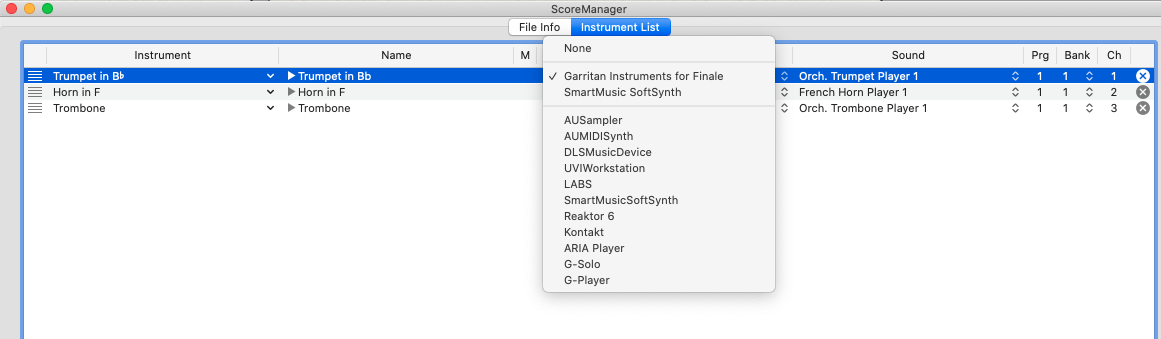
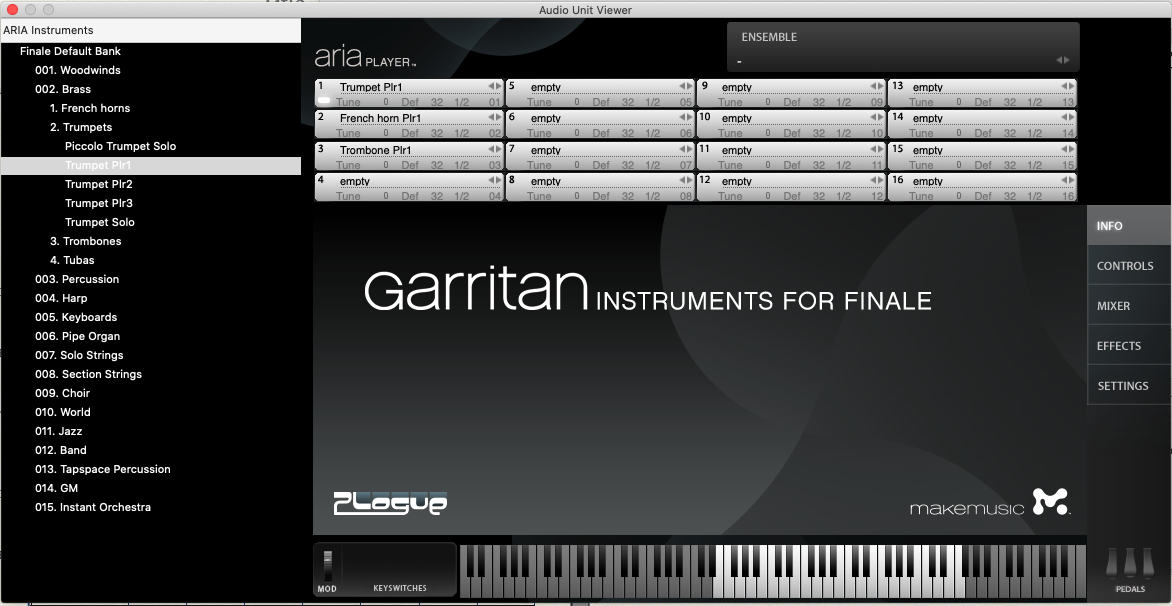
Yes - I can open the Aria player outside of Finale, using the Aria player app, and can select the Finale Default Bank, choose the trumpet player 1 (same as the brass trio in Finale) and hear the note when I press a key on the keyboard on the screen. But when I open the Aria player by going to MIDI./Audio menu in finale - no sound. Here's an pic:

Comment actions Permalink
Avatar
0

I am now grasping at straws, since you say you can hear MIDI sounds but not Garritan sounds.


  1. I would check your Banks & Effects and your Finale Mixer to make sure the sounds have not been muted or their faders turned all the way down.
  2. Under the Device Setup submenu, I would Rescan for AU Plug-ins


Finally (if you have not already done so) I would use the Submit a request link to contact Finale Support directly.

Comment actions Permalink
Avatar
1

I checked with tech support. I went to MIDI/Audio menu, selected Device Setup > Audio Setup, and saw that the output was set to the wrong device. I switched the output to the correct device, and was able to hear the Audio Units playing back. No idea why I was able to hear the MIDI but not the Audio Units when I had the other device chosen, but no matter. I’m able to hear the Audio Units, so I’m back to happy.

Comment actions Permalink
Avatar
0

Glad you got it solved.

Comment actions Permalink

Please sign in to leave a comment.