Dear Community,


Dear Community,


Hi, not enough information. You don't say how you are exporting nor how you are importing. It can easily be operator error or you exporting a higher version than other apps support—or both. Do not expect perfection though your best chance at it is if both apps support MusicXML 4 (I think that only Finale 27 does at the moment but Sibelius should be coming soon with Dolet 8, currently in beta).
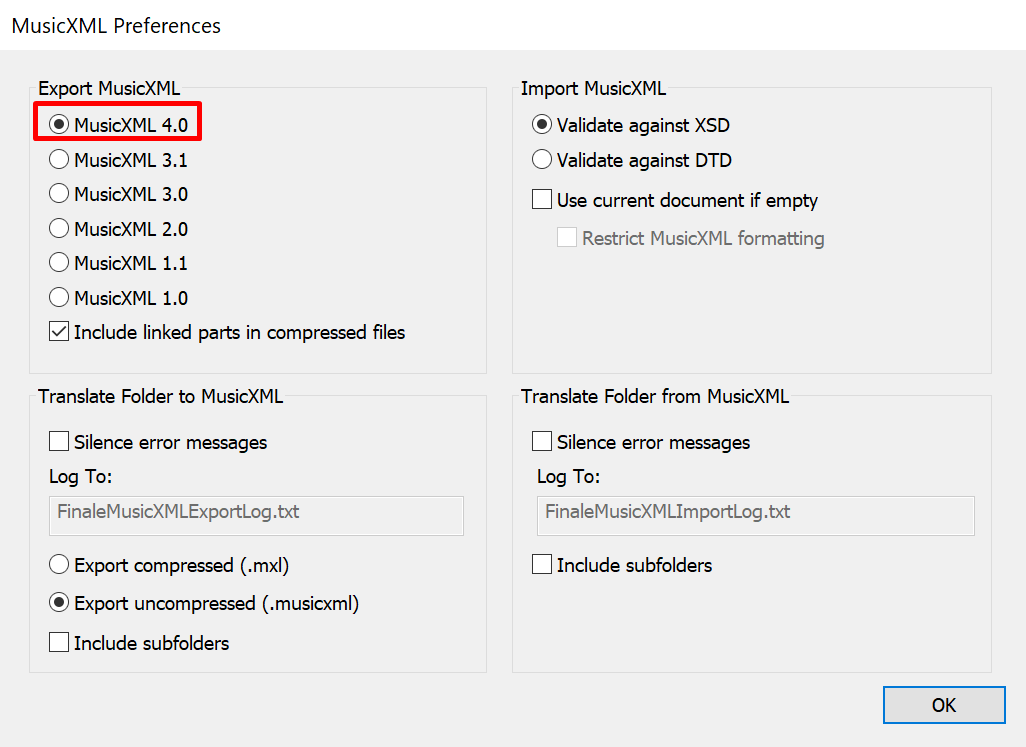
For starters, Finale supports MusicXML export to 5 versions that you set in Preferences or can override as needed (see the User Manual). Best results are usually obtained by matching the export version to the highest version that the other app supports. Last I checked, Sibelius does not yet support versions 3.1 introduced Finale 25.3 nor 4, introduced with Finale 27 — if you export higher than v. 3, Sibelius might not display properly. This may have changed in the last few months. I know that Sibelius isn't your issue but it is mine.
MusicXML is a developers' toolkit and must be implemented, not something that developers just drop into their applications. The accuracy of imports/exports depends on the developers of those other apps and the features that are implemented. The current version of MuseScore's .xml import is greatly improved but used to be horrible. I haven't checked to see what version of MusicXML they support.
I do a lot of file swapping among apps, mostly using Notion to import and assign VIs to Sibelius files, both using .xml 3.0. Now that PreSonus has been bought by Fender and MakeMusic is beta testing Dolet 8 (a tool for Sibelius users to make MusicXML more compatible), who knows what I'll be doing in this regard in months to come. I can guess that I'll be telling my Sibelius clients to add D8 when available and I'll be using Finale 27 to open those scores — or not. We'll see…
Thank you for the idea and the details, Mike! It really helped!
We went and did try to export with different versions of the MusicXML, while ultimately reverting to version 4. This time we made it uncompressed and long and behold it worked.
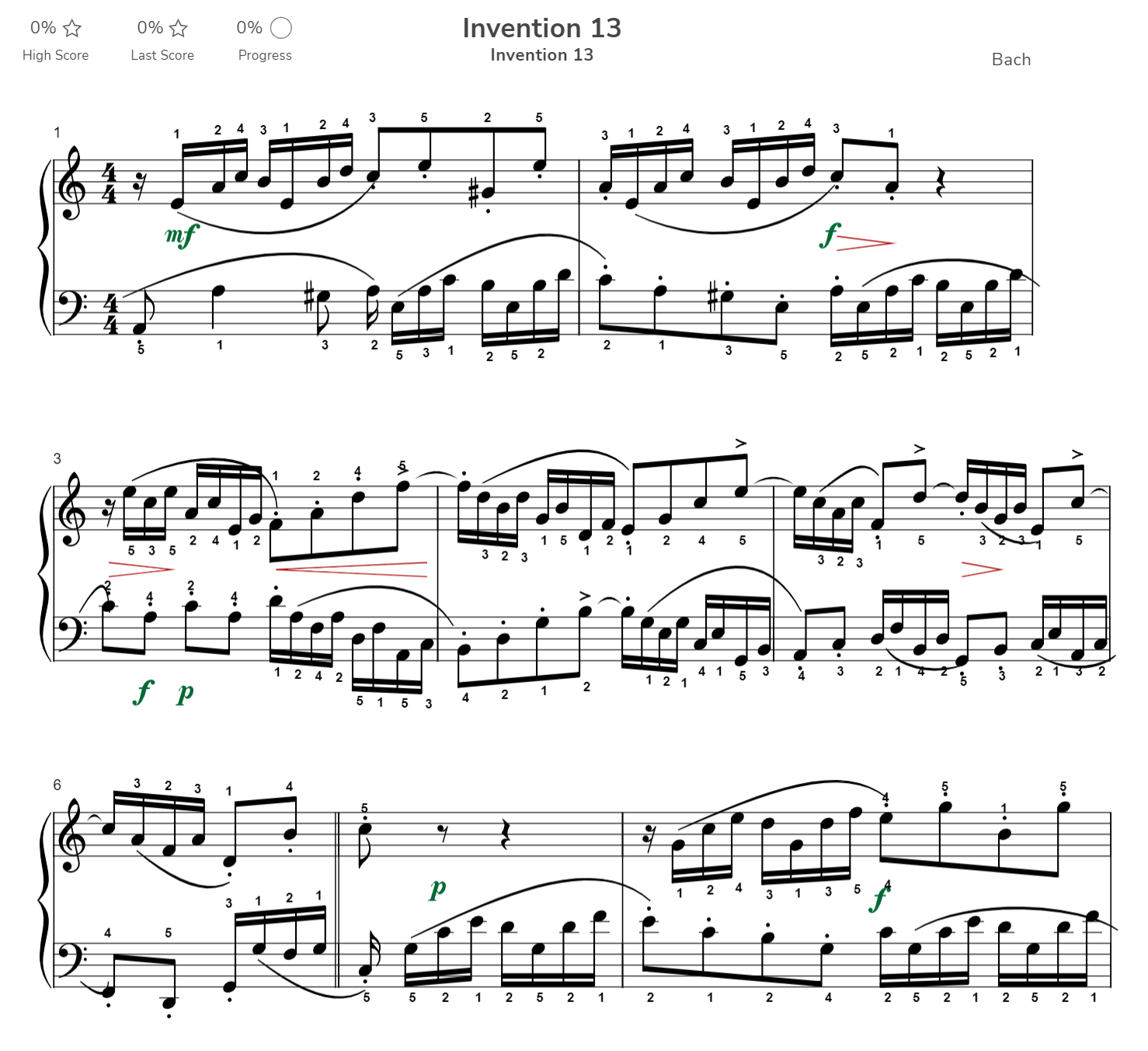
We doubt that this had much to do with compression, as we were in touch with the developers and maybe the magic has coincided. Piano Marvel is now able to render measures per system correctly. I still think they are secret Santas behind the fix ))) and I thank them for their continued support!
Sorry for the prolonged silence. After further testing, it does appear that proper rendering in Piano Marvel only works with MusicXML 4 with the uncompressed export (compressed version of MusicXML even with version 4 doesn't work).
This is how you set MusicXML version: File -> Export -> MusicXML Preferences:

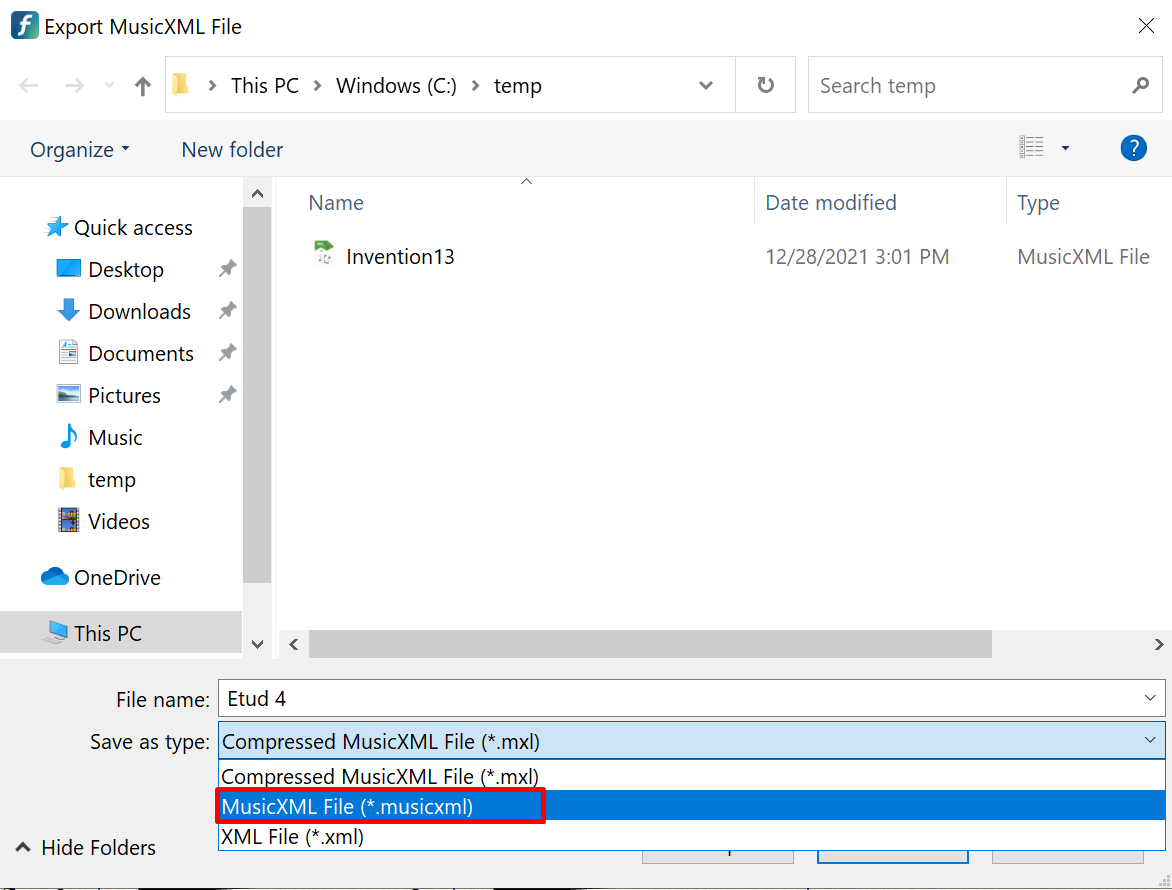
Then during the actual export make sure to select obscure option which doesn't have word compressed in it ;)

With this, you will have a proper rendering of measures per system/staff.
Thanks, Mike for steering me onto it. Changing to SOLVED now.
Please sign in to leave a comment.
5 comments
Date Votes