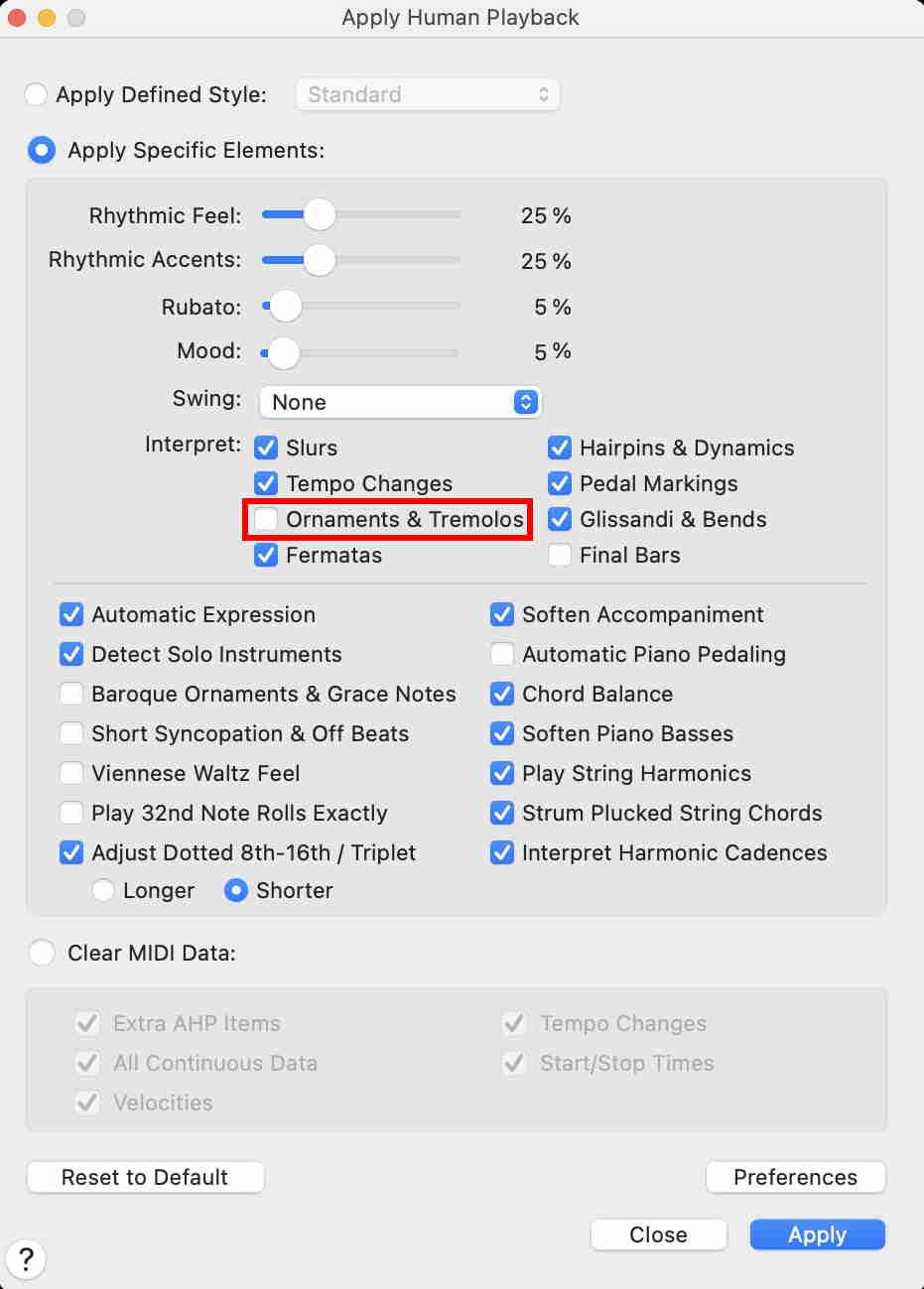
Anytime I use playback, finale is adding in several human playback notes (particularly on rolls in the percussion parts). How does one turn this off?


https://makemusic.zendesk.com/hc/en-us/community/posts/215729367-General-Discussion-House-Rules
You can also post screen shots, jpeg or png so that we can have an idea of what you are seeing.
Here is what I am talking about, and let me preface this by saying I know how to turn human playback on and off, and I know how to display/not-display hidden notes. When I playback anything that is a percussion roll, these notes are added. I am asking how to prevent this from happening. I have other files where this does not occur, so I am not sure why on this particular file it is. It is only happening on notes with the 3 slash roll articulation. This creates editing problems as the "hidden" notes are now counted in speedy entry, and it makes changing things slow and tedious.


Iniciar sesión para dejar un comentario.
6 comentarios
Fecha Votos