Nueva publicación
Avatar
0

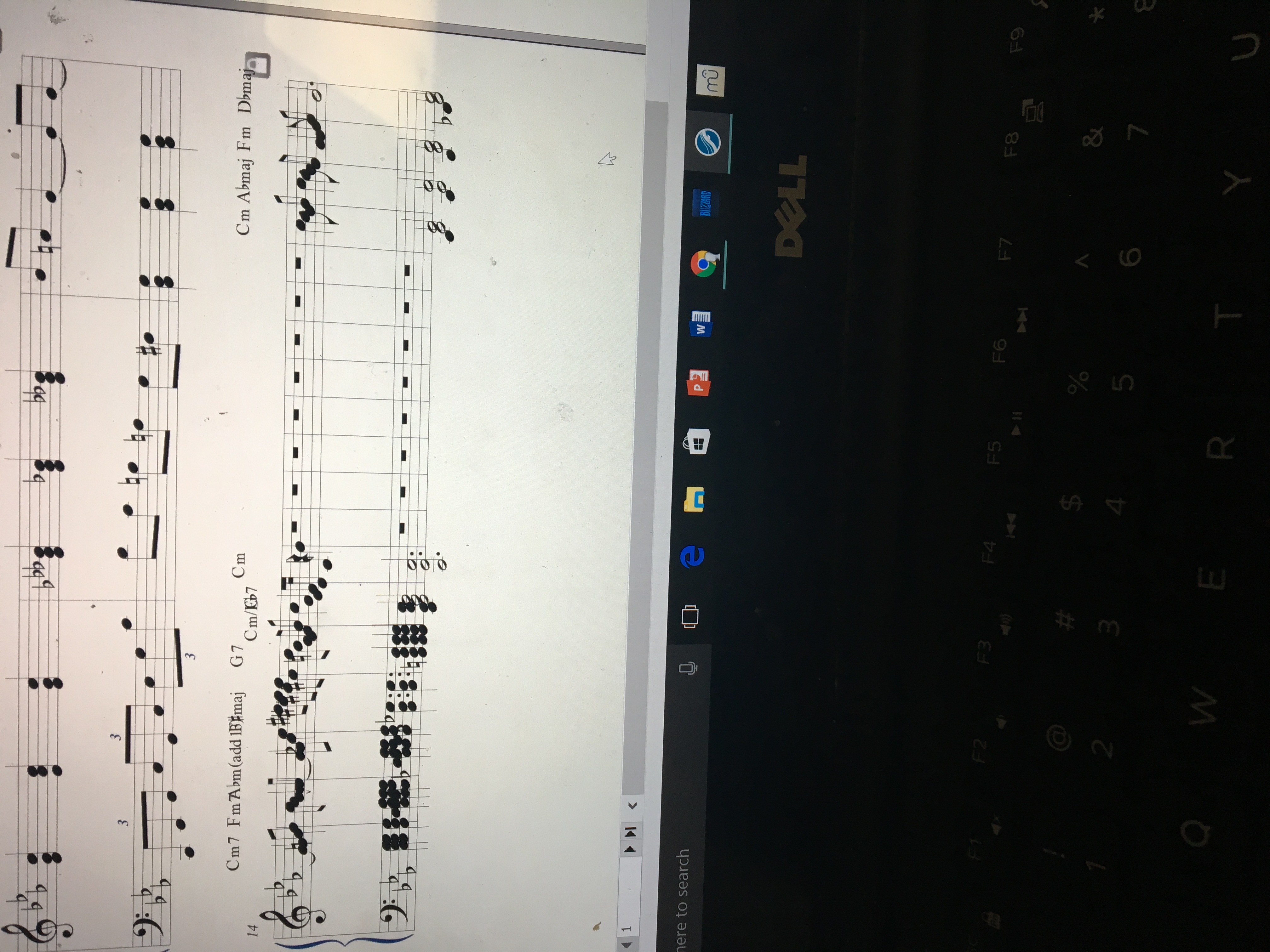
Finale 2014 for Windows. I am relatively new to Finale, but immediately encountered this problem: when I first inserted measures into the middle of a score, it just scrunched up all the music that was formerly on that line into the edges of the screen, making it unintelligible. Picture for reference.
3 comentarios

Fecha Votos
Avatar
0

See the gray padlock icon at the end of the line? That means you have locked that system, so Finale cannot reapportion the notes to space them properly. Choose a measure in the crowded system and SHIFT+END to select to the end of the composition. Then apply Utilities > Unlock Systems to respace the measures from your starting point to the end.


If you want to be doubly careful, perform this maneuver on a copy of your file until you have what you want.

Acciones de comentarios Permalink
Avatar
0

great thanks! Not sure why this setting is the default because its awfully inconvenient 

Acciones de comentarios Permalink
Avatar
0

Locking systems is not the default.

Either your import added it or you did (possibly as part of something else you did that implied locking).

Acciones de comentarios Permalink

Iniciar sesión para dejar un comentario.