Nueva publicación
Avatar
0

after installing Sonoma I tried to paste some measure from one document to another one; whereas pasting in the same document has no problem pasting between  different documents shows the famous font missing question mark...
I reinstalled fonts form scratch but the ? still remains

any help?


6 comentarios

Fecha Votos
Avatar
0

same her
the jazz font
works fine
except for de drums 
HELP!!!

Acciones de comentarios Permalink
Avatar
0

te be precise
the font is oke in Finale
but when i make a PDF .. it's changing layer 2 it ????

Acciones de comentarios Permalink
Avatar
0

I am speaking only of Finale files, for the moment…

Acciones de comentarios Permalink
Avatar
0

Finale's current build, 27.4 fixes this. If you have 27 already, download 27 from your MakeMusic account and run the full installer. A few users have had problems running the updater from within 27 but the full installer works.


If you are not running Finale 27, it's time to upgrade. Here is the current pricing but you can also do this from within your MM Account.

https://www.finalemusic.com/finale-summer/ 


If you are running 27.4 and are having this problem, you can send this to Support through the Submit a request link at the top of the page.


Before sending to support, I would remove all old versions first and do a clean install of 27.4 for two reasons 1) it will probably fix you up and 2) it is likely the first thing that Support will ask you to do. None of the older versions will work properly over Sonoma anyway.

https://makemusic.zendesk.com/hc/en-us/articles/115003352327-Uninstalling-Finale 


Acciones de comentarios Permalink
Avatar
0

solved... easier but not well documented IMHO

" It’s actually pretty easy to convert a legacy file and make it SMuFL-compatible. Take a legacy (non-SMuFL) file and go to Document > Set Default Music Font…

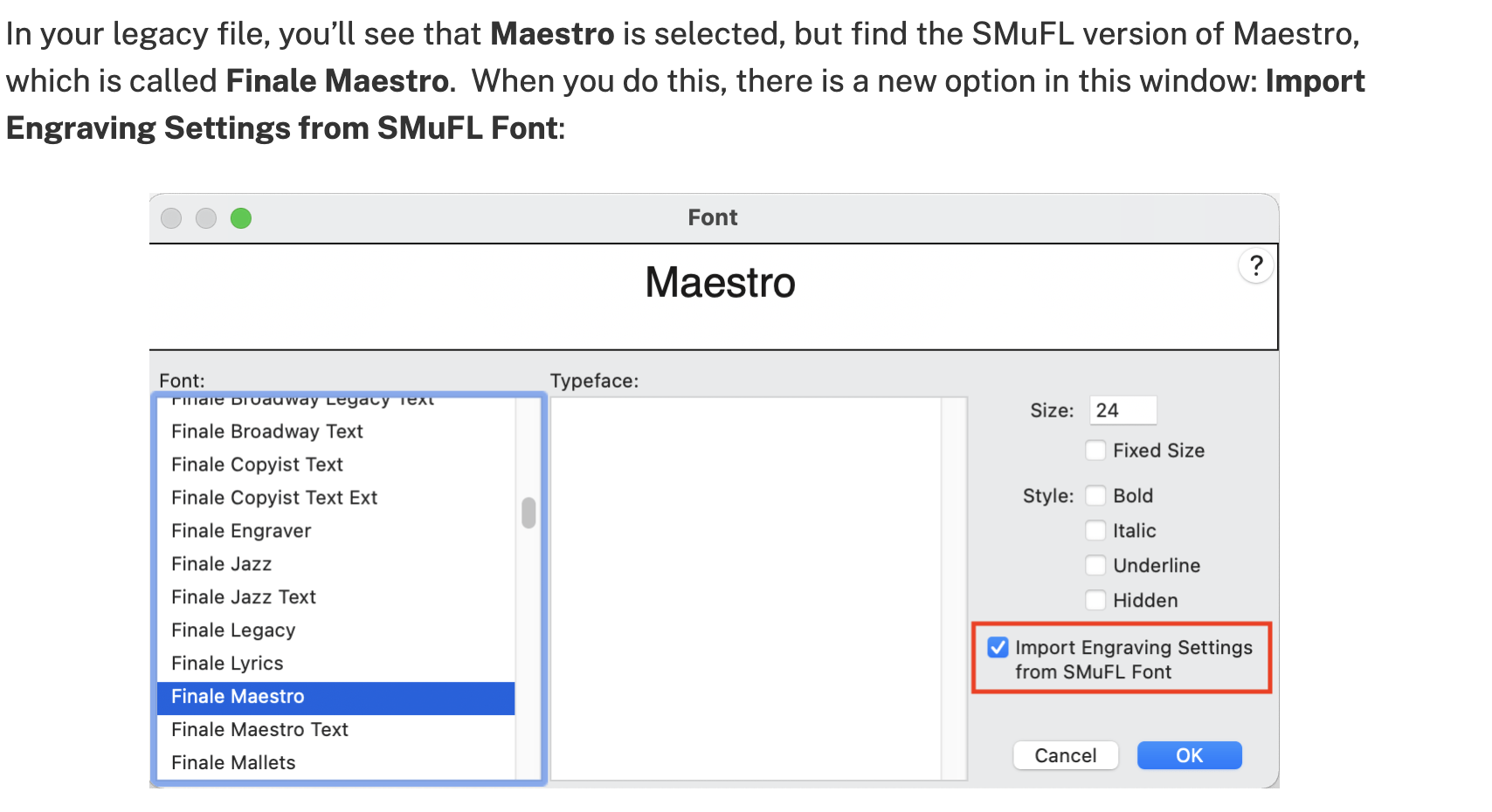
In your legacy file, you’ll see that Maestro is selected, but find the SMuFL version of Maestro, which is called Finale Maestro." " When you do this, there is a new option in this window: Import Engraving Settings from SMuFL Font:

Acciones de comentarios Permalink
Avatar
0

Acciones de comentarios Permalink

Iniciar sesión para dejar un comentario.