

Hi, I cannot find where the Hand Clap sound within Finale, when making drums and percussion tracks, Like Rolling Stones Start Me Up song.
I have toggled between these 4 settings, but no cigar.
MIDI/Audio menu, VST playback
MIDI/Audio menu, Midi Playback
Garritan Instruments
SmartMusic SofthSynth
on windows 10.
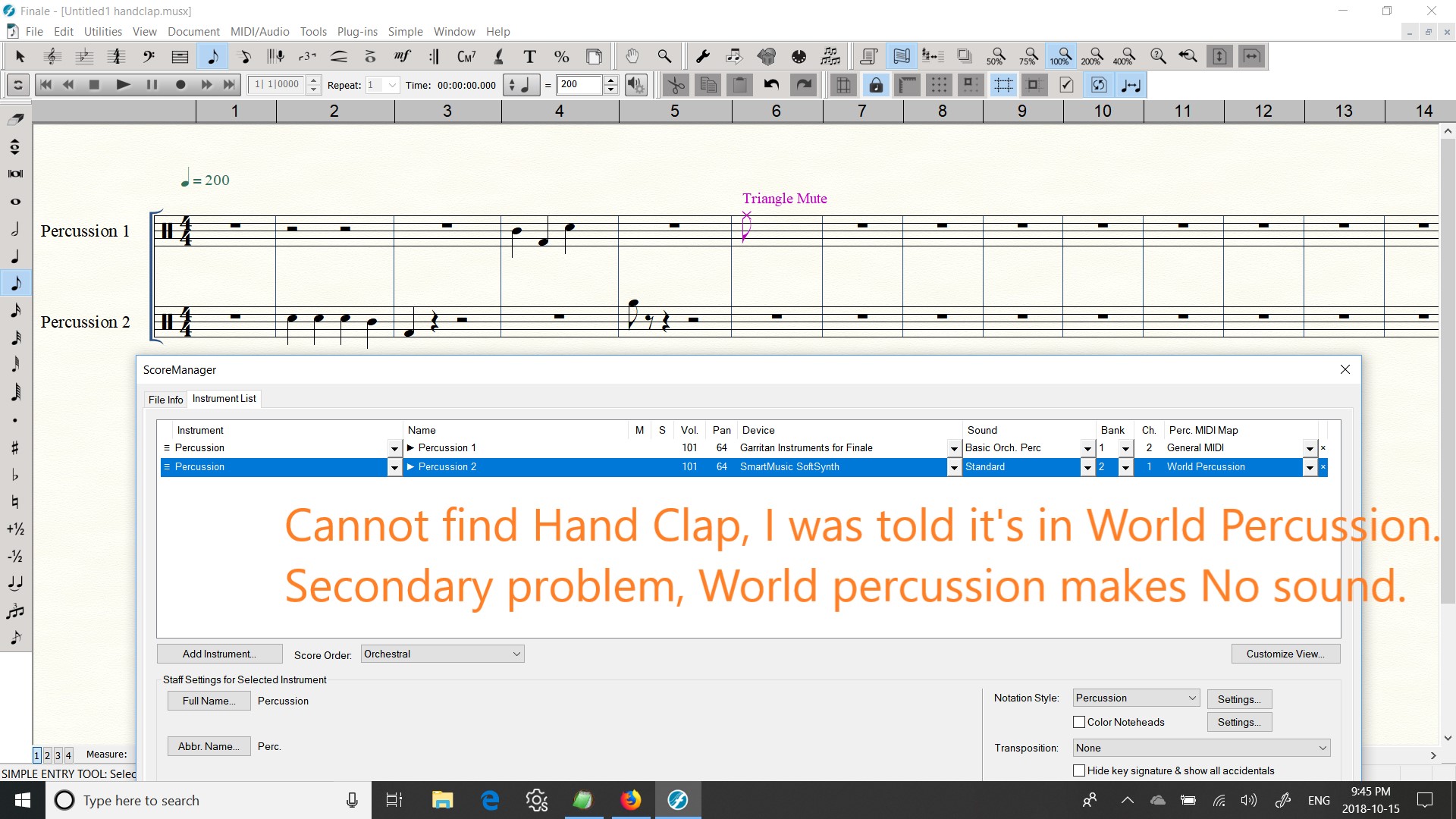
Currently the only way I can get the hand clap is to use a file I saved a few weeks ago, and rename it and start a new drum song. I am told it's in SmartMusic SoftSynth, Standard, World Percussion, but each time I try this, I get no sound, but it does show me the text tip, of "crash cymbal 1, Bass drum, Tam-Tam, Small Gong," even if I scroll thru the staff, I don't see any text of Hand Clap.
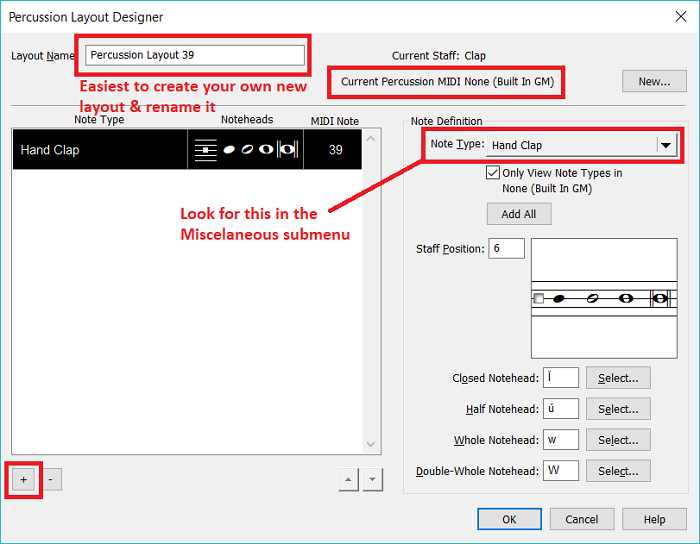
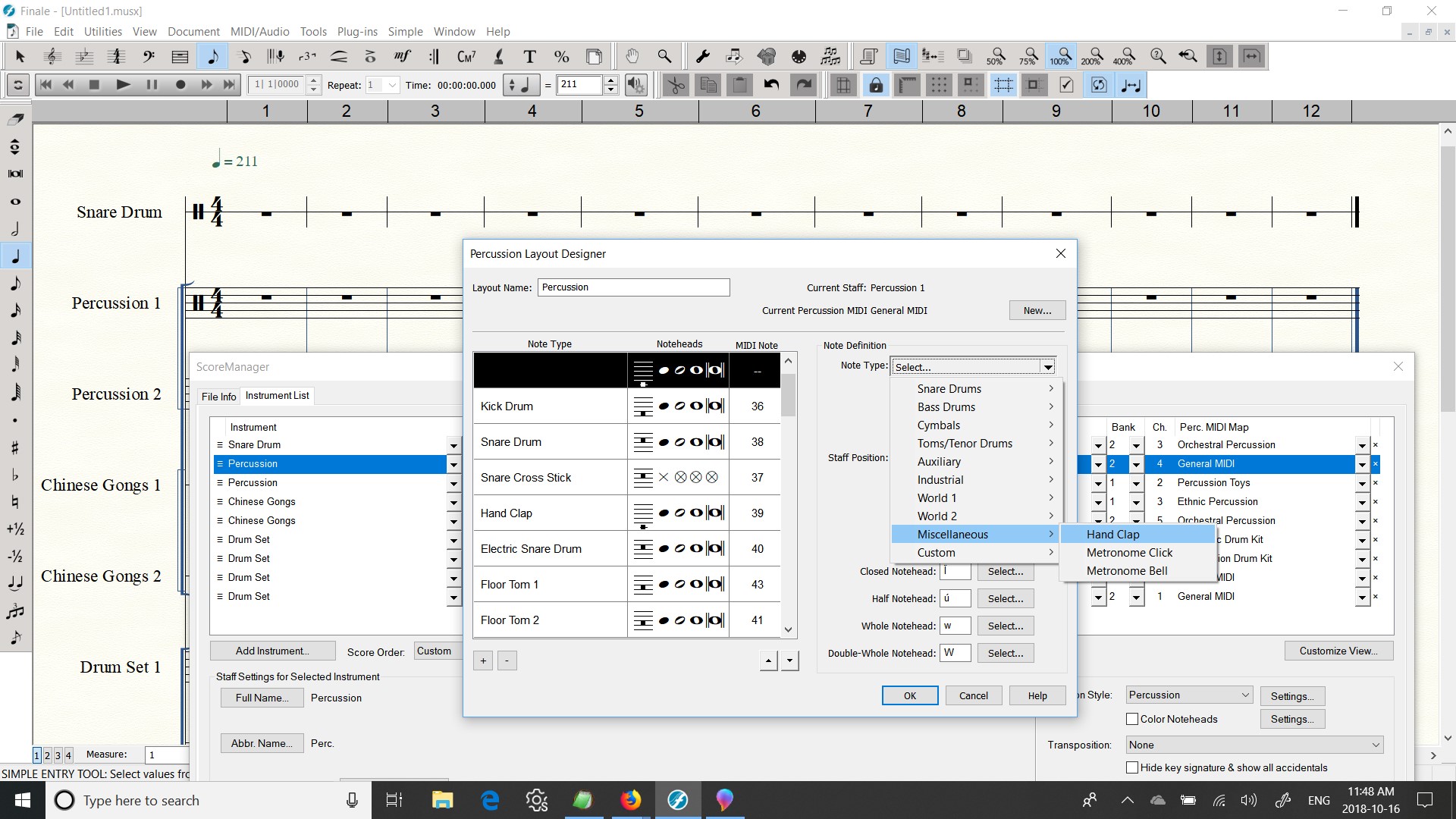
How do I find Hand Clap from a File, New, "New Setup Wizard"?
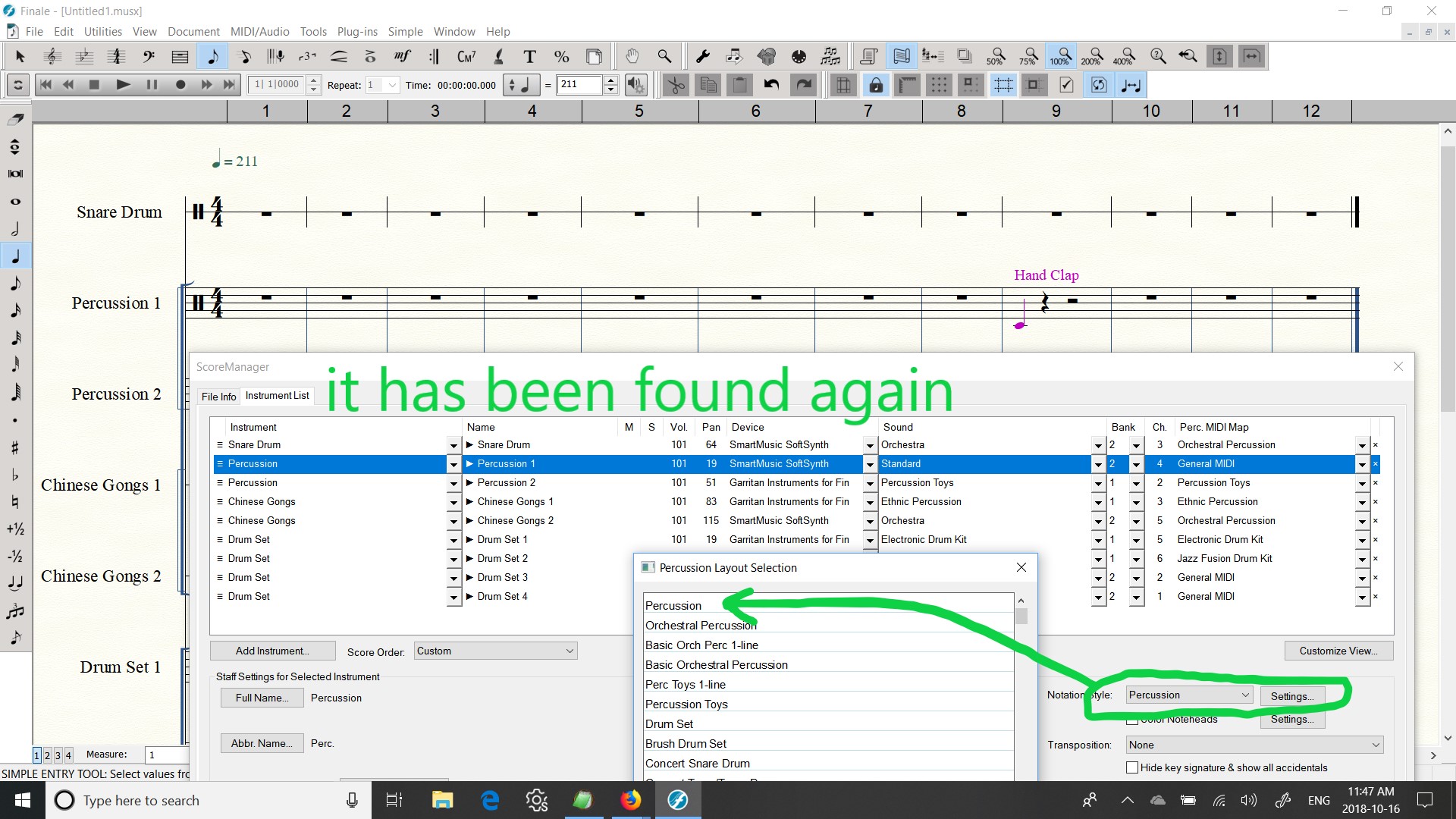
And how can it be added, similarly, from Score Manager, to an existing Finale file?
This would be a great help, as the screen shots below, show my settings seem Off, and the Hand Clap Sounds comes, from a file I made 2 weeks ago, within "Grand Piano." I REALLY dig how this forum uploads screen shots!
Thank you,
Mike


2 comentarios
Fecha Votos