Nueva publicación
Avatar
0

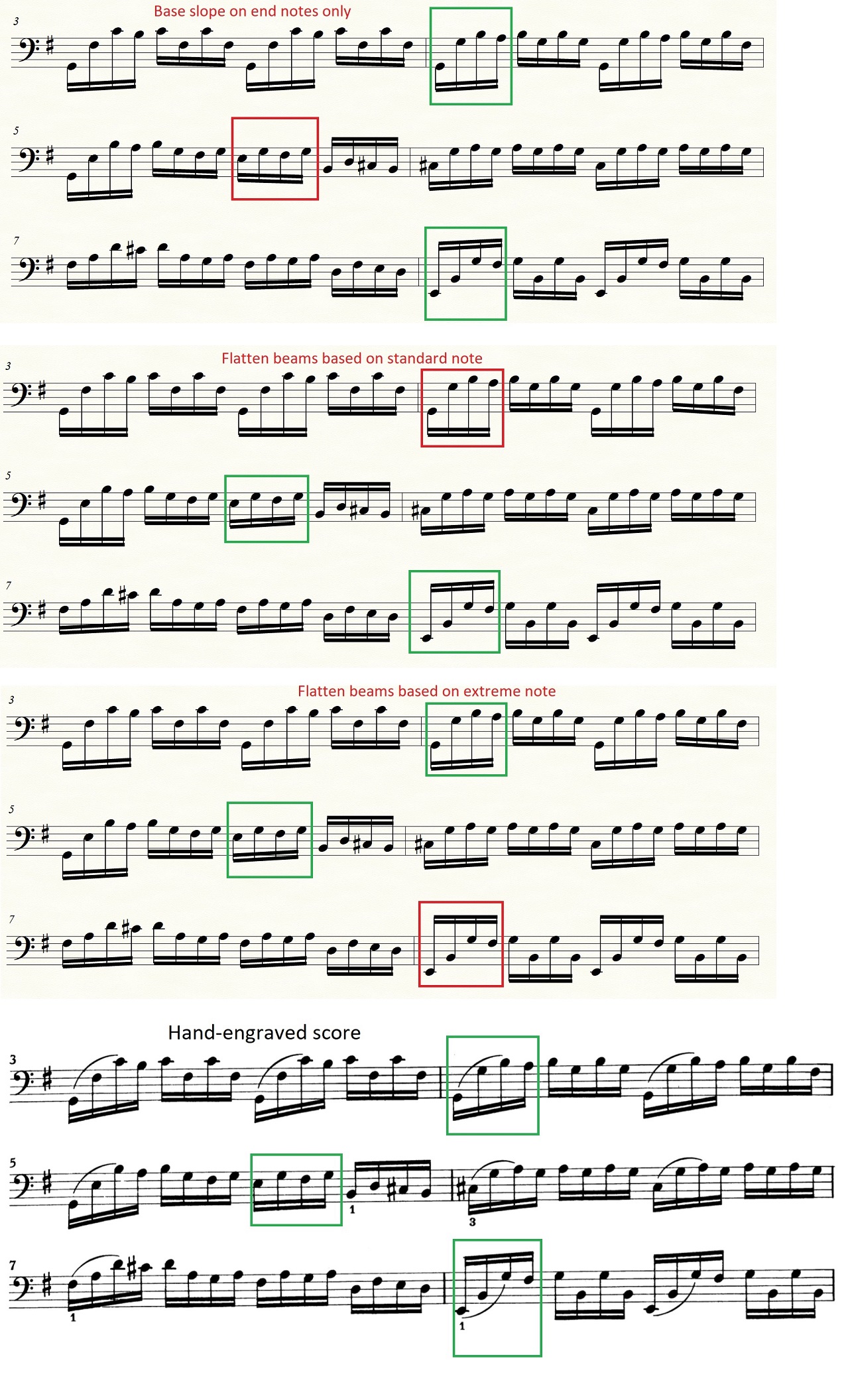
I have some difficulties with the beam angles. I think it can be understood most easily if you open the attached picture (Bach's cello suite). I have 3x4 1/16 notes, that means 3 beams, 1 beam/4 notes. In the hand-engraved version all the beams slant upward. In Finale 26 I tried 3 of 4 beaming style ("Flatten all beams" is not ok for me) but none of these produced me an output similar to the hand-engraved score.
Is there any option to make all the beams slant upward? Manually I can fix it, but it would be nice if I had a more simple solution.
7 comentarios

Fecha Votos
Avatar
0

Krisztian Ruzsa,


1) When I look at your attached graphic, I do not understand this:

… I have 3x4 1/16 notes, that means 3 beams, 1 beam/4 notes …

How do you get the number ‘3’ ?

I can not figure out how you are counting.

Please explain.


2) For what it is worth, I am unable to reproduce your problem.

I did not enter the entire example, but I entered the notes from the three red boxes, and for me the the beams slanted upward, in all three examples.


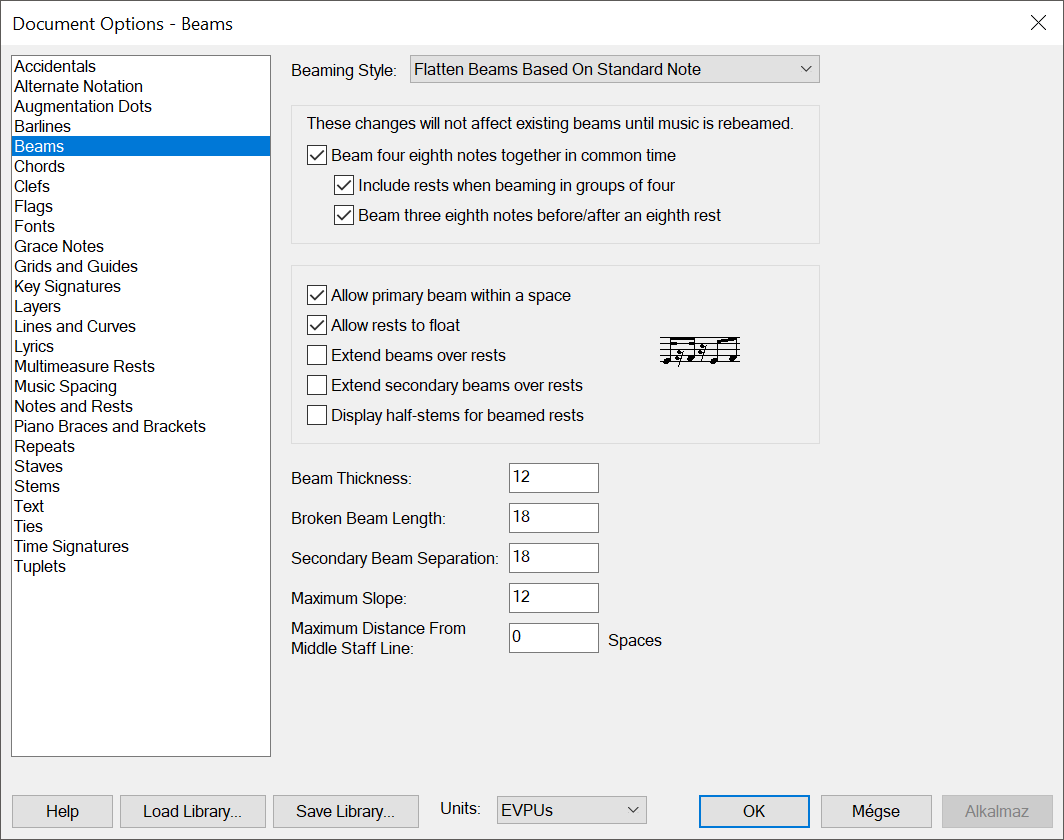
3) Could you perhaps attach a screen shot of your document settings in

Document Options - Beams

?

I suspect that there is "something else going on” besides your choice in the pop up menu Beaming Style.

Acciones de comentarios Permalink
Avatar
0

1) "3x4 1/16 notes" - I referred to the 3 groups of notes that I marked (green and red).

2) I tried again (file - new - document with setup wizard - create new ensemble (engraved style) - add cello…), but I get the same result:


3) These are my beaming settings:


Acciones de comentarios Permalink
Avatar
0

Update:

I started a new document and it's working in "Base Slope on End Notes Only" style.

Now my last problem is that when I enter G-F-G-F or A-F-A-F or F-A-F-A, I don't have flat beams. In the first post there are some cases in the hand-engraved version when there are flat beams (according to some engraving rules). In the "Base Slope on End Notes Only" style I get flat beams only when the first and last note is the same.

I would need something in between, something that is closer to a hand-engraved score. Not so many flat beams that "...Based on Standard Note" or "...Extreme Note" give me, but a bit more than the "...End Notes Only" style can do. 

Acciones de comentarios Permalink
Avatar
0

Krisztian Ruzsa,


1) You have Maximum Slope set to 12 EVPUs.

I suggest that you try a bigger value, e. g. 36 EVPUs.


2) If you combine 1) with the Beaming Style “Base Slope on End Notes Only”, you can get quite close to the hand-engraved score.

Acciones de comentarios Permalink
Avatar
0


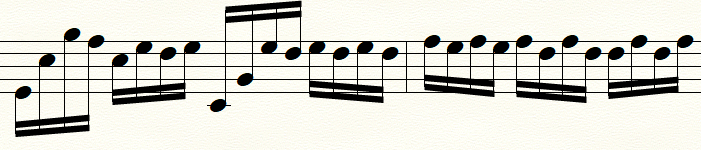
I set Maximum slope to 36 EVPUs and the Beaming Style to "Base Slope on End Notes Only", this is what I get:
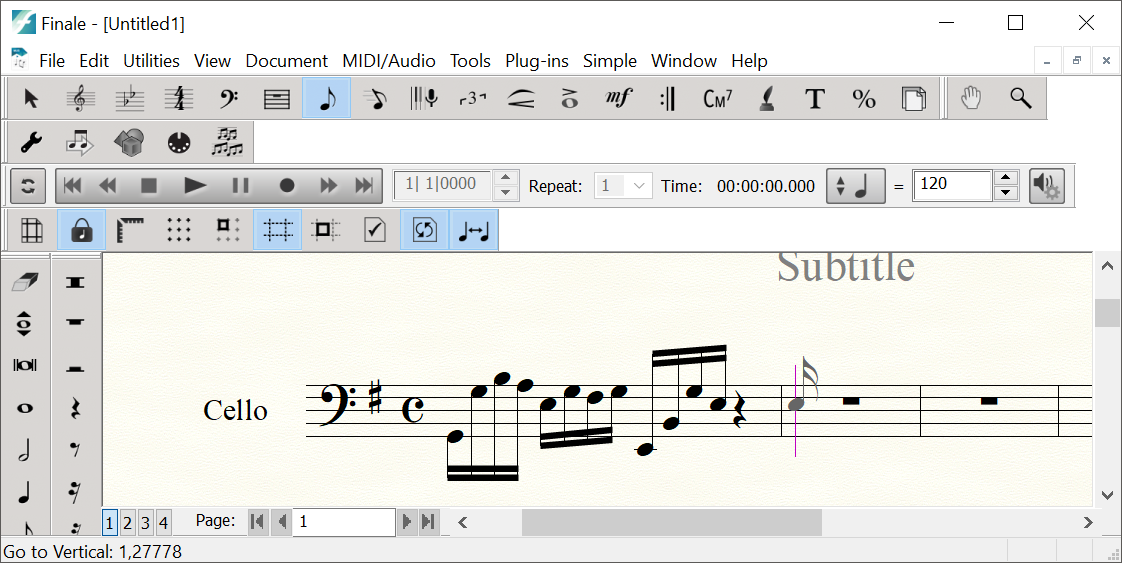
Measure nr 2 is the problem. Every beam should be flat according to the "rule", but e.g. in case of f-a,-f-a, (last four 16th notes) I get a beam slanting significantly downwards.

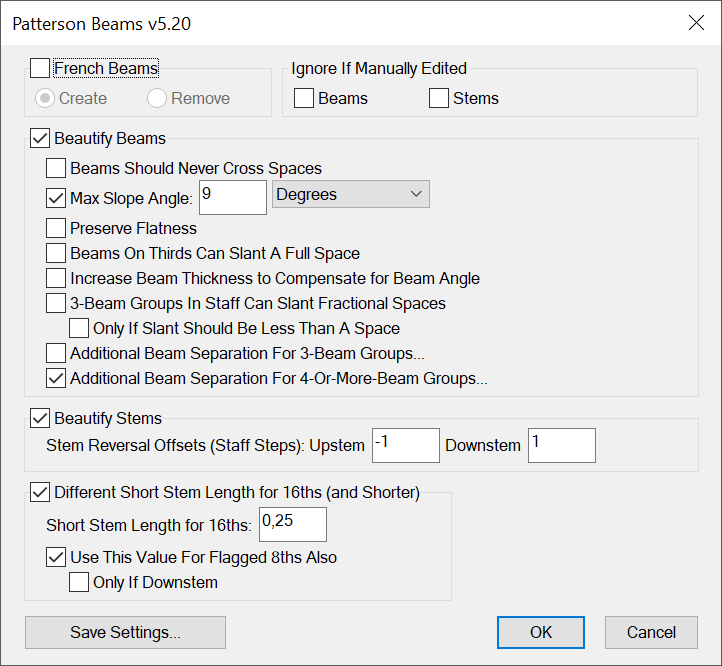
But I found something interesting. I set the Beaming Style to "Flatten Beams Based on Standard Note", enter the notes, then I use the Patterson Beams plug-in with the settings below, and the result is perfect: the first three beams are upward, all the other beams are flat.


Acciones de comentarios Permalink
Avatar
0

Actually, according to the rule (End Notes Only), the beams slope based on the first and last beamed notes. So, it does what it is supposed to.

Acciones de comentarios Permalink
Avatar
0
Acciones de comentarios Permalink

Iniciar sesión para dejar un comentario.