Nueva publicación
Avatar
0

finale v. 26

6 comentarios

Fecha Votos
Avatar
0

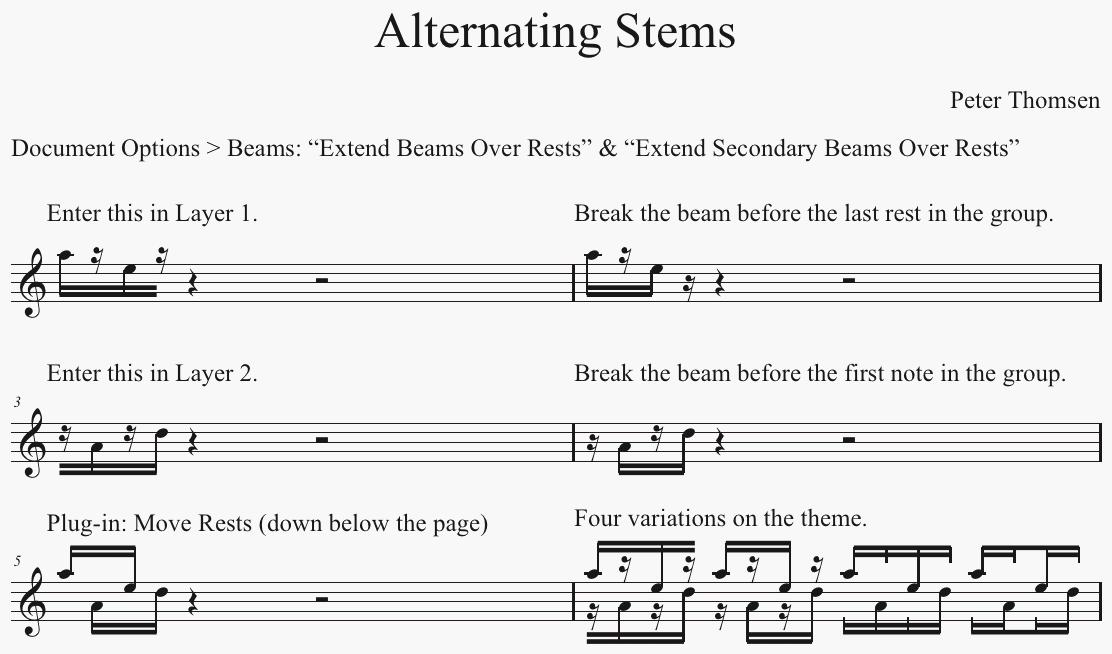
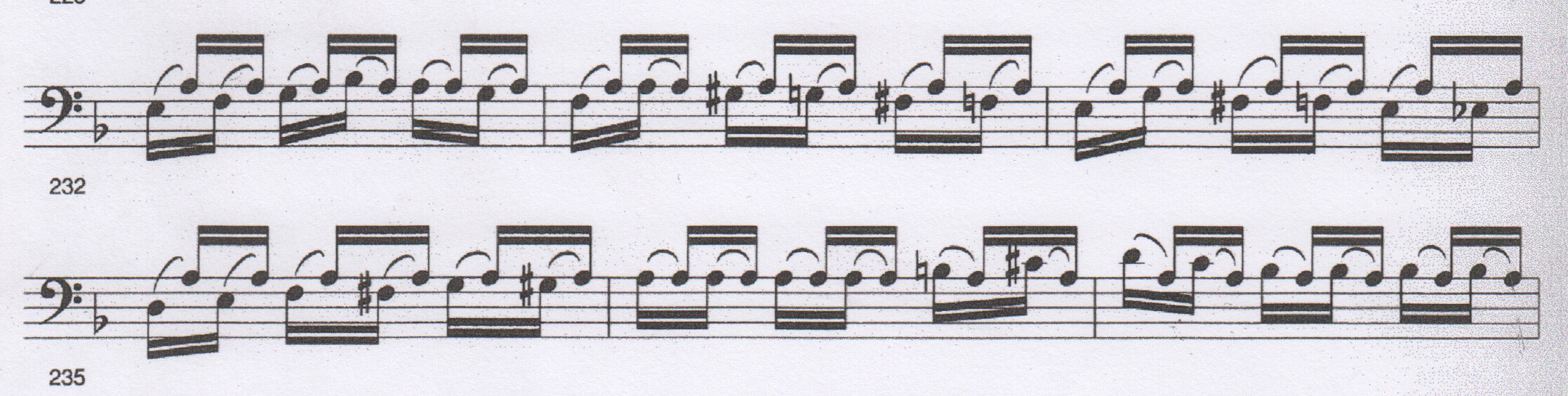
A such notation is sometimes called bariolage, or alternating stems.


A way to do it:

Acciones de comentarios Permalink
Avatar
0

I am very gratefull for this hint to 'Plugs-inn: thanks!! 

but where do the rests go? I put them 100 steps 'away'...

Anyhow: thanks again, goof driessen 


Acciones de comentarios Permalink
Avatar
0

… where do the rests go? I put them 100 steps 'away' …


If you want to see the rests below the page, just zoom out to a lower view percentage.

Acciones de comentarios Permalink
Avatar
0

yes, yes: 100 steps is too less to move them of the page.

thanks!

goof driessen

Acciones de comentarios Permalink
Avatar
0

I'll jump in on this, since I was wondering the same. Can you do this for only a portion of the file? All the beams in the rest of the piece are extended over rests...

Thanks,

jonathan

Acciones de comentarios Permalink
Avatar
0

… Can you do this for only a portion of the file? All the beams in the rest of the piece are extended over rests …


If you only need beams extended over rests for a small portion of the document, then it might be faster to, not Extend Beams Over Rests via the Document Options, and instead extend the beams one by one, “manually”.

To do so, use the Special Tools Tool, the sub-tool Beam Extension Tool.

Drag-select the beam handle, and hit Return, to get to the Beam Extension Selection where you can specify extension of only 16th beams.

Then, extend the 16th beam “inwards”, inside the beam group.

Warning:

The beam extension does not “automatically” adjust to a changed spacing/measure width.

Do not extend the beams until you have finished the layout.

Acciones de comentarios Permalink

Iniciar sesión para dejar un comentario.