Nueva publicación
Avatar
0

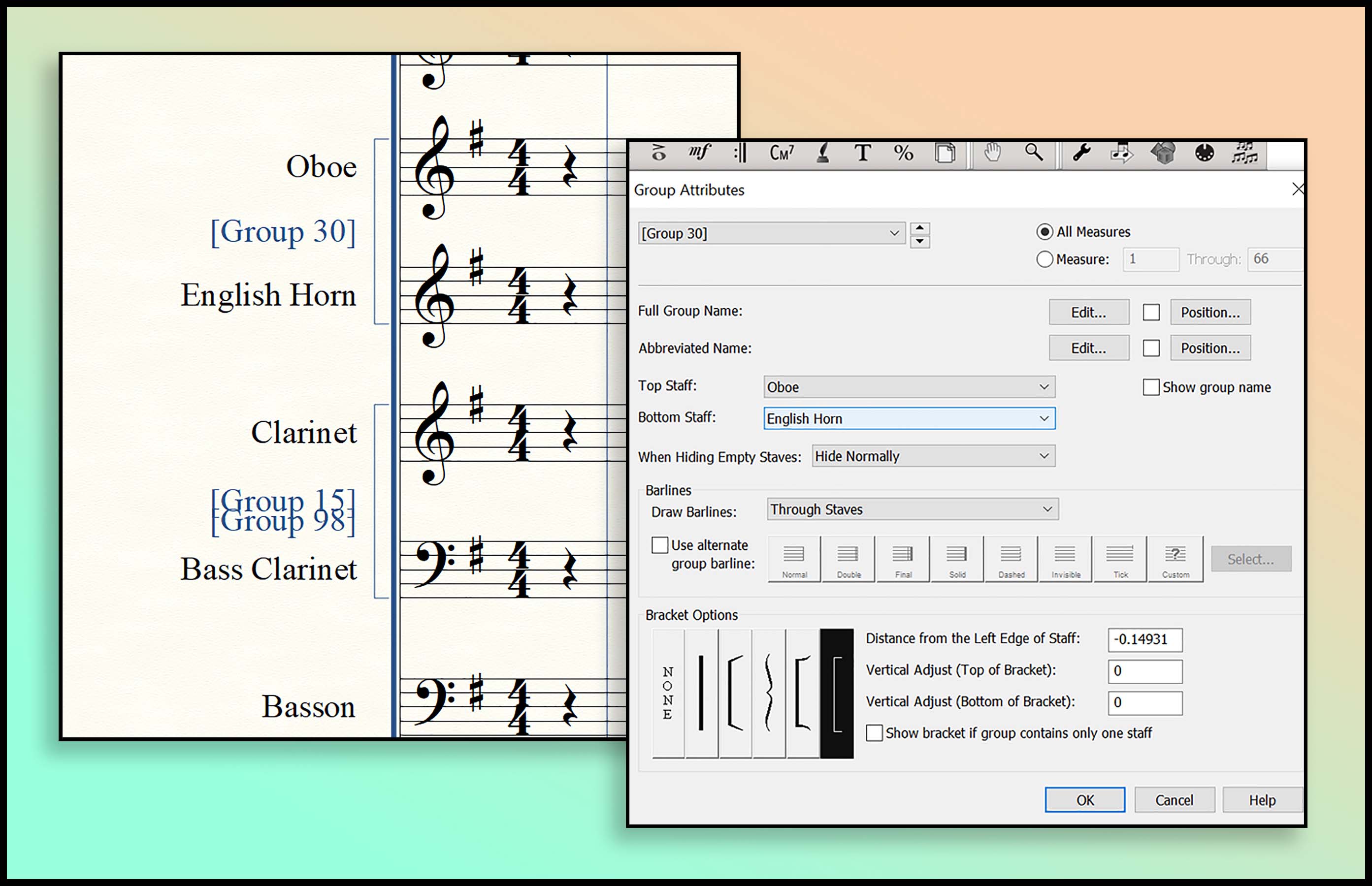
I'm using Finale 26 for windows. I'm having a problem with group names showing up, even though I have "show group name" unchecked in the Group Attributes box. It seems to happen randomly. Like they won't show up for a while, and then suddenly one or more will display. Any thoughts?

8 comentarios

Fecha Votos
Avatar
0

Is it the full name or abbreviation? Also, what instrument? You may want to check if there are multiple groups created for that part.

Acciones de comentarios Permalink
Avatar
1

Group names can be assigned to specific measures and not others. That would explain why they show up sometimes and not other times.

Acciones de comentarios Permalink
Avatar
0

Different instruments.  But it's groups: Woodwinds, brass, strings.

Acciones de comentarios Permalink
Avatar
0

I'm still having this problem. I really would like to solve it. I'm attaching an image to show what's happening.  Any ideas what's wrong?

Acciones de comentarios Permalink
Avatar
0

Just so I understand, you want the bracket to remain, but get rid of the "Group 30" text, right?


What you've done, looks correct, show group names is unchecked. So Finale is displaying them by default for some odd reason. The quick fix is to go into the edit boxes where you would normally enter the group name and just type in the spacebar once. That invisible character will now override the default group name and nothing will be displayed.

Acciones de comentarios Permalink
Avatar
0

Clever fix. Thanks.

Acciones de comentarios Permalink
Avatar
0

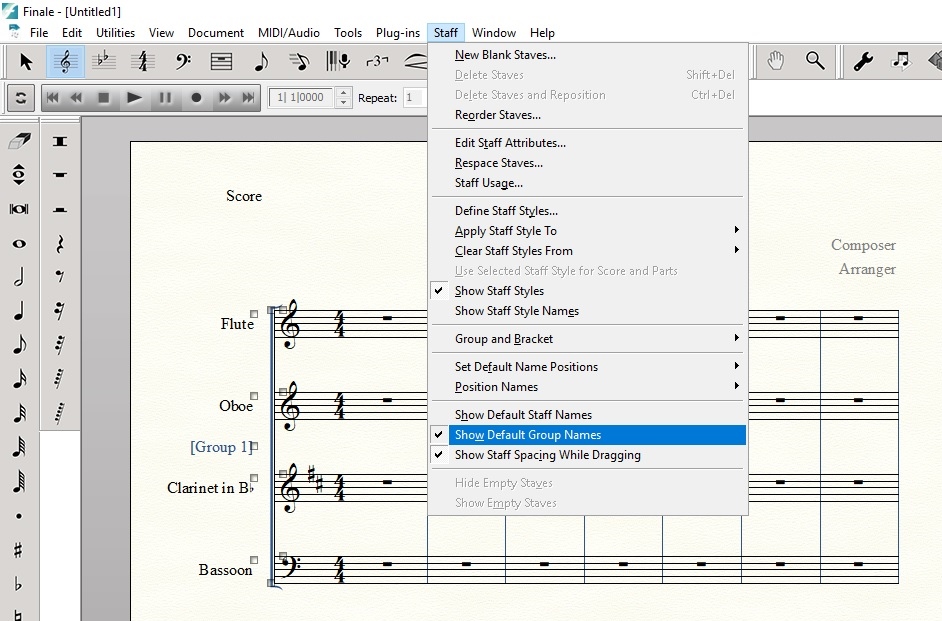
Oh, that's what it was. Make sure "Show Default Group Names" is UNCHECKED in the Staff Menu.


Acciones de comentarios Permalink
Avatar
0

That was the solution I needed. Thanks much.

Acciones de comentarios Permalink

Iniciar sesión para dejar un comentario.