Nueva publicación
Avatar
0

I'm on Windows 10, running Finale 25.5.0.290. 


I've got an orchestral score setup and have been writing an orchestra piece for my final semester of university.  For the past few weeks I've been having this issue and can't find any fixes online. 

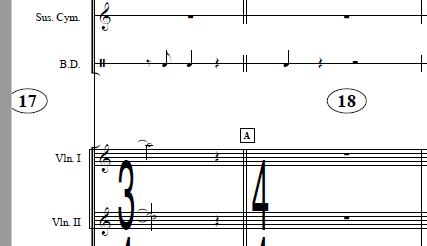
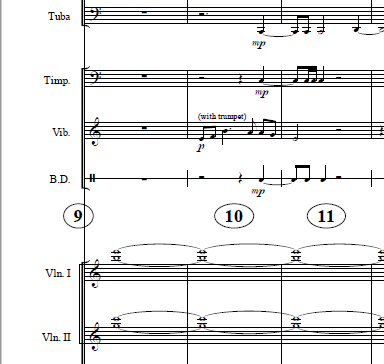
I have it formatted in a commercial/film sort of way, where there's one large measure number above the Violin 1 staff.  The page size is 11x17 and I have a measure number on every bar.  Within Finale itself, it looks great and everything is where it ought to be.  But when I export a PDF the first measure number on each page (after the first page) will jump to the left by about an inch. 

So the first page is fine.  Second page has the first measure number on that page offset and over the far left barline.  The third page has the first measure of that page halfway off the page and not visible.  By the fourth page, the first measure of each page is no longer seen at all. 

I've tried as many different settings as I can in Preferences>Edit> automatic music spacing/layout options, as well as everything within any auto features for the measure number dialog box. 

Hopefully someone has run into this issue before and has a fix.  My composition jury is it two weeks and this will be totally unacceptable for the jurors. 


EDIT:


Here's what it's supposed to look like, this is the first page of the export. 
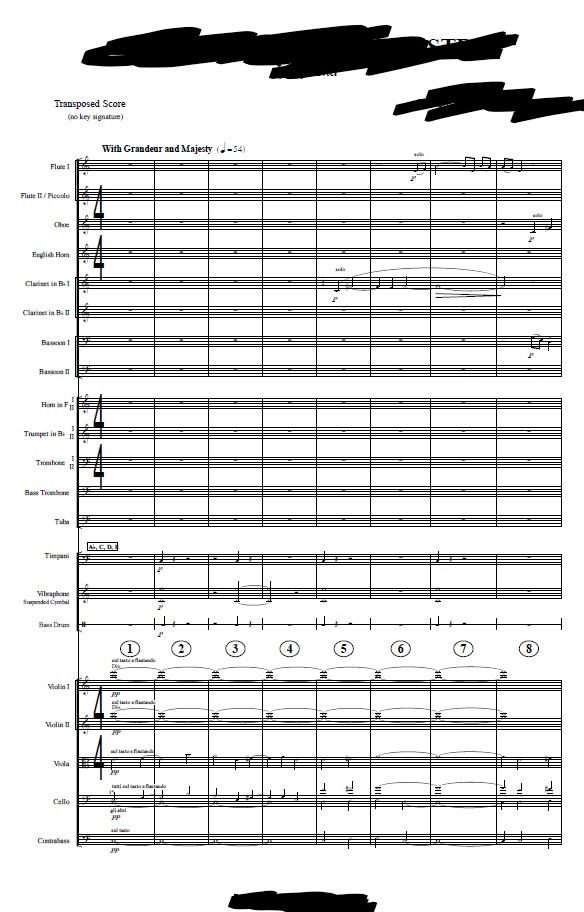
And then then these are the following pages of the export where the issue occurs. 
 

7 comentarios

Fecha Votos
Avatar
0

Impossible to tell from the description alone ...

Can you post the first 4 or 5 pages of the Finale file (not the pdf) (you could delete the notes if you want) so that one can take a look at how the measure numbers or page formatting are set up. Also useful to know would be how you create the pdf file - Finale export? graphics tool? external pdf printer?

Acciones de comentarios Permalink
Avatar
0

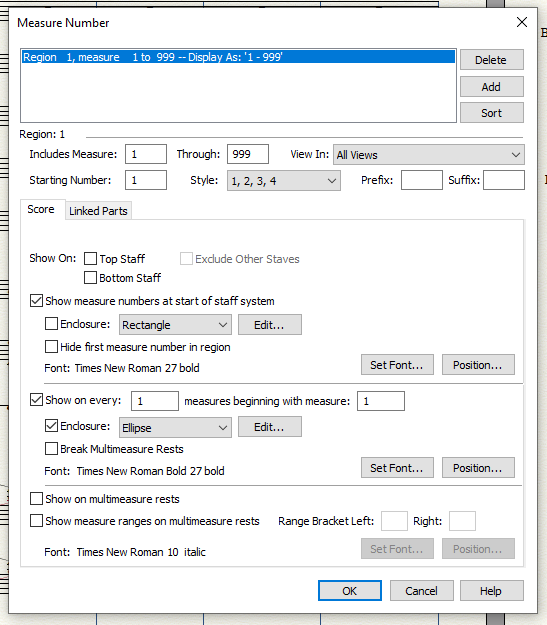
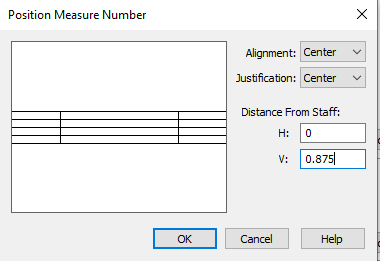
Can you post an image of your Edit Measure Number Region panel, and perhaps another of the Position sub-panel?


I have made PDFs of scores for ages and have not come across your problem. It must be very frustrating.

Acciones de comentarios Permalink
Avatar
0

When I'm exporting the PDF I go to File>Export>PDF and do it that way.


Here's the edit number region panel, along with the position subpanel. 


I also attached the first three pages of my Finale file in Google Drive.  I tried another export after deleting the rest of the pages and it's still doing the same thing. 

https://drive.google.com/file/d/18gYfHqzeYwcK-ILK0N6dzU1nwPvw8NOo/view?usp=sharing 


Thanks for looking into this with me, I really appreciate it. 

Acciones de comentarios Permalink
Avatar
0

Do you have access to a PDF Print Utility (some are free)?


The PDF Export utility has, in the past, not been as reliable as third-party routines that allow you to select PDF as a "printer" in the standard print routine.

Acciones de comentarios Permalink
Avatar
0

I downloaded CutePDF and 'printed' the file to that, rather than using the PDF export. 

I'm afraid the measure number issue still occurred. 

Acciones de comentarios Permalink
Avatar
0

1) uncheck "show measure numbers at start of staff system" > OK

since you are already showing a number on each measure, this seems to somehow interfere

2) now you see the measue numbers at the start of the systems in the weird places you mention

3) still in the measure tool with all measure number handles showing, select all with Ctrl-A, then click on "Measure" on the top menu, in the drop-down menu click on "Restore Measure Number Defaults"

4) adjust the vertical (and horizontal) position to your previous/preferred setting

now everything shows in the correct place in Finale as well as in the exported PDF file

Acciones de comentarios Permalink
Avatar
0

Thank you so much, that did indeed fix it. 

I've been pulling my hair out over this and of course, the fix is relatively simple. 

I really appreciate your help! 

Acciones de comentarios Permalink

Iniciar sesión para dejar un comentario.