Finale 27, Mac OS
I can't edit system margins. I click apply and nothing happens. I have a range from p. 10 - 22. 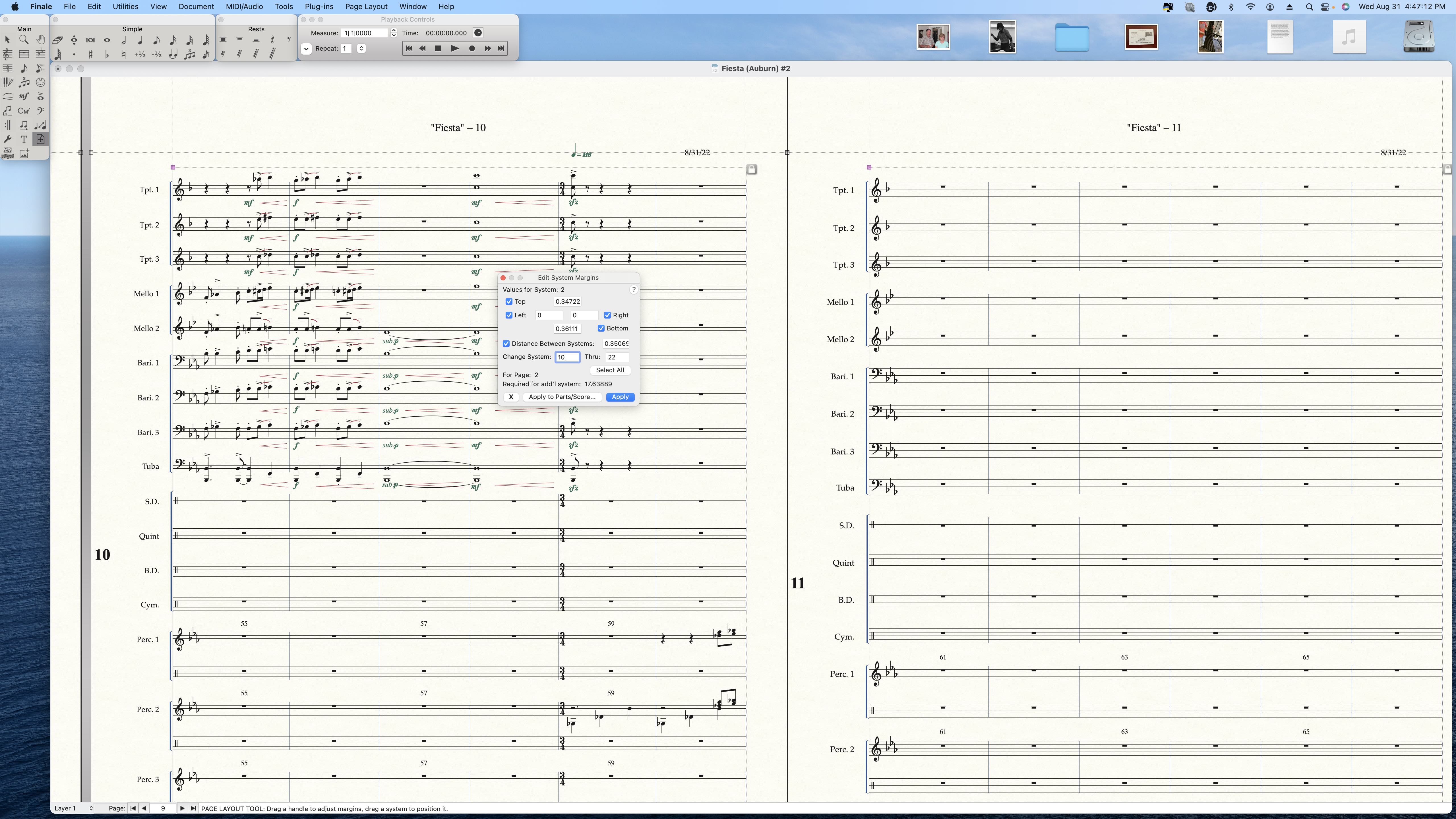


Thank you for replying. Yes, System 10 is what I like and I'm trying to apply it to the systems from there to the end, which I have selected and normally when I hit "Apply" it changes the subsequent systems, but when I click on it, it does nothing. It's like I can't click on it or make anything happen. You can see in the shot the difference between 10 and 11.

Bill, when I have this problem I usually go to my page layout tool. Click it and go to the Page Layout menu.
Click on Redefine Pages > all pages of current part score.
I use this one so all errors can be corrected. Don't use page margins or systems for now. If it messes up you can always undo and start all over.
Hope this helps.
Thanks! I’ll give it a shot tomorrow. Weird though, it definitely must be a bug. I sent my request to technical support and attached the finale document. It just won’t allow it to be clicked with any resulting action. It’s like it stays highlighted (Apply) through the click.
Well that didn’t work. It made all the pages the same as p. 11 instead of p. 10. I’m thinking that there used to be a percentage tool where you could click in the upper left hand corner of the page and apply that percentage to all of the subsequent pages. It seems to me that the more they fiddle with features the more cumbersome it becomes.

Iniciar sesión para dejar un comentario.

9 comentarios
Fecha Votos