New post
Avatar
0

I've been transcribing a jazz chart for practice. I've gotten to the drumset part. I added all of the articulations, expressions, and text exactly where I want them on the part, but when I go back to the score I see things like "Ride Cymbal" randomly placed in a trumpet 4 part and "Fill" in the middle of a Trombone 3 part in a measure that is nowhere close to where the fill should go. Is there an easy way for me to keep my percussion part as is and get the score to recognize where all of those terms are supposed to go? 

7 comments

Date Votes
Avatar
1

You should work on the drums staff in the score, not in the part (you can still make final adjustments in the drums part when the score is done).

The modifications made in the score will appear in the drums part, not the other way around.

Comment actions Permalink
Avatar
0

What you do in the part, drum set in this case, does appear in the score but you should be working in the score. 

You are talking about the words "Ride Cymbal" and "Fill" not the notes themselves? I would check your Expressions category settings.

Comment actions Permalink
Avatar
0

Thank you both for the feedback. Is it a general rule in finale that any "Text" that you add should be added from the SCORE and not from the individual part? Is that the same way with smart shapes, expressions, and articulations? 

Comment actions Permalink
Avatar
1

… Is it a general rule in Finale that any "Text" that you add should be added from the SCORE and not from the individual part? Is that the same way with smart shapes, expressions, and articulations? …


I suppose that you - by your word “Text” - mean a text block created with the Text Tool - right?


1) The “general rule” is that you should do, what works best (for you) in the actual context:

- Scroll View or Page View (what many users do: first, enter the music via Scroll View; next, do the layout work via Page View)

- score or part (first, do the layout in the score; next, go to the part, and adjust the part layout)


2) You can also add text with several other tools:

- Expression Tool

- Smart Shape Tool (a smart line with text; to get only the text, give the line zero thickness)

- Lyrics Tool

- Chord Tool

(and perhaps a few more tools …)


3) Use the tool that works best in the actual context.

Think of what should happen with the text, when you adjust the measure layout.

* Should the text be “locked” to a specific position on the page?

* Or should the text be “locked” to a specific staff / measure?


4) If the text should be “locked” to a specific position on the page, then a page attached text block is the solution.

If you add a text block from Page View, then it will by default be page attached.


5) If the text should be “locked” to a specific staff / measure, then there are many options:

- measure / staff attached text block,

- expression

- smart shape

- &c.


6) If you add a text block from Scroll View, then it will by default be measure / staff attached.


7) To examine/edit a text block’s attachment (when the text block is already entered):

Drag-select the text block handle.

Text menu > Frame Attributes… (remember the keyboard shortcut shown in the menu)

You can also use the keyboard shortcut Shift-Return.

There are several positioning options, for both {page attached} and {measure / staff attached}.


8) You have other positioning options with an expression, both vertically and horizontally.

To examine/edit an expression’s attachment (when the expression is already entered):

Drag-select the expression handle.

Hit the shortcut Shift-Return (= the same shortcut as with a text block).


9) Also, the Expression Tool has expression categories, with default positioning settings for each category.

Comment actions Permalink
Avatar
0

Richard my personal prefered way is to enter music is in the scroll view while in the score. I don't really care where Finale puts "items". Because I run Perfect Layout on it after I am done. It is important to use the appropriate group like the Expressions tool for "words". Again assuming you are concerned with the dynamics or technique or temp, tempo alterations, etc.  It is also best to keep it at default settings so PL knows how to position them. I rarely use the "text block" tool.

Comment actions Permalink
Avatar
0

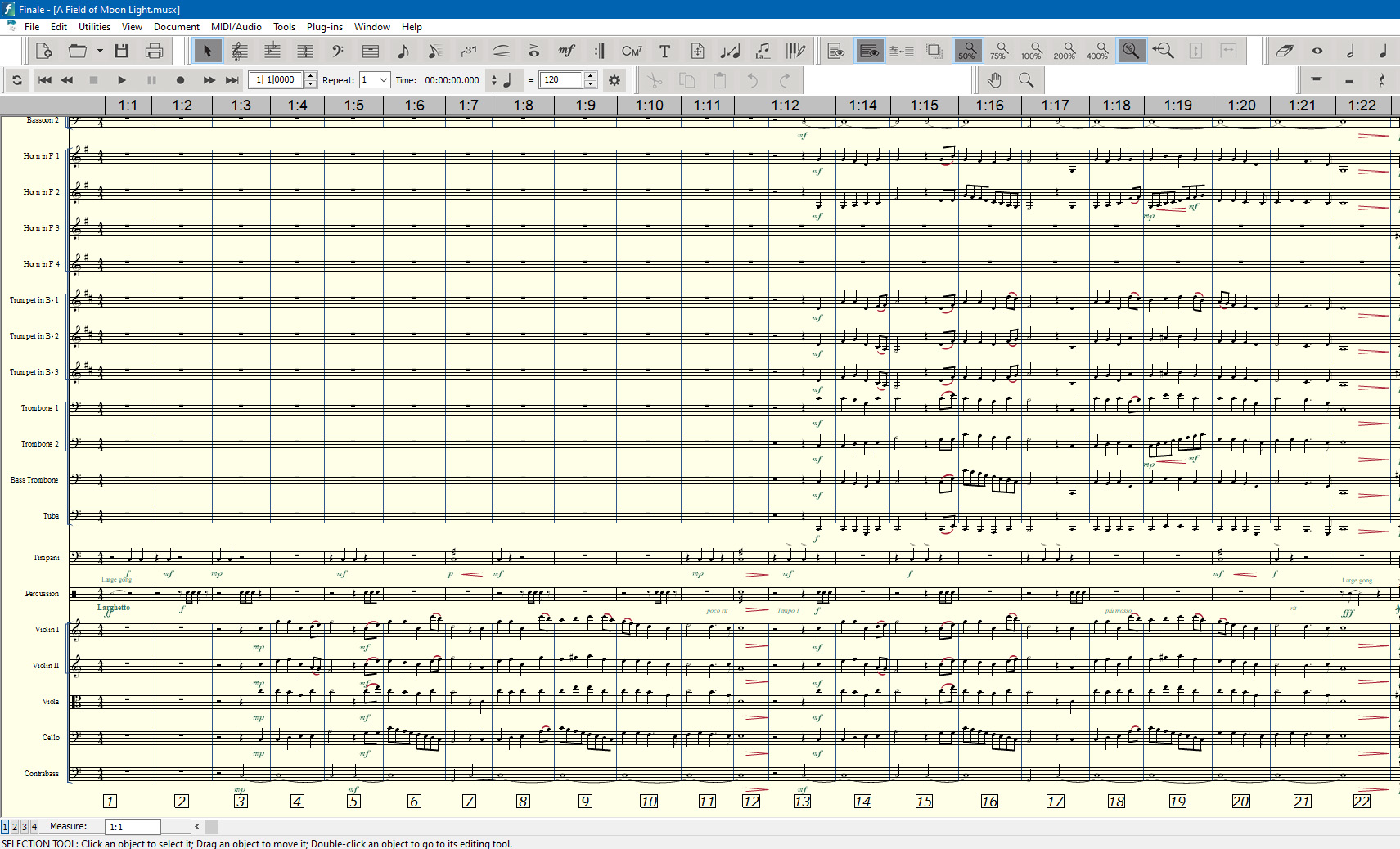
Richard here is an example of my choice for composing using Finale and Perfect Layout. This is an orchestra piece I have been working in lately. It has a pretty busy couple percussionists. I just grabbed a few screenshots to illustrate it.

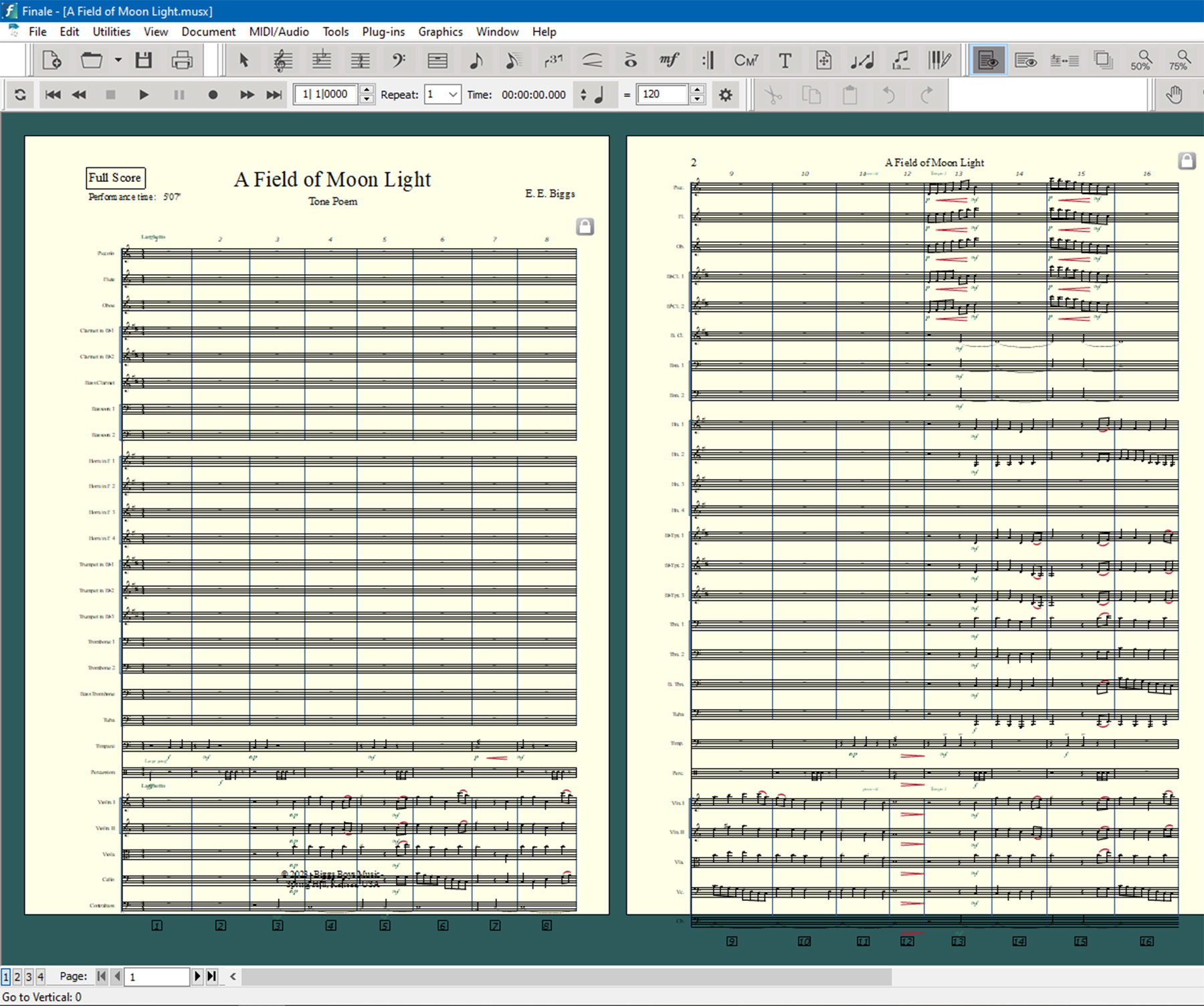
As you can see no special attention as to where Finale puts stuff. Changing back to Page View so I can run PL it looks like this.

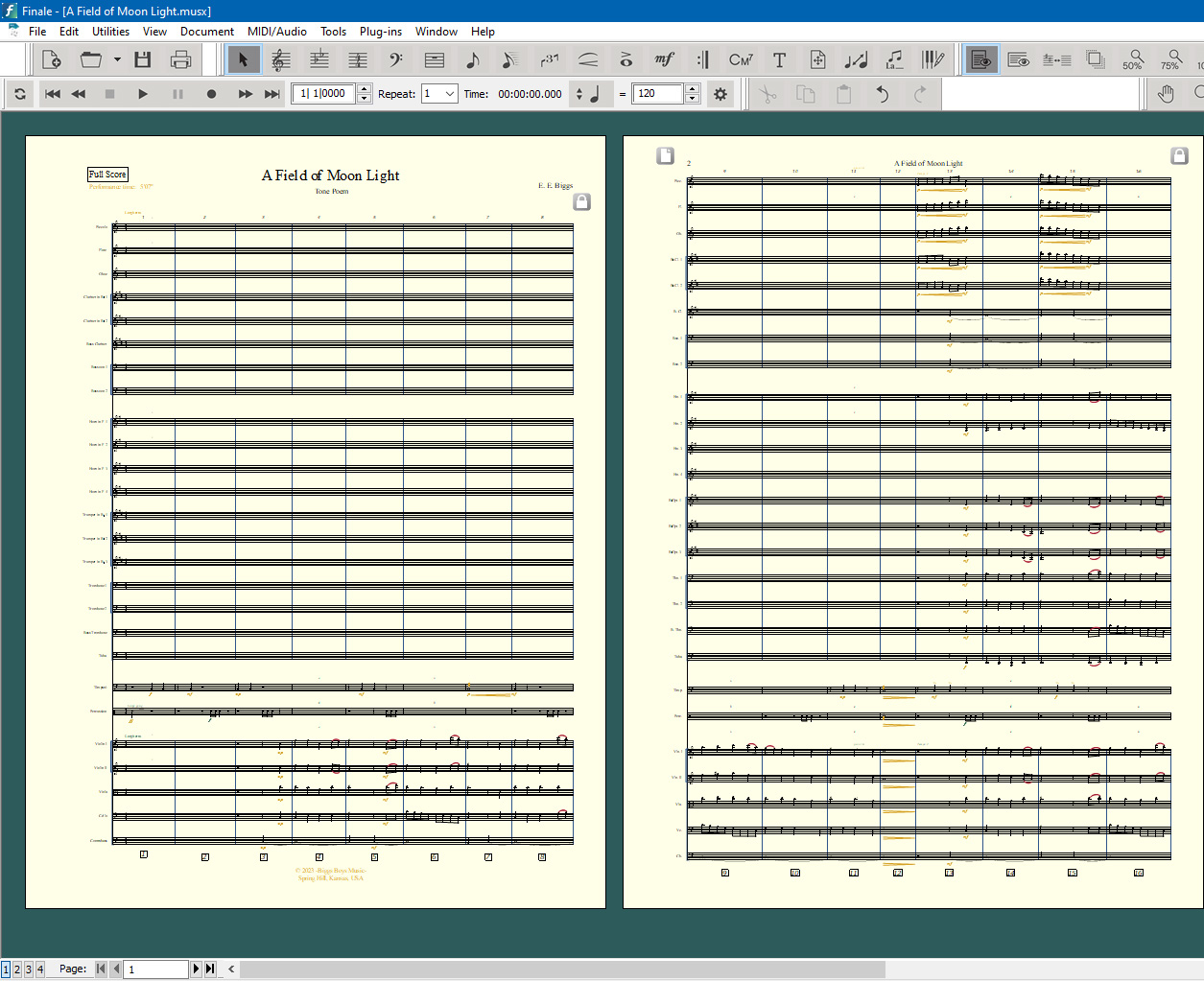
As you can see it is even off the page and things are pretty much randomly placed. But below is after running Perfect Layout on it.

I know everybody is different with different needs but I have found this is an excellent and efficient way to use Finale for composition work. IMHO, this is the best notation product available if you add the extra cost plug-in, Perfect Layout.

Comment actions Permalink
Avatar
0

Thank you all for your replies on this question. I'm slow working on it, but all of this information is helpful. 

Comment actions Permalink

Please sign in to leave a comment.