I'm using Mac 11.6 (Big Sur) and Finale v.27. Is there a way to change the sound of the playback chords from the sound of pizzicato strings to perhaps a piano chord in the mid-range (G3-G5)?


Chord symbols are always attached to a staff.
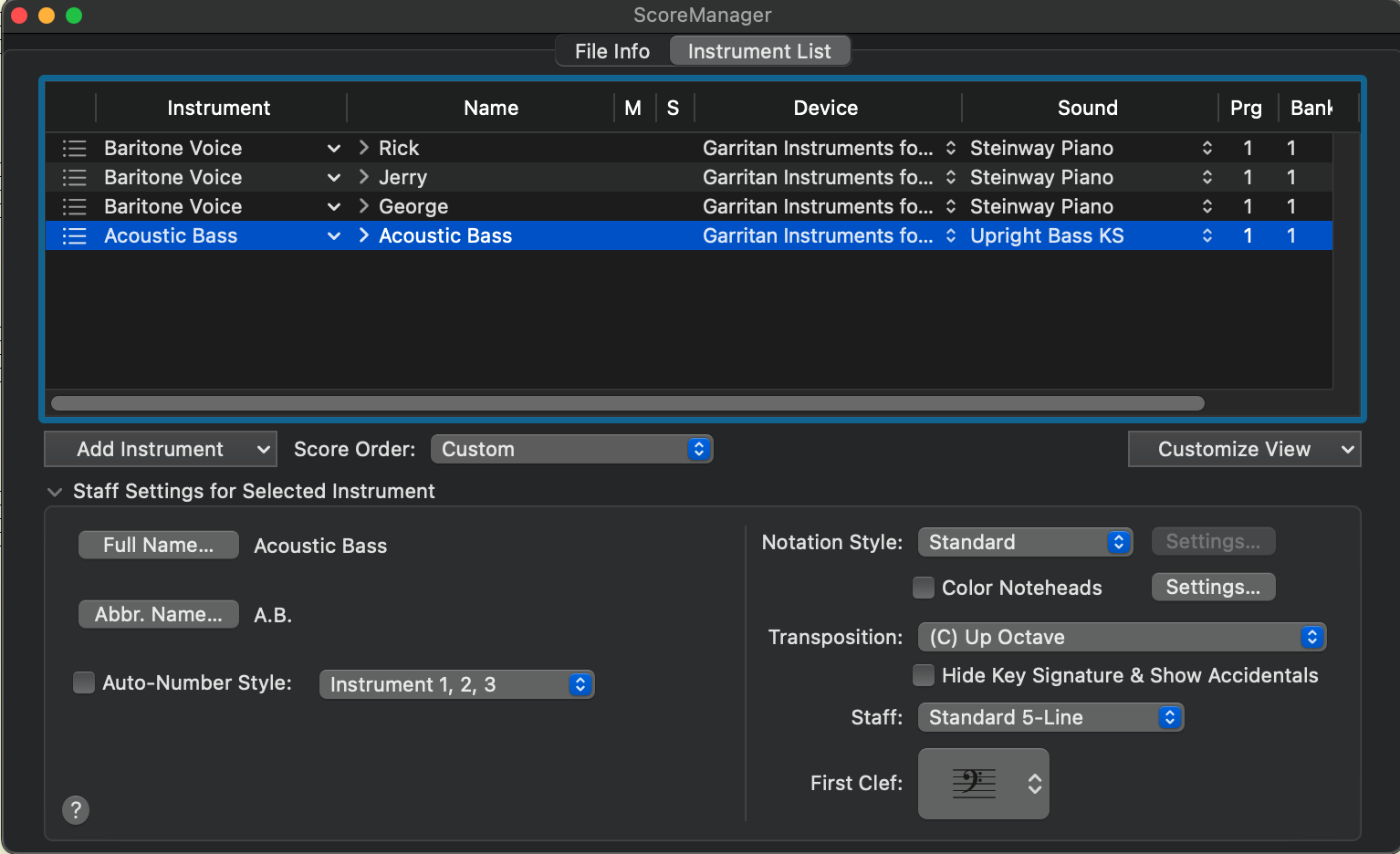
In your screen shot there are four staves.
If your document has chord symbols, then the chord symbols are attached to one the the four staves shown in the Instrument List.
I do not know, to which staff your chord symbols are attached.
In this example let us say that the chord symbols are attached to the ‘Rick’ staff.
In the ‘Name’ column, for the ‘Rick’ staff, click the small “triangle” > to expand the view of the ‘Rick’ staff.
(This “triangle”: > Rick)
You can set the Chords to a different playback channel, with a different playback instrument.
Please sign in to leave a comment.
4 comments
Date Votes