New post
Avatar
0

When Finale tells me that a font is unavailable (usually when I export to PDF), how do I determine where that font is used?

I'm running Finale version 26.5.1.520 on Windows version 10, and have been using Finale since version one point something.

When I select Main menu bar > File > Export > PDF..., I get the "Font Warning" dialog which gives me a list of "fonts are used in this document but are not currently available"; in this case one font "Arial Unicode MS".

The warning is correct:  I used that font in the past, but at some point Microsoft stopped including it and I've stopped using it.  The score file I'm working on is an old one that dates from before "Arial Unicode MS" disappeared.

I don't get this warning very often, but when I do, it's a font that I used because it had one or more characters that weren't in the fonts I usually use, so letting Finale substitute some other font is unlikely to give acceptable results.

I tried using "Check document fonts against system fonts" in main menu bar > Document > Data Check > Font Utilities, but it was even less helpful:  it reported a bogus font "Missing Font (26)", and tried to tell me that it couldn't find "Maestro".

Thanks,

-- Ed

7 comments

Date Votes
Avatar
1

I suppose one could substitute Comic Sans or Dingbats or some other esoteric font (on a copy of the file, perhaps) and scan one's resulting PDF to see where the offending font appears.

Comment actions Permalink
Avatar
0

When Microsoft included Arial Unicode MS with earlier versions of Office, Microsoft paid a licensing fee to The Monotype Corporation, which is the copyright holder for the font. Someone at Microsoft decided it was no longer worthwhile to continue paying that fee, so it was removed from the Office package.


The good news: you can still get it. The bad news: It's no longer free.—this company is a vendor https://www.fonts.com/font/monotype/arial-unicode/licenses 


Per Microsoft:

https://learn.microsoft.com/en-us/typography/font-list/arial-unicode-ms 


Arial Unicode MS was originally commissioned by Microsoft Office as an extended version of the Arial typeface to support a large set of international characters. The font was included with Office but not Windows. Over time the Unicode standard grew to the point where it was not possible to include all encoded characters in a single font file, so today most applications rely on font linking or font fallback to provide appropriate language support when a selected font doesn’t include the characters you need. We stopped servicing and updating Arial Unicode and no longer install it as part of Office. However, updated versions of the font are available from Monotype. Follow the links below if you have dependencies on it.

Comment actions Permalink
Avatar
0

Are you certain that you no longer have it? Check to see if you have Arial Unicode on your system. If so, change the font in your Doc and see if it displays correctly.


I still do on my Mac though I no longer have Arial Unicode MS. It installed with Office 2016 and the file was modified on Oct. 22, 2022, the last time I ran the Office Updater from Microsoft.

Comment actions Permalink
Avatar
0

You can open the User Manual under the Help Menu. Search for Fonts This will tell you all the places where Font Selections are made and how to change them. Unfortunately, not knowing where you are using Arial Unicode MS, I won't know where you should look: Expressions? Text? Fonts?


There is a shortcut that may or may not help.

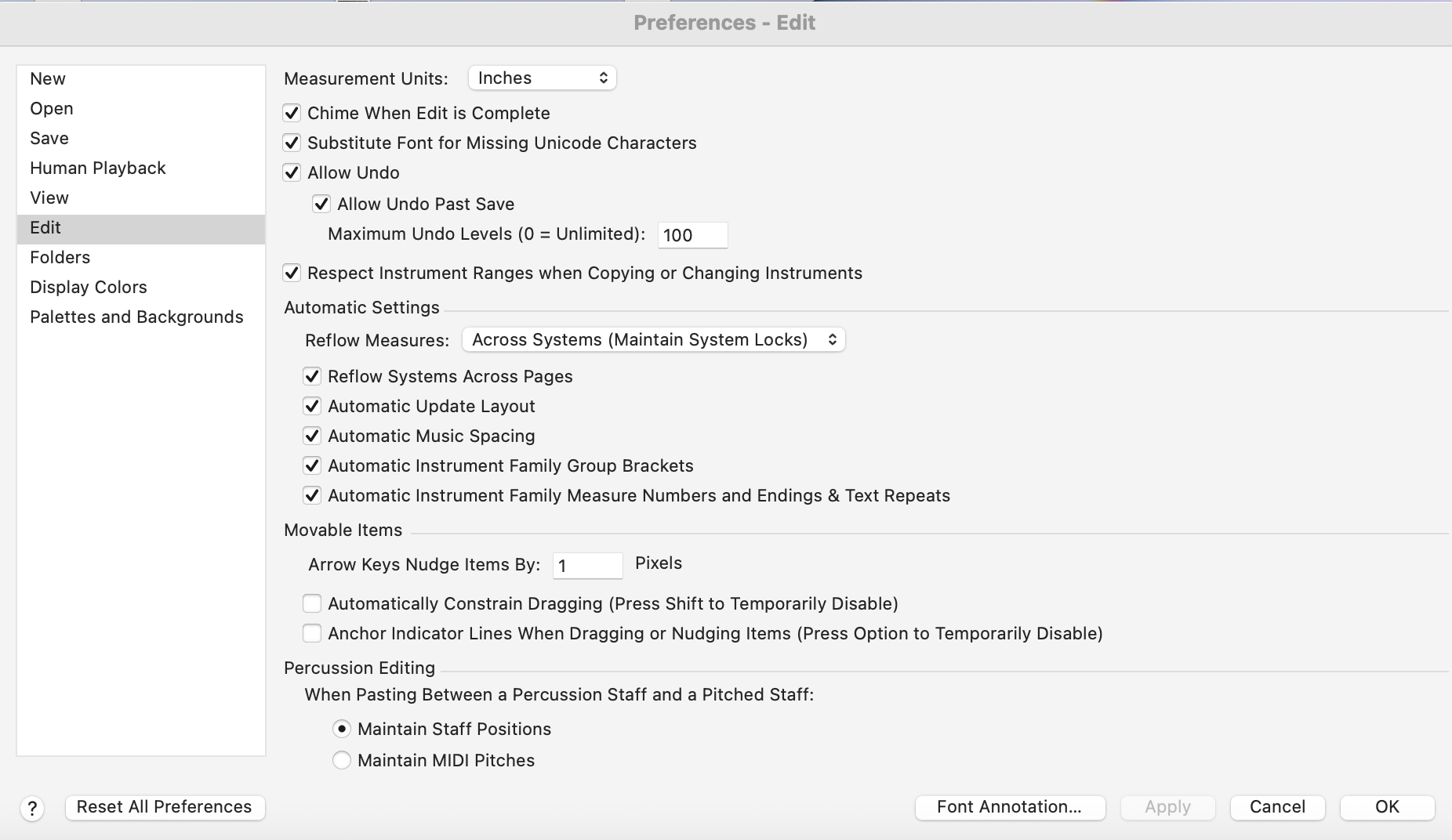
In Preferences/Edit

  • Substitute Font for Missing Unicode Characters. Select this option to scan your computer's library of fonts for an appropriate character to display if the current character's font does not include the Unicode character. When this option is not selected, Finale only displays characters that exist within the selected font.


Comment actions Permalink
Avatar
0

Thank you all for the suggestions.  Unfortunately, none of them addressed the question I asked: how do I [quickly] determine where a font is used?


Searching the score by hand is not viable.  I'm not even sure I know every place to look; I couldn't find the list Mike H. mentioned of all the places where Font Selections are made.  Still, I know most of the places.  The numbers given below are for one real score, and are pretty typical for my scores.


Expressions:  81, of which 7 are shape expressions.  63 of them are from Finale's stock expressions, and unlikely to contain bogus fonts.

Articulations:  65, of which 26 are shapes.  Checking the fonts for Text Articulations took me ≈9 seconds each.  Each Shape Articulations took around 15 + 8C, where C is the number of characters in the shape.


All told, it would take me at least half an hour to check all my Expressions and Articulations.  (And I routinely delete Expressions and Articulations that I don't use.)


Text blocks:  I counted 20, but I don't know of a way to get a complete list of all text blocks.  Some are a few characters, some are a few paragraphs.


Staff & Group names:  11.

Finally, the Fonts page in Document Options has 28 font items.


The lack of an answer to my question implies that there is, in fact, no quick and reliable way to do find where a bogus font is used.  <begin rant> Seriously?  After 3 decades of development?  C'mon, it can't be that hard to implement. <end rant>


Actually, as I was composing this message, inspiration struck, and I found a way.  I'll describe it in a separate message.


Comment actions Permalink
Avatar
0

I found a way to determine where a bogus font is used:


Export the score to MusicXML.


I exported my score to MusicXML (text, not compressed) and opened it in a text editor.  (It's especially helpful if you use a text editor that understands XML.)  In the MusicXML file I found several instances of this:


<?DoletFinale Unknown character U+2D8 in font Arial Unicode MS for 
main articulation 23 exported as other-articulation at entry 5606?>


"main articulation 23" told me all I really needed to know; 23 is Finale's articulation number, displayed in the Articulation Selection dialog.

By looking backward through the MusicXML, I was able to determine where in my score it appeared. 


Comment actions Permalink
Avatar
0

Ed, thank you for taking the time to discover a way to diagnose this sort of problem.

Comment actions Permalink

Please sign in to leave a comment.