New post
Avatar
0

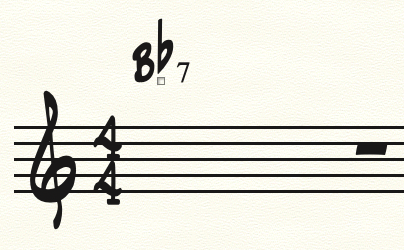
I'm using Finale on a Big Sur Mac, trying to use a handwritten jazz font to create a lead sheet.  When I play  B-flat, D, F as a chord using the Allow MIDI Input feature of the Chord Tool, I get this:
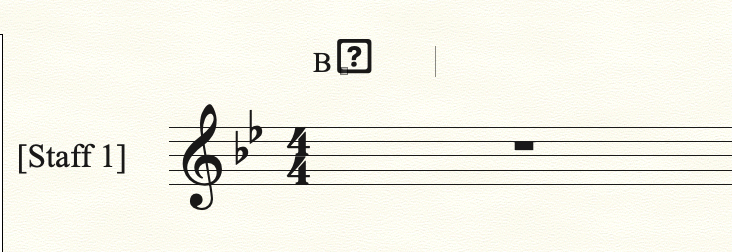
This happens with every handwritten font I have and I just installed the 27.3 update. I've tried loading all the chord suffix libraries, but I'm guessing those would not affect Alterations.  Some of the fonts have a flat symbol in the ! character slot, others have it at the "Ux00D1 N with a tilde" slot, is it possible to tell Finale to use a different character for the flat symbol when typing/playing in a chord?

I've been using Finale since 1992 and though I haven't had much use for the Chord Tool, it's got to be easier than trying each font in Document Options -> Fonts -> Chord: Alteration setting.  Am I just doing something stupid?
9 comments

Date Votes
Avatar
0

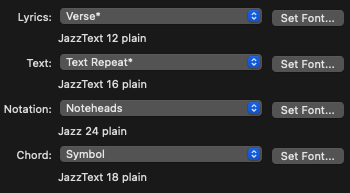
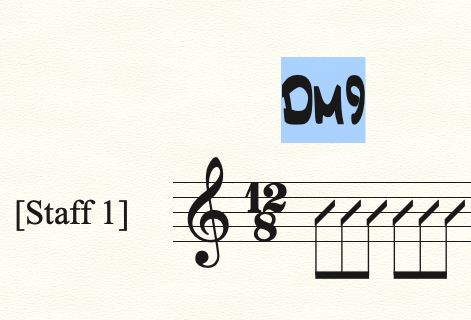
I had a thought that maybe I should be using the "music symbols" font but that doesn't seem to work either:

Symbol: Jazz Text 24pt

Suffix: Jazz Cord 18pt

Alteration: Jazz 18pt

any other suggestions?

Comment actions Permalink
Avatar
0

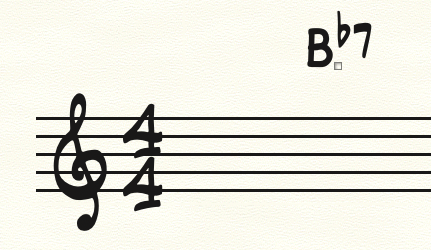
Also, when I select the chord, it displays like this:

Which is pretty much what I want, but it reverts when I click somewhere else.

Comment actions Permalink
Avatar
0

Hopefully, you've submitted this to Support and received a reply. If not, I recommend removing Finale, and re-installing from the download instead of running an updater.

https://makemusic.zendesk.com/hc/en-us/articles/115003352327-Uninstalling-Finale 


This is often the first thing that Support will recommend, too. Finale sometimes gets a little confused when there are multiple versions on a system.


Comment actions Permalink
Avatar
0

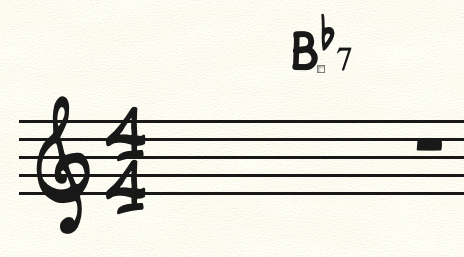
I reinstalled Finale 27-3 as suggested.  When I load the Jazz Font Default library, I get the following fonts set:

But now when I MIDI input a B-flat 7 chord I get:

So now the alteration looks correct, but the suffix looks like it's Times New Roman instead of JazzCord.

Thoughts?

Comment actions Permalink
Avatar
0

Yes. What happens when you change to Broadway? Does the Times Alteration remain?

Comment actions Permalink
Avatar
0

The Alteration changes to Broadway Copyist, but the suffix still looks like Times New Roman

Comment actions Permalink
Avatar
0

thanks, I appreciate your looking at this


cheers


Michael


Comment actions Permalink
Avatar
0

Michael Miller,


You can not change an already existing suffix via Document Options.

New suffixes will get the new suffix font, but already existing suffixes will not be affected by the font change.

In your Document Options screen shot you can see an asterisk on the menu item, like this:

Suffix*


I suggest that you load a chord suffix library with the JazzCord font.

Next, go to the Chord Suffix Selection window, and delete all the suffixes you do not need (= the suffixes with the Times New Roman font).

Comment actions Permalink
Avatar
0

Peter, deleting the Times New Roman suffixes was the solution.  thanks much!

Comment actions Permalink

Please sign in to leave a comment.