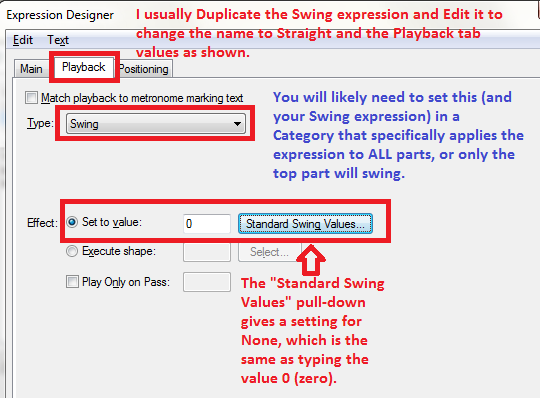
Finale 25 on Mac - How do you change playback during a piece from swing to straight? I used the playback controls to get it to swing, but there doesn't seem to be a way to switch it back to even for a section during the piece.


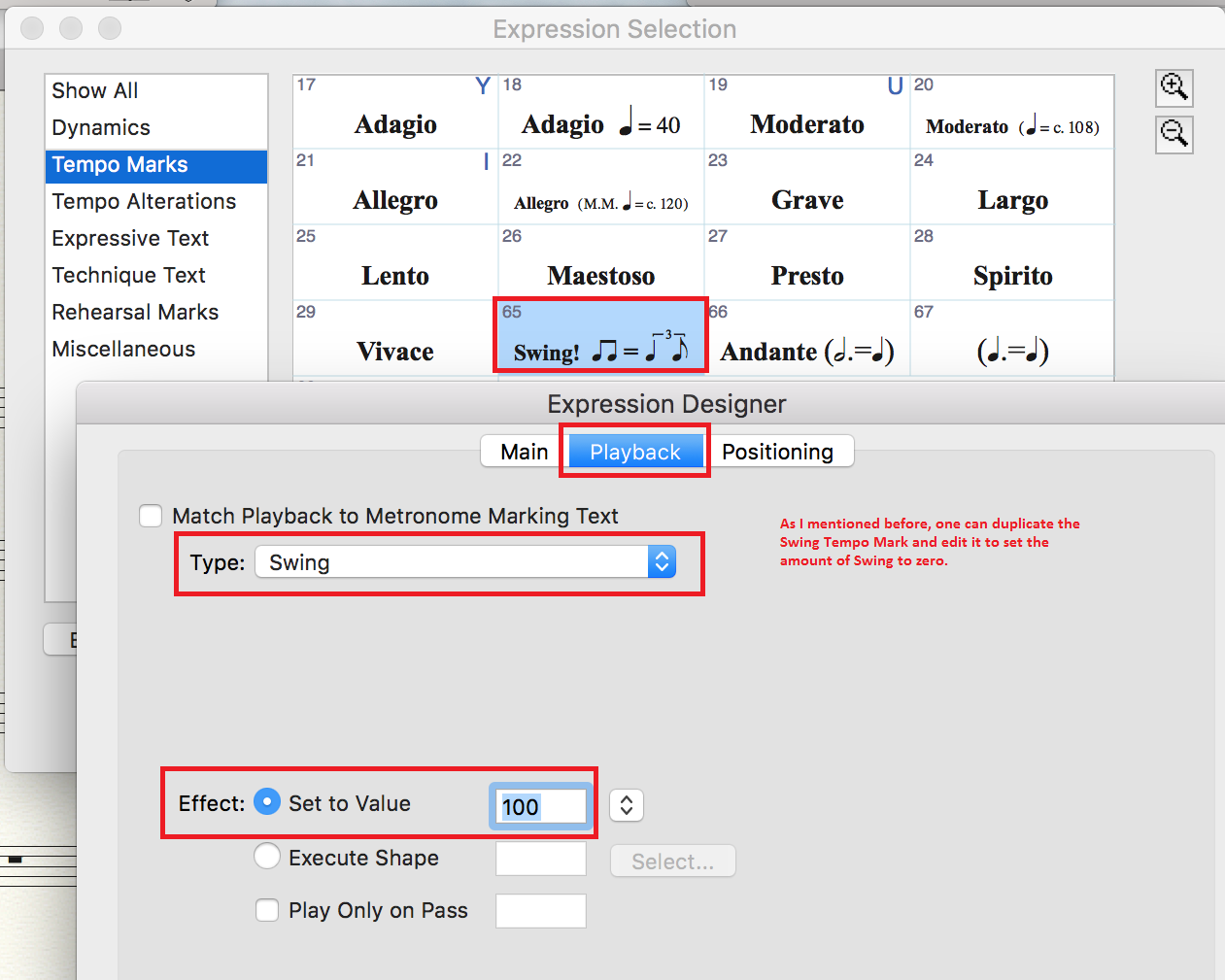
Thanks for the quick reply, but it didn't work. For one, the "Type" drop down window doesn't even list "swing" as a choice. I think you must have a different version of Finale. I'm on the latest one, Finale 25. For Effect, I don't have a window to the right like you have. See attached. I designed a new expression and set the value to "0" anyway, and it had no effect. I'm missing a step or something. And, by the way, there's a "swing" expression already in the expression library, but it doesn't have any "swing" effect. You have to set that in the playback control window. Also attached. 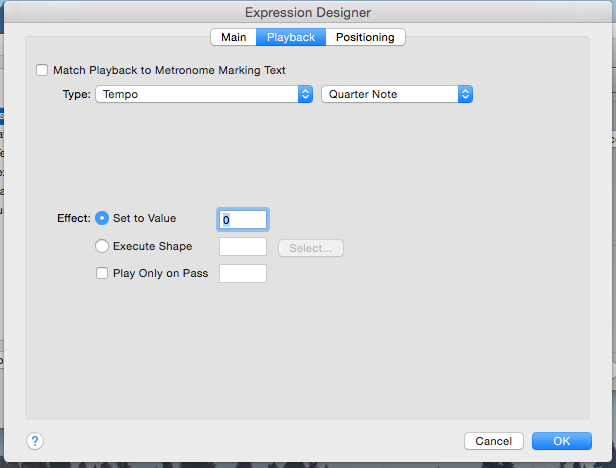

You can type Swing into the search box at the top of the screen. One of the links will lead you to
Please sign in to leave a comment.
6 comments
Date Votes