How do you end a score halfway through a measure? For example, if the score begins on the last beat of a measure, the final measure should have one beat less than the other measures to make up for that. I use Finale version 2014 in Windows 7. Thanks


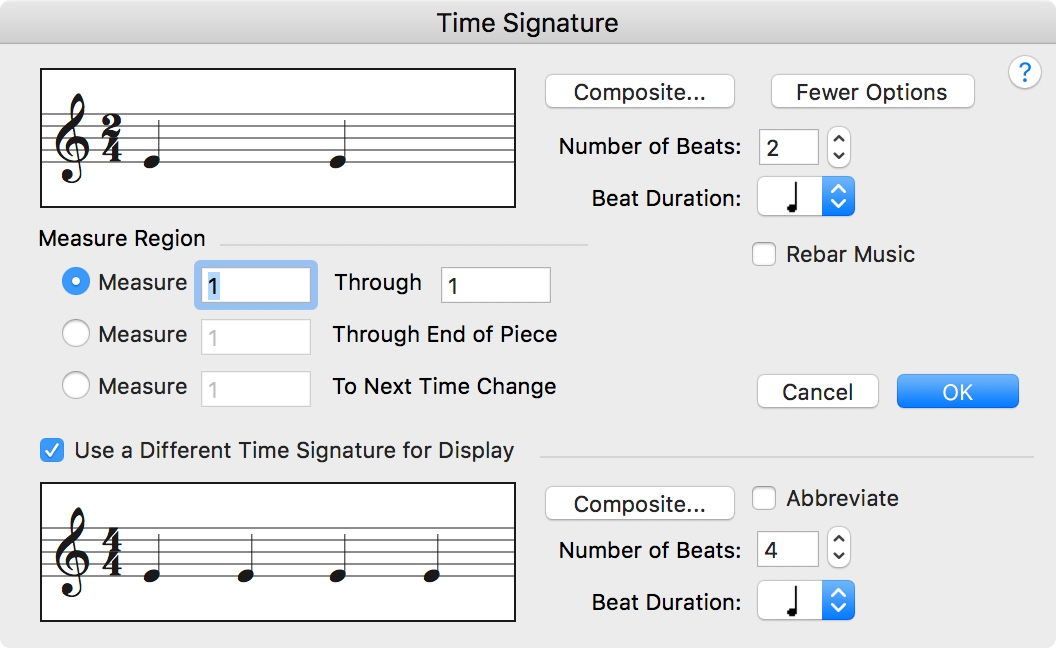
With the Time Signature Tool you can use one time signature as the “real” time signature, and another time signature for display.
You can e. g. create a “real” time signature of 3/4, with a “display” time signature of 4/4.
This is done in the dialog box Time Signature.
To get to the option of a separate “display” time signature, click the button for expanding the dialog box.
You can also use this trick to create a pickup measure - with correct playback!

I had the same problem as HV but I couldn't follow Peter Thomsen's instructions to create a display time signature different from the 'real' time signature. I could not see any button for expanding the dialog box.
Alternatively I would be quite happy to hide all time signatures but cannot find how to do that either. I can see how to hide courtesy time signatures but that is not enough.
Perhaps there is a better method of coping with these complementary part measures at the beginning and end of a piece. A similar problem is the need with hymns to introduce a double barline in the middle of a measure to denote the end of the line of a hymn, and sometimes start the rest of the measure on the next line.
I have Finale Print Music 2014 and I am operating Windows 10. Thank you.
Roger Mytton,
Unfortunately I only know the “full Finale”, not its smaller sibling PrintMusic.
The reason for your difficulties could be that PrintMusic’s dialog box Time Signature does not have the “expand dialog box” button:
However, you may not have to purchase the “full Finale”:
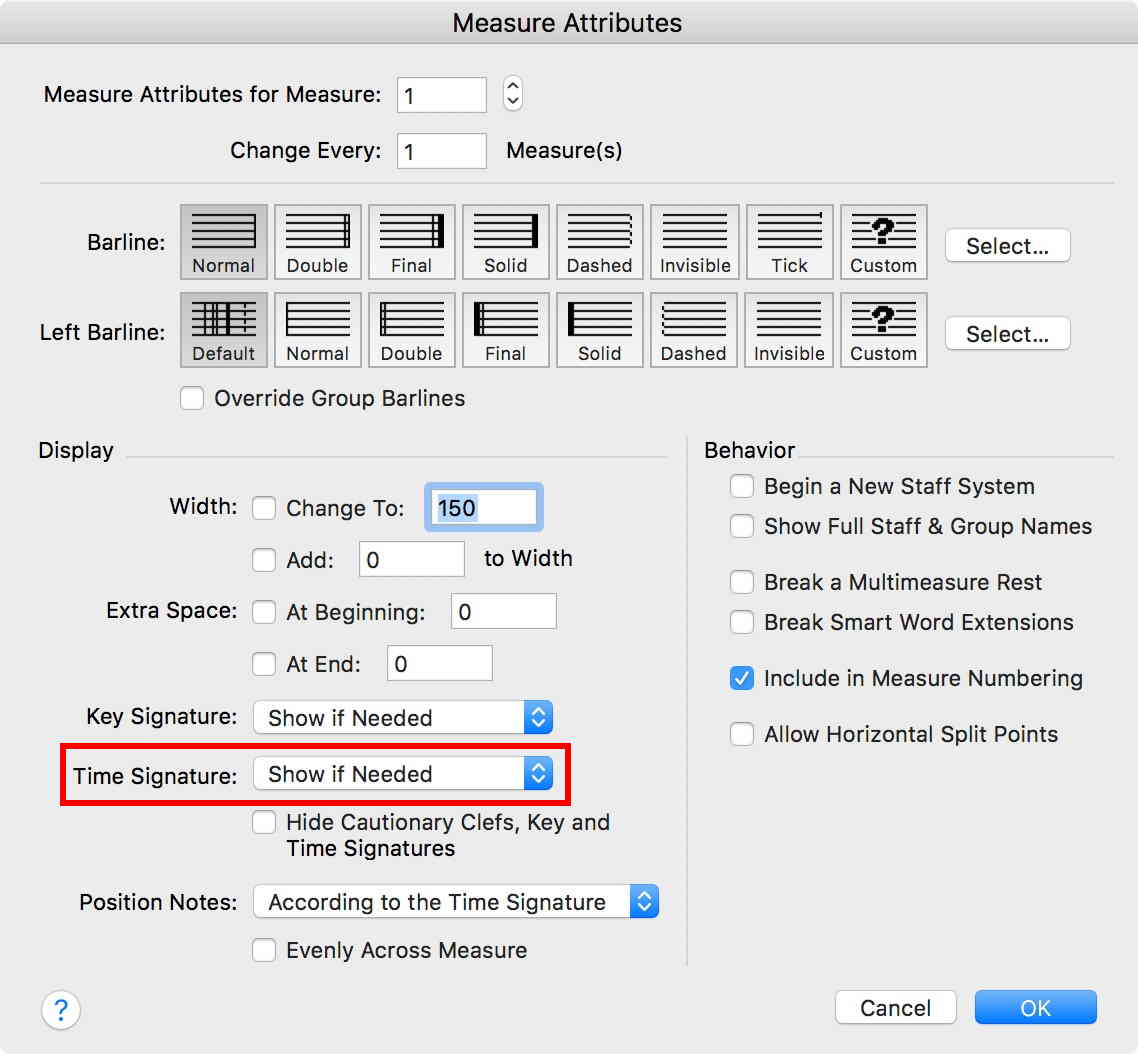
1) In the “full Finale” you can hide a measure’s time signature with the Measure Tool.
Double-click the measure to get to the Measure Attributes.
In the pop up menu Time Signature there are the options
Show if Needed
Always Show
Always Hide
2) Staff Styles are document specific (not program specific).
Your document may - or may not - contain a staff style that hides time signatures.

One of the issues for us Regulars is that our Finale (full version) licenses do not let us use PrintMusic. We are sort of flying half blind in that regards. We like to help but sometimes, there is only so much we can do without being able to crack it open.
Fortunately, PrintMusic 2014 is still supported. You can use the Submit a request link at the top of the page to ask MM directly.

Please sign in to leave a comment.
6 comments
Date Votes