

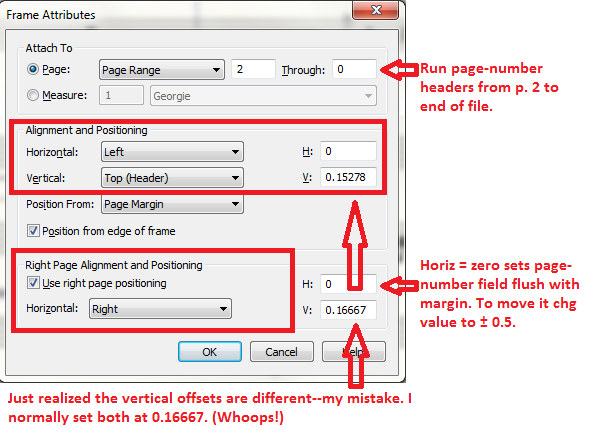
I am having a problem trying to figure out how to get each page number to be placed exactly 0.5" from the margin. I can't figure out how to place the right or left page number without it changing the page number to a number that is not in sequence with what I started with, or not be able to manually change the page number correctly (every page has the same number). I am confused.
 Let say I want to start numbering my pages at 100 for a file that has 12 pages. I need to place the first number on the right page. What are the steps?
And subsequently if I need to place the number 100 on the left side first for a 12 page document.
Thanks



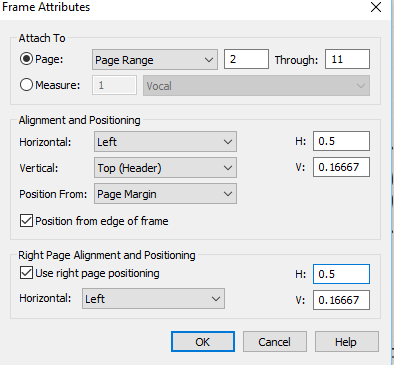

 And it doesn't matter if I start on the 2nd page or the first, it does the same thing.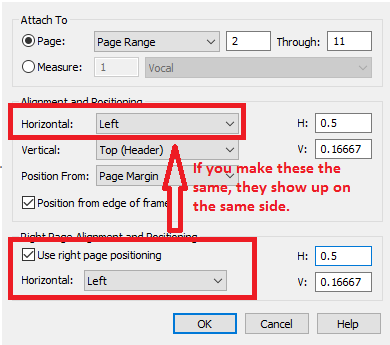
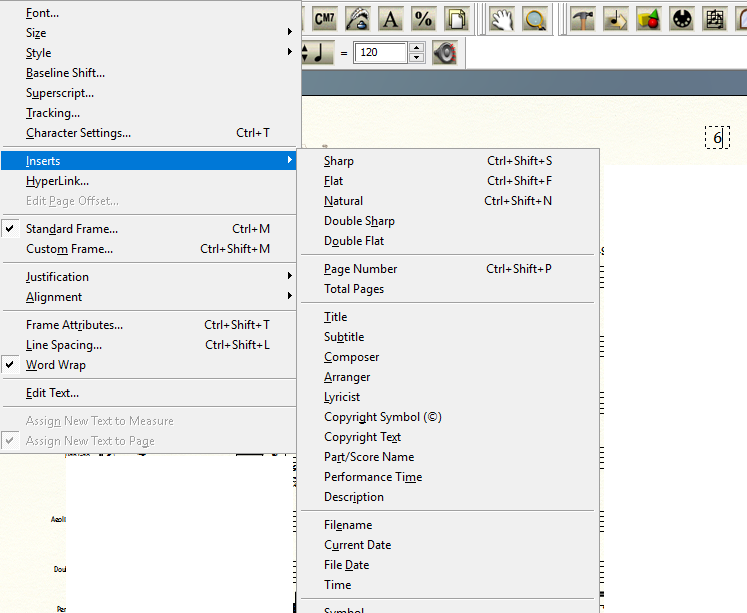
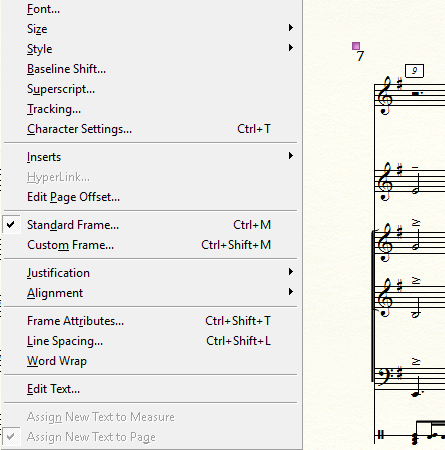
 This is on the right side of the page
 Insert from text menu>Page Number; I am on page 2. Good!
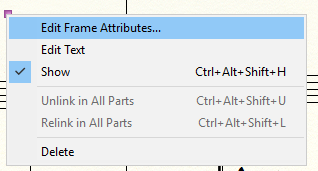 text block handle selected - Frame Attributes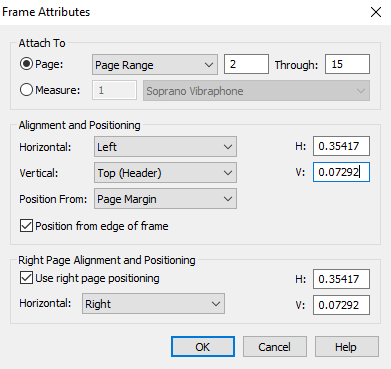

13 comments
Date Votes