Hi there
It looks fine on my finale screen. but when i try to print this vocal only score it squishes all the lyrics and notes together. Why does it do that and how do I make it stop? 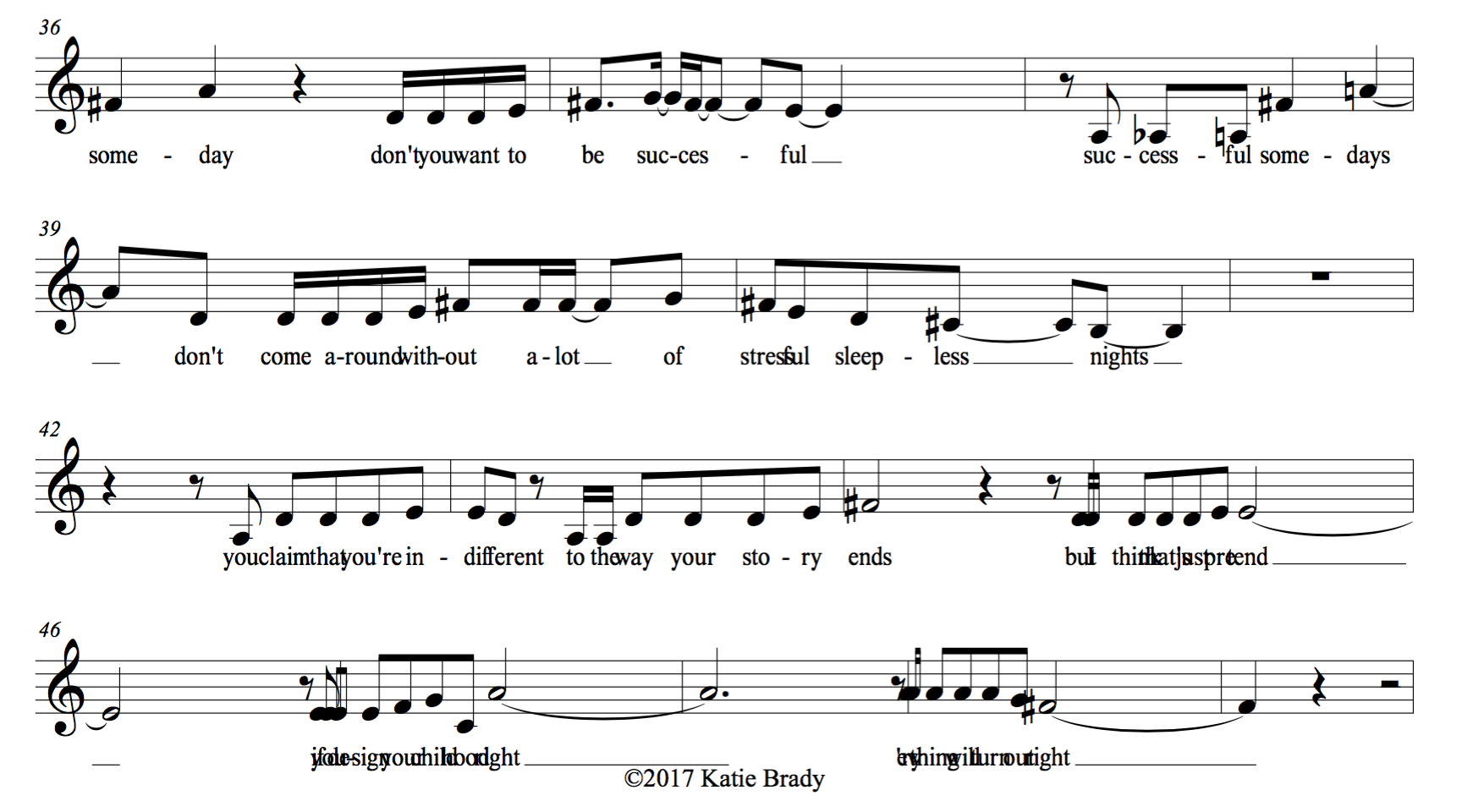


katie brady,
You wrote:
“It looks fine on my finale screen. but when i try to print this vocal only score it squishes all the lyrics and notes together.”
If I understand you correctly, then your Finale document is a 1-staff document, right?
But this means that both the score and the linked part display only one staff, right?
1) Are you viewing (on the computer screen) the score, or are you viewing the linked part?
To edit the score or the linked part, use
Document menu > Edit Score
and
Document menu > Edit Part > …
2) Are you printing the score, or the linked part?
Please sign in to leave a comment.
4 comments
Date Votes