How does one resize a tuplet? Both the numbers and the note value are too small. I use Finale 25 and Windows 10.
Many thanks!


1) The font used for the tuplet numbers is a document setting:
Document menu > Document Options > Fonts > Notation > Tuplet
2) By your words about “the note value” being “too small” I suppose that you e. g. have a tuplet defined as
“3 Eighths in the space of 2 Eighths” (= total duration a Quarter),
and you need the double note value of
“3 Quarters in the space of 2 Quarters”(= total duration a Half),
right?
You can double the value via
Utilities menu > Change > Note Durations…
Thanks for this. You half understood what I meant. I meant literally that the note is too small, ie. its appearance is too small. I mean, the note given after the ratio in the tuplet. I want, for example, 3:2 quarters, with quarter written as a quarter note. The notes' and the numbers' appearances are too small. I'll try what you suggested, change the font size. Thanks again! (I've just posted another question).
I understand.
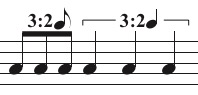
It is not the note value being too small, but rather the tuplet symbol’s note being too small.
I could be wrong here, but I do not think that you can resize the note’s stem length.
However, you can alter the size of the notehead.
To do so, go to the Document Options, and increase the font size for Noteheads.
This step will resize all noteheads.
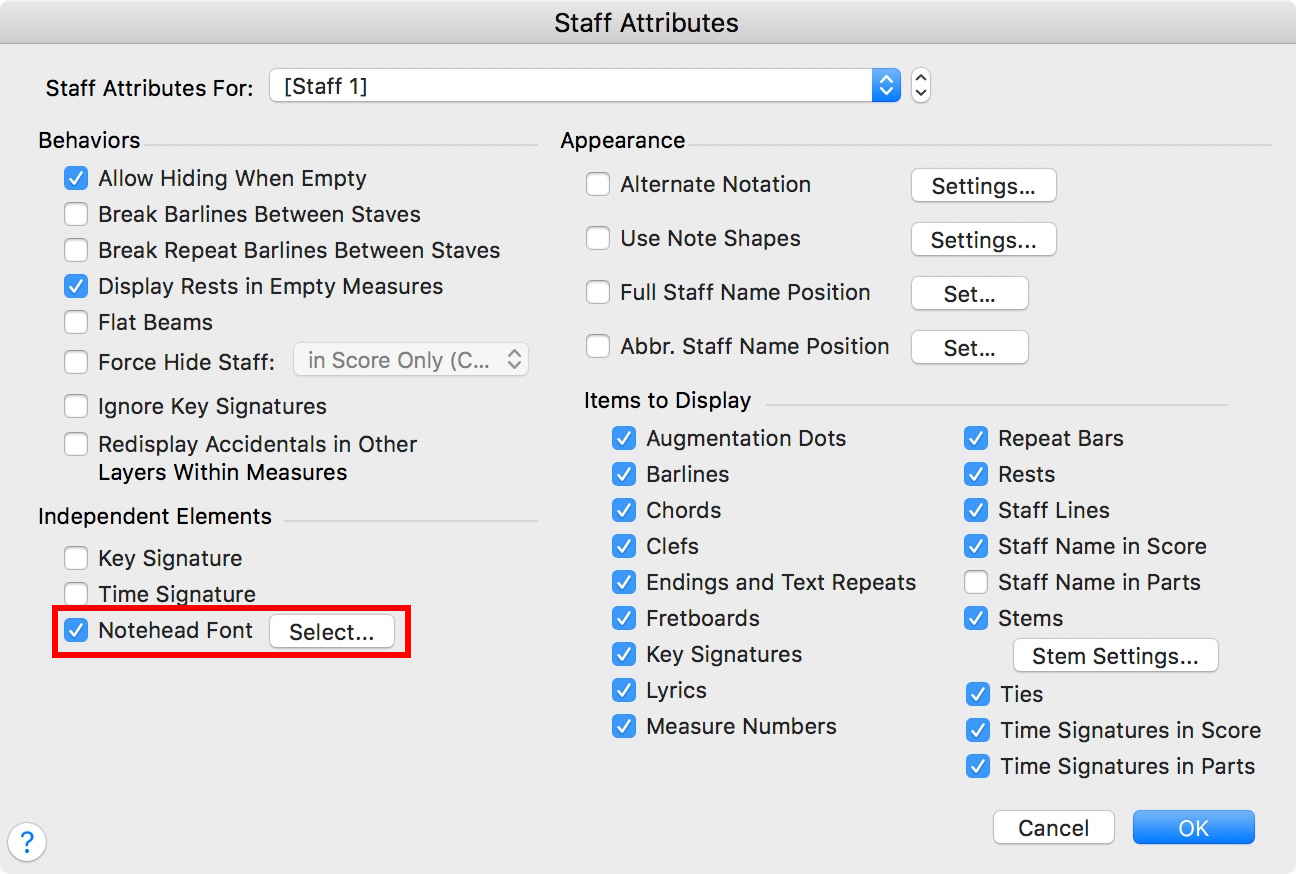
To get normal notehead size in the staff, go to the Staff Attributes.
In the pane Independent Elements, select “Notehead Font”, and change the font size back to 24 Points.
You can alter the flag size in the same way.
Unfortunately the Flag Font is not an Independent Element.
Using a custom stem on all flagged notes will solve the problem, but it may be a lot of work if there are many flagged notes.
Please sign in to leave a comment.
3 comments
Date Votes