New post
Avatar
0
This is James Ward. I am operating with Windows 10 with the current Finale 25.
 
I am following the instructions on creating slashes-with-cues drum notation. I did exactly as your instructions say in the Percussion section of the instruction manual online.
1. I created a new staff style.
2. I checked all the items in Apply to:Layer 1 and Other Layers.
3. I chose Document>Doc options>Layers and followed those directions.
The result is that all 4 layers are hidden by the slash notation. How do you retain layer 4 for the ensemble figures when you have assigned slash notation to all layers?
 
Jim Ward
 

10 comments

Date Votes
Avatar
0

Let me get this straight:

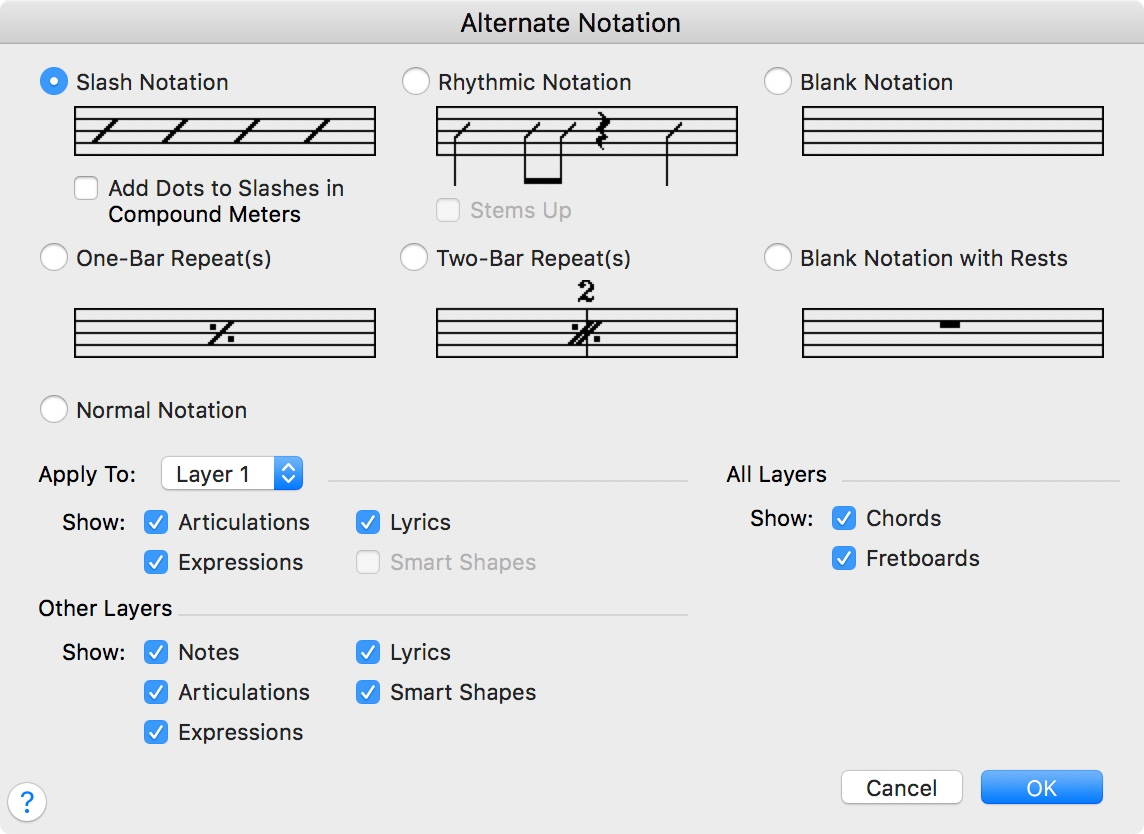
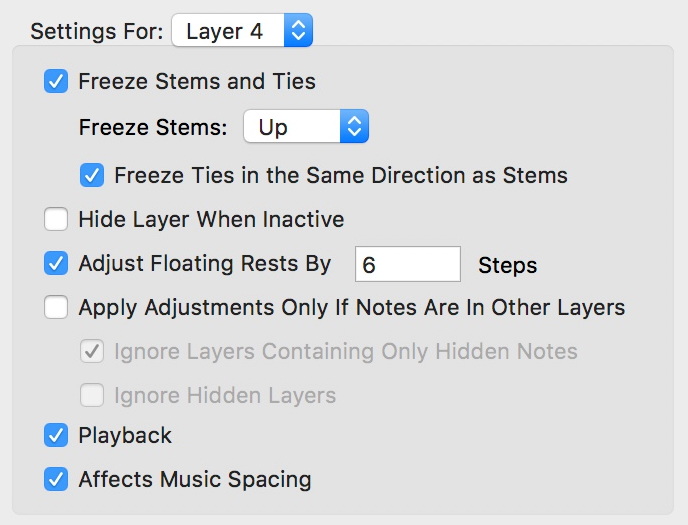
Your have selected these settings, right?


Comment actions Permalink
Avatar
0

I did the same thing.. followed the instructions exactly, but when I added the band accents the slashes disappeared. How do you get both the slashes and the band accents in the score? help .. Sim Wierdsma

Comment actions Permalink
Avatar
0

Notice that slashes are applied to Layer 1 and the second panel is applied to Layer 4.

Comment actions Permalink
Avatar
0

Perhaps I am confused about the layers. I followed all the steps exactly but when I got  to step 13 where it says "switch to layer 4 and enter cue notes" the notes (band accents) would not appear on the staff.  The slashes are there.  How/where do I switch to layer 4 after step 12 which says Click OK to return to document?  thanks.... Sim

Comment actions Permalink
Avatar
0

… How/where do I switch to layer 4 after step 12 which says Click OK to return to document? …


Sim Wierdsma,


You are using Windows Finale, right?

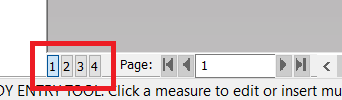
Look in the lower left corner of the document window.

There is a pop up menu where you can switch between the four Layers.

Comment actions Permalink
Avatar
0

In Windows Finale 25, they are just buttons too.

Comment actions Permalink
Avatar
0

Ok  thanks Peter and Adrian. That's all I needed to know. The cues and slashes are in place. I am good to go now to  print out the score and parts Thanks.... Sim.

Comment actions Permalink
Avatar
0

This is James Ward, from three years ago! I can't wait to go in and apply the dialogue that y'all had with Sim!

Comment actions Permalink
Avatar
0

Yes James....It works.     Sometimes a difficult problem has a simple solution, but can still take many hours to figure out..  Just every step has to be detailed.     Finale 25  is a huge program, really amazing and so much to learn.  The manual and community  forum experts are life savers.... thanks guys .. Sim  

Comment actions Permalink
Avatar
0

I'm afraid this doesn't work for me. The other day I found a (Youtube?) video that explained how to put a 'invisible' stave immediately above the drums stave in which to put the cue notes. I could see how this would work for me, but I didn't take notes. When I tried to replay it, I couldn't find it again. It seemed to emanate from MakeMusic, so could  someone help me find it again, please?

Comment actions Permalink

Please sign in to leave a comment.