New post
Avatar
0

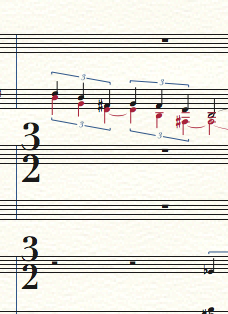
I have set up an orchestral score so that, when all staves/instruments are displayed, the time signature displays on the first instrument of each section (Picc, Horn, Timpani, Harp, First Violin). However, I am optimizing the score, and there are some time changes that occur when some of those instruments are hidden, and I would like the time signature to display on whatever instrument is on the top line for the stave. The Measure Attribute tool will allow me to selectively show the time signature, but it forces all staves to display the time signature when I really only want one stave to display it for that measure alone. 

I could get potentially get around this by force-hiding all time signatures in that measure and linking a text box to the measure, but I don't want to deal with alignment issues later on. Is there a simpler solution to this problem?

I'm on Finale 25 with the latest Apple OS.


3 comments

Date Votes
Avatar
0

You can hide/show time signatures with custom staff styles.


Staff styles can be different between score and linked parts.

In this case you obviously need to apply the custom staff style to the score only.

Comment actions Permalink
Avatar
0

Thank you -

A final question. Is there a way in my new staff style to show a courtesy time change at the end of the measure?


Comment actions Permalink
Avatar
0

Sarabeth Mullins,


You wrote:

“… Is there a way in my new staff style to show a courtesy time change at the end of the measure?”


I am not sure I understand.

Are you talking about as cautionary time signature at the end of a mid-system measure?

Or do you mean a cautionary time signature at the end of a system?

Please explain.


The better we understand, the better we can help.


As Far As I Know, a staff style can not do it.

I would try a custom expression.

But I do not (yet) know the actual situation.

Comment actions Permalink

Please sign in to leave a comment.