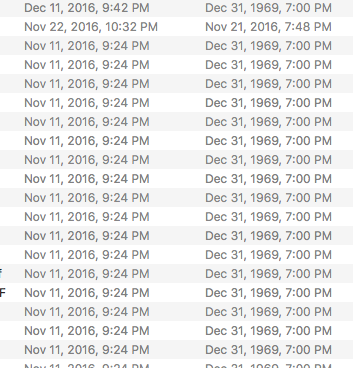


OK, now give that screen shot some context. Why are two dates showing and what do they mean?
My files show only Modified dates. If those are Create Dates, there are a number of reasons that can happen, none are caused by Sierra. This was a common occurrence in the Finder/OS 4 – 9 days if the PRAM battery went dead..
Usually only one or the other shows. I'm a little curious as to what happened but only a little.
Did these files used to sit on another Mac? If so, how did you copy them over?
Thanks Mike.
The modified dates are on the left, created dates on the right. Something must've happened on Nov 11, 2016 for all the modified dated to set there. Worst case scenario, I look into Time Machine before that date and manually change all the dates to what they were, but that'll take some time!
Many Finale files were created on several older Macs, and transferred through the old Migration app or Time Machine.
Please sign in to leave a comment.
6 comments
Date Votes